



GMKtec NucBox G3 Pro Review: A Palm-Sized Office PC With Room to Grow
The GMKtec NucBox G3 Pro is a budget mini PC for office work, browsing, streaming and light home-server duty, and owners mostly say it does exactly that. Its Intel Core i3-10110U is modest, but the box around it is generous: 16 GB of DDR4 in two SO-DIMM slots (upgradeable to 64 GB), a free M.2 2242 SATA slot next to the 512 GB drive, 2.5 Gigabit Ethernet and Windows 11 Pro. The trade-offs are no USB-C at all, HDMI 1.4 outputs that limit dual 4K to 24 Hz, a fan that is audible when pushed and a few reports of early faults, so it suits a buyer who wants a cheap, expandable desktop rather than a quiet or modern-port machine.
- Office work and web browsing
- Home Assistant and small home servers
- Kids' and homework PCs
- Budget buyers
- VESA-mounted desk setups
Pros
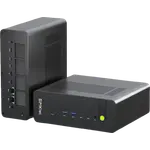
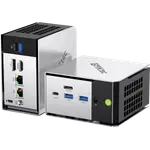
- Tiny 280 g chassis with a VESA mount included
- Easy setup with Windows 11 Pro pre-installed
- 16 GB of DDR4 in two SO-DIMM slots, dual-channel and upgradeable to 64 GB
- Second M.2 slot free for extra storage
- 2.5 Gigabit Ethernet, Wi-Fi 6 and Bluetooth 5.2
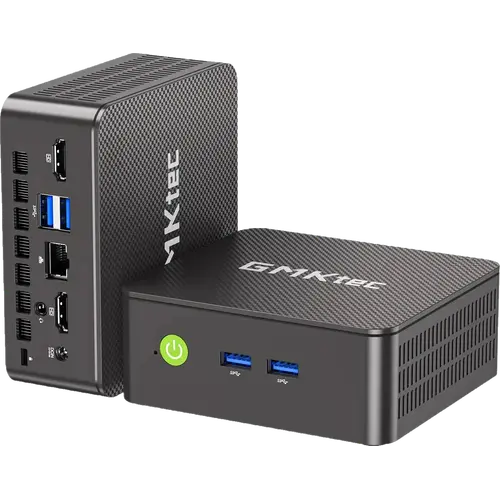
- Four USB-A 3.2 ports and two HDMI outputs for a dual-monitor desk
- Handles office work, browsing and 4K streaming comfortably
Cons
- No USB-C, DisplayPort, Thunderbolt or USB4
- HDMI 1.4 limits dual 4K to 24 Hz
- Fan is audible under load
- Long round of Windows updates on first boot and sparse documentation
- A few reports of early failures and Bluetooth faults
- Plastic chassis and a one-year warranty
Who is the GMKtec NucBox G3 Pro for?
Owners buy it for Word and Excel, web browsing, 4K video streaming and school work, and the common verdict is that it handles those comfortably, with applications opening quickly and several programs running at once. A second group runs it headless: Home Assistant OS in a basement, Linux services, a small always-on box. At 114 x 106 x 44 mm and 280 g, with a VESA plate in the box, several buyers mount it behind the monitor to turn a screen into an all-in-one, and one carries it between two homes. It is not a gaming machine: Intel UHD Graphics is enough for light 2D games and not much more, and there is no NPU for on-device AI features.
What buyers love
Size and setup come up first. Owners describe it as tiny, easy to set up and ready to work within minutes, with Windows 11 Pro pre-installed and free of trial software. The second theme is how upgradeable it is for the money. People who opened it confirm the memory is not soldered and the 16 GB ships as two 8 GB modules running in dual-channel, which many budget mini PCs skip by fitting a single module, and the tool-free lid gives access to a second M.2 slot for more storage. The port selection also gets credit: four USB-A 3.2 ports, two HDMI outputs for a dual-monitor desk, a 2.5 Gigabit LAN port and a 3.5 mm audio jack. Several reviewers call it stable after months of daily use with no crashes.
What to know before you buy
The most repeated complaint is the lack of USB-C: every USB port is Type-A, and there is no DisplayPort, Thunderbolt or USB4, so a hub is the answer for anyone who runs out of ports. The fan is the second: owners rate the noise from moderate to loud under load, even though the spec sheet quotes a fan below 38 dB, so it is better on a desk than in a silent bedroom. The first boot also asks for a long round of Windows updates. Documentation is thin, and one buyer found the printed manual showed the wrong expansion slot, so it is worth knowing in advance that the free slot takes an M.2 2242 SATA drive, not a longer PCIe one. Finally, the power draw is not the ultra-low figure some listings suggest: one owner measured far more at the wall under load, and a small number report failures, from a unit that never showed an image to a faulty internal Bluetooth that needed a USB dongle. The warranty is one year.
Is the GMKtec NucBox G3 Pro worth it?
For its budget price it is a solid buy when the job is office work, streaming, a kids' PC or a Home Assistant server, and the dual-channel memory, the free M.2 slot and the 2.5 Gigabit port give it more headroom than most boxes at this tier. It is the wrong pick for anyone who needs USB-C, a 4K desktop at a comfortable refresh rate, a near-silent fan or graphics for games; those buyers should step up the range. Test it well inside the return window, since the reported faults tend to show up early.
Frequently asked questions
Can I add a second SSD to the GMKtec NucBox G3 Pro?
Yes. It has two M.2 slots: the 512 GB drive sits in the M.2 2280 PCIe 3.0 slot, and the free slot takes an M.2 2242 SATA drive. A 2280 or PCIe drive will not fit the second slot.
How much RAM does it support?
It ships with 16 GB of DDR4 as two SO-DIMM modules in dual-channel, and the two slots accept up to 64 GB. The memory is not soldered, so upgrading is a module swap.
Does the NucBox G3 Pro have USB-C?
No. It has four USB 3.2 Gen 1 Type-A ports and no USB-C, USB4, Thunderbolt or DisplayPort. Video goes out through two HDMI 1.4 ports.
Can it run two monitors?
Yes, through its two HDMI 1.4 outputs. Dual 4K is supported at 24 Hz, so for a desktop you look at all day, 1080p or 1440p screens are the more comfortable match.
Is it good for Home Assistant or a home server?
It works well for that role: owners run Home Assistant OS and Linux services on it, and the 2.5 Gigabit Ethernet port, the dual-channel memory and the free M.2 slot suit an always-on box. Expect the fan to be audible under heavy load.
Is the GMKtec NucBox G3 Pro quiet?
It is quiet at idle and during light work, but the fan becomes audible under load, and some owners find it loud. The cooling is a single copper heat pipe with one fan.