



Apple Mac Mini M4 Pro Review: Workstation Performance in a Five-Inch Box
The Mac Mini with the M4 Pro chip is the smallest machine in this catalog that behaves like a workstation. Its 12-core CPU, 16-core GPU and 273GB/s of unified memory bandwidth chew through video editing, compilation and local AI models while staying near-silent, and three Thunderbolt 5 ports drive large or multiple displays without an adapter chain. The catch is permanence: the 24GB of memory and the 512GB SSD are soldered, so the configuration you buy is the one you keep, and you supply your own monitor, keyboard and mouse. If your workload is heavy and your peripherals already exist, little else this size comes close.
- Video and photo editors
- Software developers
- Local AI and LLM workloads
- Multi-monitor desk setups
Pros
- 12-core M4 Pro CPU with 16-core GPU and a 16-core Neural Engine
- Three Thunderbolt 5 ports plus HDMI for multiple high-refresh displays
- Near-silent operation even under sustained load
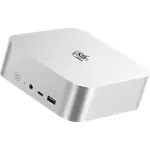
- Aluminium chassis with a 127 x 127 mm footprint
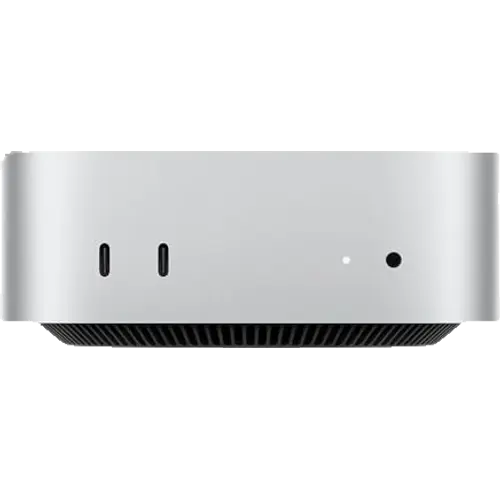
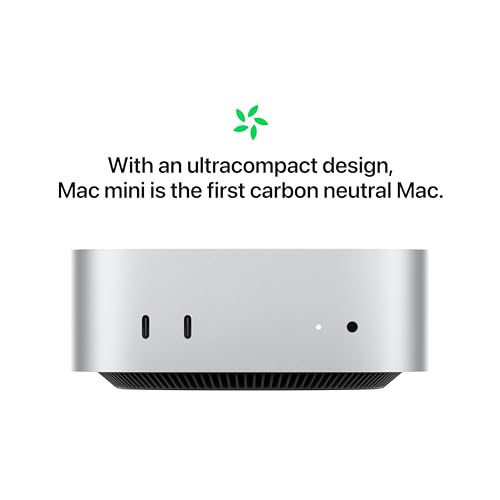
- Built-in speaker and front-facing USB-C and headphone jack
- Wi-Fi 6E and Bluetooth 5.3
Cons
- Memory is soldered, so the 24GB cannot be increased later
- The 512GB SSD is not user-replaceable
- No USB-A ports, SD card reader or Kensington lock slot
- Gigabit Ethernet by default, 10Gb only as a purchase-time option
- No HDMI cable or VESA mount included
- Display, keyboard and mouse are not in the box
Who is the Mac Mini M4 Pro for?
This is the configuration to pick when the base M4 is not enough. The M4 Pro adds four more CPU cores and six more GPU cores than the standard chip, plus far more memory bandwidth, which is what turns a small desktop into a machine that handles Premiere and Final Cut timelines, Xcode and Android Studio builds, database work and local language models. Owners describe running professional toolchains on it, driving a 49 inch curved display for trading, and using it as the engine of a small content business. It is also a common landing spot for people leaving Windows, since the aluminium body takes almost no desk space and the setup is quick.
What buyers love
Two themes dominate: speed and silence. Owners repeatedly describe the performance as effortless for daily work and creative tasks, and note the machine stays quiet even under sustained load, which the spec sheet supports with a 155W maximum draw in a passive-looking aluminium enclosure. The compact footprint is the other constant, along with the value argument: because the mini ships without a display or input devices, the money goes entirely into the chip, memory and SSD. Multi-display users are well served, with three Thunderbolt 5 ports plus HDMI on the back and two more USB-C ports and a headphone jack on the front.
What to know before you buy
Everything inside is fixed. The 24GB of unified memory is soldered LPDDR5X and the 512GB SSD is not user-replaceable, so plan for external Thunderbolt storage rather than an upgrade later, which is exactly what several owners did. Port opinions are mixed: there is no USB-A, no SD card reader and no Kensington lock slot, so older peripherals need adapters or a dock. There is no HDMI cable in the box and no VESA mount option, and Ethernet is Gigabit unless you configure the 10Gb upgrade at purchase. The price is high for a machine that arrives without a screen, a point at least one owner raised directly.
Is the Mac Mini M4 Pro worth it?
For the audience it targets, yes. Ratings are consistently high and the praise is unusually specific, pointing at real workloads rather than first impressions. The value case depends on already owning a monitor, keyboard and mouse, and on being honest about the fixed configuration: if 24GB and 512GB will still fit your work in a few years, this is a lot of sustained performance per liter and per watt. If you expect to need more memory or internal storage, configure it higher at purchase or look at a machine with slots.
Frequently asked questions
Can you upgrade the memory or storage in the Mac Mini M4 Pro?
No. The 24GB of unified memory is soldered to the chip package and the 512GB SSD is not user-replaceable. Choose your configuration at purchase, and expand with external Thunderbolt storage afterwards.
How many monitors can the Mac Mini M4 Pro drive?
It has three Thunderbolt 5 ports and one HDMI port, and the Thunderbolt ports carry DisplayPort, so it supports multiple high-resolution displays at once. Owners report running large ultrawide and 49 inch panels on it.
Does the Mac Mini M4 Pro come with a keyboard, mouse or monitor?
No. The box contains the computer and a power cable only, with no HDMI cable either, so budget for a display and input devices if you do not already own them.
Is the Mac Mini M4 Pro good for local AI models?
Yes. The M4 Pro pairs a 16-core Neural Engine with 24GB of unified memory at 273GB/s of bandwidth, and owners report running local language models and image generation on it as part of everyday work.
Does it have USB-A ports or an SD card reader?
No. Connectivity is USB-C only, with two USB 3 ports on the front and three Thunderbolt 5 ports on the back, plus HDMI and Gigabit Ethernet. Older USB-A peripherals need an adapter or a dock.