



Apple Mac mini (M4 Pro, 48GB, 1TB) Review: Thunderbolt 5 and Workstation Memory in a 12.7 cm Cube
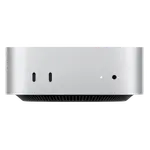
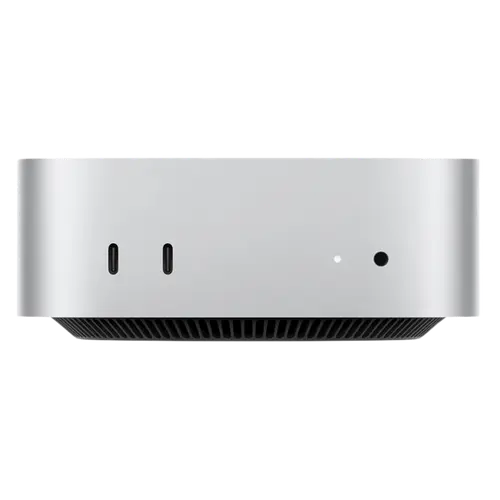
This is the Mac mini configured as a workstation: an M4 Pro chip with a 16-core GPU and a 16-core Neural Engine, 48 GB of unified LPDDR5X memory at 8532 MHz, and a 1 TB SSD. Three Thunderbolt 5 ports put it ahead of almost every mini PC for external bandwidth, and the power supply is built into the 127 mm square aluminium body, so there is no brick on the desk. The trade-offs are Apple's usual ones: nothing is upgradeable, the memory is soldered at 48 GB for good, and networking is gigabit Ethernet rather than 2.5G.
- Video and creative work
- Local AI workloads
- Small desks with no room for a tower
- macOS-based development
Pros
- M4 Pro with a 16-core GPU and 16-core Neural Engine
- 48 GB of fast unified LPDDR5X memory at 8532 MHz
- Three Thunderbolt 5 ports, the fastest external interface available
- Internal power supply, so no adapter brick on the desk
- Tiny aluminium body at 127 x 127 x 50 mm and 730 g
- HDMI and DisplayPort 2.1 alongside the Thunderbolt ports
- Headphone jack with high-impedance support
Cons
- Memory is soldered and capped at 48 GB, with no upgrade path
- SSD is not user-replaceable
- Gigabit Ethernet only, where rivals offer 2.5G
- No USB Type-A ports at all
- No SD card slot, fingerprint sensor or Kensington lock
- No built-in microphone
- No VESA mount or HDMI cable included
- One year warranty
Who is this Mac mini for?
The M4 Pro with 48 GB of unified memory is aimed at work that actually consumes that memory: video timelines, large photo libraries, multiple virtual machines, or local AI models where unified memory acts as usable capacity for the GPU and Neural Engine as well as the CPU. At 730 g and 127 x 127 x 50 mm it fits anywhere, and because the power supply is internal there is no adapter to hide. For anyone already on macOS it replaces a tower without giving up much beyond upgradeability.
What the specification delivers
The M4 Pro pairs its CPU with a 16-core GPU and a 16-core Neural Engine, and the LPDDR5X memory runs at 8532 MHz, which is what makes unified memory fast enough to serve all three. Storage is a 1 TB SSD. Connectivity leads with three Thunderbolt 5 ports, the newest and fastest standard available, plus one USB 4 Type-C, two USB 3 Type-C, HDMI and DisplayPort 2.1, so multiple displays and fast external arrays are straightforward. Wi-Fi 6E and Bluetooth 5.3 cover wireless, and there is a 3.5 mm headphone jack with support for high-impedance headphones, which matters if you use studio cans.
What to know before you buy
Nothing is upgradeable: the memory is soldered and capped at the 48 GB it ships with, and the SSD is not user-replaceable, so the configuration you buy is the configuration you keep. Ethernet is gigabit rather than the 2.5G found on comparable Windows mini PCs. There are no USB Type-A ports at all, so older peripherals need adapters or a hub. There is no SD card slot, no fingerprint sensor, no Kensington lock slot, no built-in microphone and no VESA mount or HDMI cable in the box. Warranty is one year as standard.
Is this Mac mini worth it?
At this configuration it is priced against serious workstations rather than budget mini PCs, and what justifies it is the memory bandwidth, the Thunderbolt 5 bandwidth and the performance per watt, in a body smaller than most external drives. The honest counterpoint is flexibility: a Windows mini PC at similar money gives you upgradeable RAM, 2.5G Ethernet and USB-A ports. If your work is on macOS and leans on GPU or Neural Engine acceleration, this is the strongest small machine available; if it is not, you are paying for silicon advantages you may not use.
Frequently asked questions
Can I upgrade the memory later?
No. The 48 GB of unified memory is soldered and is also the maximum for this configuration, so it cannot be changed after purchase.
What can Thunderbolt 5 do here?
It provides the highest external bandwidth currently available, which matters for fast external SSDs, multi-display setups and docks. There are three such ports, plus USB 4 and two USB 3 Type-C.
Does it need an external power brick?
No. The power supply is built into the chassis, running on 100-240V AC, so only a mains cable is needed.
Are there USB-A ports for older accessories?
No. All ports are Type-C, so older USB-A peripherals need an adapter or a hub.
How fast is the network connection?
Gigabit Ethernet, plus Wi-Fi 6E and Bluetooth 5.3. Some competing mini PCs offer 2.5G Ethernet at this price.