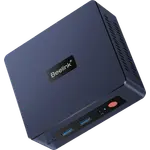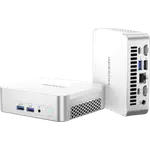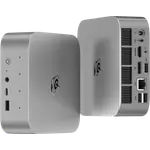
MINISFORUM M1-1390 Review: 24 Cores of i9 Power in a Value Mini PC
The MINISFORUM M1-1390 packs a 24-core Intel Core i9-13900HX, 32 GB of DDR4-3200 and a 1 TB NVMe SSD into a compact chassis built for home-lab, server and office use. It stands out with 2.5G Ethernet, Wi-Fi 6E, two M.2 slots and three simultaneous 4K display outputs, while keeping the cost down with DDR4 memory instead of DDR5. The main trade-offs are an external 120 W power brick, no USB4 or Thunderbolt and a rear-only port layout.
- Home lab and virtualization servers
- Always-on media servers
- Compact office desktops
- Multi-display workstations
Pros
- 24-core, 32-thread Intel Core i9-13900HX with a 5.4 GHz boost and 36 MB cache
- 32 GB of dual-channel DDR4-3200, expandable to 96 GB across two SO-DIMM slots
- 1 TB M.2 2280 NVMe PCIe 4.0 x4 SSD with a second slot free, expandable to 8 TB
- Triple 4K display output over HDMI 2.1, DisplayPort 1.4 and USB-C
- 2.5G Ethernet, Wi-Fi 6E and Bluetooth 5.2
- Two USB 3.2 Gen2 Type-A ports plus a 10 Gbps USB-C with 15 W power delivery
- Compact, VESA-mountable chassis with a two-year warranty
Cons
- External 19 V, 120 W power brick instead of an internal power supply
- DDR4 memory, so lower bandwidth than DDR5 machines
- No NPU, so no on-chip AI acceleration
- No USB4 or Thunderbolt
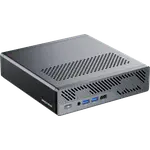
- All ports are on the rear, with nothing on the front
- No SD card reader, fingerprint sensor, built-in speakers or microphone
Who is the MINISFORUM M1-1390 for?
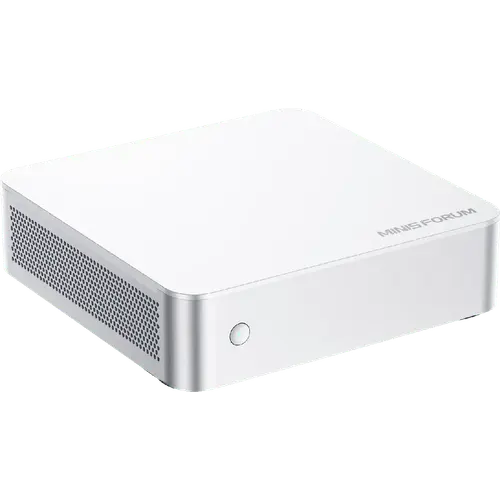
This is a machine for anyone who wants desktop-class x86 throughput in a box that fits behind a monitor. The Intel Core i9-13900HX brings 24 cores and 32 threads with a 5.4 GHz boost, which is more than enough for a Plex or Jellyfin server, a stack of virtual machines or day-to-day office work. Two SO-DIMM slots and two M.2 slots leave room to grow to 96 GB of memory and up to 8 TB of storage, and a VESA bracket lets it hang on the back of a display. It suits Linux users and home-lab builders as much as anyone replacing a tower with something smaller and quieter.
What the MINISFORUM M1-1390 offers
The headline is compute per dollar. The 24-core i9-13900HX runs a 36 MB smart cache and a 5.4 GHz maximum turbo frequency, paired with Intel UHD Graphics that can drive three 4K displays at once over HDMI 2.1, DisplayPort 1.4 and a USB-C port in DisplayPort Alt Mode. Memory is 32 GB of dual-channel DDR4-3200 across two replaceable SO-DIMM slots, expandable to 96 GB, and storage is a 1 TB M.2 2280 NVMe SSD on a PCIe 4.0 x4 link with a second slot free for expansion. Networking is current for the tier, with 2.5G Ethernet, Wi-Fi 6E and Bluetooth 5.2. Around the back you get two USB 3.2 Gen2 Type-A ports, two USB 2.0 ports, a 10 Gbps USB-C with 15 W power delivery, three 3.5 mm audio jacks and a Kensington lock slot. Cooling uses three copper heat pipes, a turbine blower fan and phase-change material, and MINISFORUM rates noise below 45 dB. The machine ships with Windows 11 Pro and a two-year warranty, and includes an HDMI cable and a wall-mount bracket.
What to know before you buy
The power supply is an external 19 V, 6.32 A (120 W) brick rather than an internal unit, so there is an adapter to hide. The i9-13900HX is a 13th-generation chip, which means DDR4 memory and no neural processing unit, so there is no AI acceleration and memory bandwidth sits below DDR5 machines. There is no USB4 or Thunderbolt, no front-mounted ports at all, and no SD card reader, fingerprint sensor, built-in speakers or microphone. The three 3.5 mm jacks, line out, line in and mic in, cover wired audio. If you want faster memory or a built-in NPU you have to step up to a Core Ultra model.
Is the MINISFORUM M1-1390 worth it?
As a compact always-on machine the value case rests on core count and expandability rather than on the latest platform. You get a fully configured desktop with 24 cores, 32 GB of memory and a 1 TB NVMe drive, room to reach 96 GB of RAM and 8 TB of storage, three display outputs, 2.5G networking and a VESA mount, all in a chassis you can hide behind a screen. What you give up versus pricier mini PCs is DDR5, an NPU, USB4 and front ports. For a home server, a virtualization host or a small-office desktop, the combination is hard to beat on price per core.
Frequently asked questions
Does the MINISFORUM M1-1390 have an NPU?
No. The Intel Core i9-13900HX is a 13th-generation processor without a neural processing unit, so AI acceleration runs on the CPU and the integrated Intel UHD Graphics rather than a dedicated NPU.
How much memory and storage can the M1-1390 take?
It ships with 32 GB of DDR4-3200 across two SO-DIMM slots and supports up to 96 GB. Storage is two M.2 NVMe PCIe 4.0 x4 slots with a 1 TB drive installed from the factory, and each slot takes up to 4 TB for a maximum of 8 TB.
How many monitors can the MINISFORUM M1-1390 drive?
Three at once: one HDMI 2.1 output, one DisplayPort 1.4 output and one USB-C port in DisplayPort Alt Mode, all driving 4K displays.
What operating system does the M1-1390 come with?
The 32 GB + 1 TB configuration ships with Windows 11 Pro. A barebone version without memory, storage or an OS license is also sold.
Does the M1-1390 have an internal power supply?
No. It uses an external 19 V, 6.32 A (120 W) DC adapter over a 5.5 x 2.5 mm barrel connector, so there is a power brick to place separately.
Does the MINISFORUM M1-1390 have USB4 or Thunderbolt?
No. Its fastest port is a USB 3.2 Gen2 Type-C at 10 Gbps with DisplayPort Alt Mode and 15 W power delivery; there is no USB4 or Thunderbolt support.