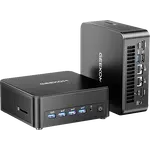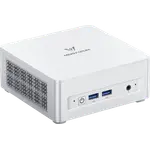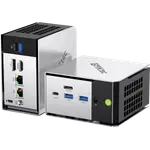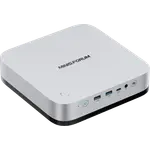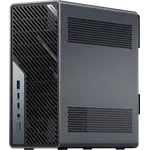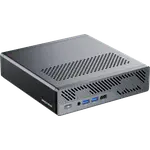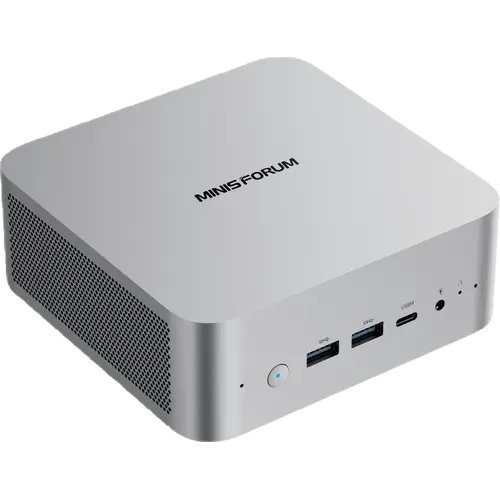

MINISFORUM M1 Pro-125H (32GB + 1TB)

MINISFORUM M1 Pro-125H (32GB + 1TB)

A 14-core Intel Core Ultra 5 desktop with 32 GB of DDR5, dual USB4, 2.5G Ethernet, dual M.2 storage and an OCuLink port, held back only by its external power brick.

4.9
10 ratings

4.9 vs the 4.3 average of 71 mini pcs we track

$767.00
As an Amazon Associate I earn from qualifying purchases
Launch Year: 2025

Model: M1 Pro-125H

See the 10 best selling mini pcs
Open selection
Price alerts

Mini PC price drops, every week

We check the price of every Mini PC in the catalog daily, and email you the drops.

Your subscription could not be saved. Please try again.
Your subscription has been successful.

Smart home deals and news, straight to your inbox

Price drops, new releases and the smart home news worth knowing.

No spam. Unsubscribe in one click.

Our review

MINISFORUM M1 Pro-125H Review: A Core Ultra 5 Mini PC With OCuLink eGPU Headroom

The verdict

The MINISFORUM M1 Pro-125H is a compact desktop for a home lab, an always-on media server or a quiet office machine. Its 14-core Intel Core Ultra 5 125H and Intel Arc graphics are backed by 32 GB of DDR5, a 1 TB NVMe SSD, two USB4 ports, 2.5G Ethernet and an OCuLink connector that can drive an external GPU. The main trade-offs are the external 19 V power brick, USB4 without Thunderbolt certification, and an OCuLink port that takes over one of the two M.2 slots. For its tier it is a well-rounded, genuinely upgradeable mini PC.

Best for
  • Home lab and virtualization servers
  • Always-on media servers
  • Compact office desktops
  • eGPU upgraders

Pros

  • 14-core Intel Core Ultra 5 125H with Intel Arc graphics
  • 32 GB of DDR5 across two SO-DIMM slots, expandable to 128 GB
  • Two M.2 2280 PCIe 4.0 x4 slots with RAID 0/1, 1 TB pre-installed
  • Dual USB4 ports running at 40 Gbps with 8K video and up to 100W power input
  • OCuLink port for an external GPU at PCIe 4.0 x4
  • 2.5G Ethernet, Wi-Fi 7 and Bluetooth 5.4
  • Four display outputs over HDMI 2.1, DisplayPort 1.4 and two USB4 ports
  • Dual speakers and dual digital microphones, with a two-year warranty

Cons

  • External 19 V, 120 W power brick rather than an internal power supply
  • USB4 ports are not certified Thunderbolt
  • Using OCuLink consumes one of the two M.2 slots
  • No SD card reader, fingerprint sensor or Kensington lock
  • Memory on the 125H version tops out at DDR5-5600

Who is the MINISFORUM M1 Pro-125H for?

This is a machine for anyone who wants desktop-class x86 throughput in a box that fits behind a monitor. The Intel Core Ultra 5 125H brings 14 cores and 18 threads up to 4.5 GHz at a 65 W TDP, which is more than enough for a Plex or Jellyfin server, a handful of virtual machines, or day-to-day office work. Two SO-DIMM slots and two M.2 slots leave the door open to 128 GB of memory and far more storage than the 1 TB it ships with, and the anodized aluminum chassis supports both flat and wall-mounted placement. It suits Linux users and home-lab builders as much as it does anyone replacing a tower with something smaller and quieter.

What the MINISFORUM M1 Pro-125H offers

The headline is expandability. Two USB4 ports run at 40 Gbps: the rear one accepts 65-100W power delivery and can drive an 8K display, while the front one supplies 15W out. An OCuLink port offers a PCIe 4.0 x4 path to an external GPU for far more graphics headroom than the integrated Intel Arc chip. On the storage side there are two M.2 2280 PCIe 4.0 x4 slots, each taking up to 4 TB and supporting RAID 0 or RAID 1, with a 1 TB drive pre-installed. Networking is similarly current, with 2.5G Ethernet, Wi-Fi 7 and Bluetooth 5.4. For output it can drive four displays at once over HDMI 2.1, DisplayPort 1.4 and the two USB4 ports. Cooling uses phase-change material, dual copper heat pipes and two fans, and MINISFORUM rates it at 47°C idle, under 86°C under full load and below 45 dB of noise. Two speakers and dual digital microphones are built in, and the machine ships with Windows 11 Pro. MINISFORUM covers it with a two-year warranty.

What to know before you buy

The power supply is an external 19 V, 6.32 A (120 W) brick rather than an internal unit, so there is a power adapter to hide. The two USB4 ports are not certified Thunderbolt, which matters if you rely on Thunderbolt-specific docks or drives. Using OCuLink costs you one of the two M.2 slots, so an external GPU and a second SSD cannot both be fitted. There is no SD card reader, no fingerprint sensor and no Kensington lock. Memory speed tops out at DDR5-5600 on the 125H version, below the 6400 MT/s of the Core Ultra 9 285H sibling, though that is a limitation of the processor rather than the chassis.

Is the MINISFORUM M1 Pro-125H worth it?

As a compact always-on machine the value case rests on connectivity and upgrade potential rather than benchmark position. You get a fully configured desktop with 32 GB of memory and a 1 TB NVMe drive, room to reach 128 GB of RAM and up to 4 TB per M.2 slot, four display outputs, 2.5G networking and an eGPU path, all in a chassis you can mount behind a screen. What you give up versus pricier mini PCs is Thunderbolt certification and faster memory, and versus a tower you give up a discrete GPU unless you take the OCuLink route. For a home server, a small office desktop or a compact machine you intend to keep upgrading, it earns its place.

Frequently asked questions

Does the MINISFORUM M1 Pro-125H have an NPU?

Yes. The Intel Core Ultra 5 125H includes an Intel AI Boost NPU rated at up to 11 TOPS (Int8), alongside Intel Arc graphics and the 14-core CPU.

Can you add an external graphics card to the M1 Pro-125H?

Yes, through the OCuLink port, which runs at PCIe 4.0 x4. Note that the OCuLink connection occupies one of the two M.2 2280 slots, so you cannot use it and keep both SSD slots populated.

How much memory and storage can the M1 Pro-125H take?

It ships with 32 GB of DDR5-5600 across two SO-DIMM slots and supports up to 128 GB. Storage is two M.2 2280 PCIe 4.0 x4 slots, each up to 4 TB, with a 1 TB drive installed from the factory and RAID 0 or RAID 1 support.

How many monitors can the MINISFORUM M1 Pro-125H drive?

Four at once: one HDMI 2.1 output, one DisplayPort 1.4 output and two USB4 Type-C ports that also carry video, with USB4 capable of up to 8K at 60 Hz.

What operating system does the M1 Pro-125H come with?

The 32 GB + 1 TB configuration ships with Windows 11 Pro. A barebone version without memory, storage or an OS license is also sold.

Does the M1 Pro-125H have Wi-Fi 7 and 2.5G Ethernet?

Yes. Wireless connectivity is Wi-Fi 7 with Bluetooth 5.4, and there is one 2.5G RJ45 Ethernet port for wired networking.

At a glance

Summary

Everything this mini pc supports, grouped by category.

Size & Materials
5 × 5 × 2.1 in (128 × 126 × 52.5 mm)Chassis Material (Aluminum)
Memory
Dual-channelDDR55600 MT/sSO-DIMM32 GB
GPU
Intel Arc Graphics
NPU (Neural Processing Unit)
NPU Intel AI Boost
Cooling
Phase-change material with dual copper heat pipes and two fans
Power
120WDC 19V 6.32A 120W
Storage
Dual M.2 2280 NVMe PCIe 4.0 x4 SSD1 TB
Connectivity
Ethernet (2.5G Ethernet)Wi-Fi (Wi-Fi 7)Bluetooth (Bluetooth 5.4)
USB
USB 2.x (1x USB 2.0 Type-A)USB 3.x (2x USB 3.2 Gen2 Type-A)USB 4.x (2x USB4 Type-C)
Video
HDMI (1x HDMI 2.1 TMDS)Display Port (1x DisplayPort 1.4)
Audio
3.5mm stereo headset jackSpeakersMicrophone
Software
Windows 11 Pro
Included Accessories
HDMI CableVESA Mount

Price History

Loading price history...

Price alerts

Waiting for a better price?

We check this price every day and email you when it drops, along with the rest of the week's deals.

Company
MINISFORUM logo

MINISFORUM

4.6/ 5 avg ratingChina flagHeadquartered in China

MINISFORUM is a Chinese manufacturer of compact desktop computers, ranging from pocket-sized Desk and Elite mini PCs to AtomMan gaming systems, AI workstations and multi-bay NAS units. In the smart home its mini PCs are commonly used as always-on local servers for Home Assistant, media libraries and other automation workloads that benefit from x86 performance and low power draw. Machines ship with Windows and are widely run with Linux, and the brand supports them with its own driver, BIOS and manual downloads.

Full specifications

Every spec, organized

Browse the full breakdown by category. Tap the on any row for what it means, or the for sources and documentation.

Size & Materials
Dimensions

5 × 5 × 2.1 in (128 × 126 × 52.5 mm)

Weight

?

Chassis Material

Aluminum

Aerospace-grade aluminum with an anodized unibody design, stated on MINISFORUM's own product page.

CPU
Model

Intel Core Ultra 5 125H

Memory
Configuration

Dual-channel

Type

DDR5

Speed

5600 MT/s

Form Factor

SO-DIMM

Capacity

32 GB

Maximum Capacity

128 GB

GPU
Model

Intel Arc Graphics

NPU (Neural Processing Unit)
Model

NPU Intel AI Boost

Intel's brand for the NPU built into the Core Ultra 5 125H, rated at up to 11 TOPS (Int8).

Cooling
Technology

Phase-change material with dual copper heat pipes and two fans

Power
Power Supply Capacity

120W

Built-in Power Supply

NO

Adapter

DC 19V 6.32A 120W

Storage
Technology

Dual M.2 2280 NVMe PCIe 4.0 x4 SSD

Capacity

1 TB

Connectivity
Ethernet

2.5G Ethernet

Wi-Fi

Wi-Fi 7

Bluetooth

Bluetooth 5.4

USB
USB 2.x

1x USB 2.0 Type-A

USB 3.x

2x USB 3.2 Gen2 Type-A

USB 4.x

2x USB4 Type-C

40Gbps. The front port supplies 15W PD out; the rear port supports 65-100W PD in and 15W out, plus 8K@60Hz or 4K@144Hz video.

Video
HDMI

1x HDMI 2.1 TMDS

Display Port

1x DisplayPort 1.4

Thunderbolt

NO

Audio
3.5mm stereo headset jack

YES

One 3.5 mm combo jack on the front panel.

Speakers

YES

Two built-in speakers.

Microphone

YES

Dual digital microphones (DMIC x2) listed on the manufacturer's spec table.

Other
SD Card Slot

NO

Fingerprint Sensor

NO

Kensington Lock

NO

Software
Operating System

Windows 11 Pro

Included Accessories
HDMI Cable

YES

VESA Mount

YES

A wall mount bracket is included, per the manufacturer's own Amazon listing.

On sale now

11 other Mini PCs on sale

View all
Full comparison table

Compare the MINISFORUM M1 Pro-125H (32GB + 1TB) with the other 70 Mini PCs

All Mini PCs in the catalog in one table: filter by what you need, sort by price or rating, and see exactly where this one lands.

  • 70 other Mini PCs
  • 41 specs compared
  • 38 filters
Open the full comparison
Head to head

MINISFORUM M1 Pro-125H (32GB + 1TB) vs the competition

View all
MINISFORUM

More from MINISFORUM

View all