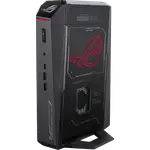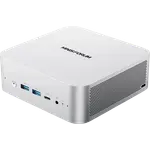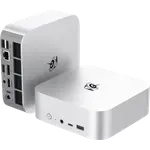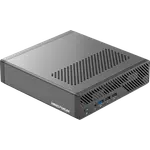



MINISFORUM M1 Pro-285H Review: A Compact 16-Core AI Mini PC With Quad 4K Output
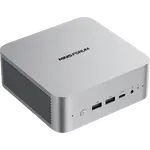
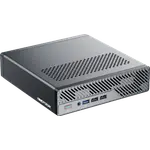
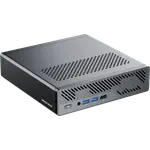
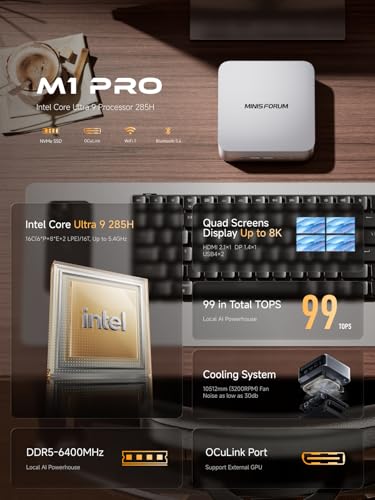
The MINISFORUM M1 Pro-285H packs a 16-core Intel Core Ultra 9 285H, 64 GB of DDR5 and a 1 TB NVMe drive into a 0.6 kg aluminum box, with dual USB4, HDMI 2.1, DisplayPort 1.4, 2.5G Ethernet and Wi-Fi 7. Its 99 TOPS of combined AI performance and an OCuLink port make it a fit for local AI work, virtualization and a home server that drives four displays. The trade-offs are an external 120 W power brick, USB4 rather than Thunderbolt, and no SD card slot or fingerprint reader, so it suits anyone who wants raw compute and expansion over a laptop-like feature set.
- Local AI and virtualization labs
- Home servers and media boxes
- Multi-monitor desks
- Linux and Proxmox users
Pros
- 16-core Intel Core Ultra 9 285H with up to 99 TOPS of combined AI performance
- 64 GB of DDR5, expandable to 128 GB across two SO-DIMM slots
- Dual M.2 2280 PCIe 4.0 slots with a 1 TB drive installed
- Two USB4 ports plus HDMI 2.1 and DisplayPort 1.4 for up to four displays
- OCuLink port for an external GPU
- 2.5G Ethernet, Wi-Fi 7 and Bluetooth 5.4
- Aluminum chassis with a VESA mount included
- Dual microphones and built-in speakers
Cons
- USB4 ports, not Thunderbolt
- External 120 W power brick
- No SD card slot, fingerprint sensor or Kensington lock
- OCuLink uses one of the two M.2 slots
- Factory memory runs at 5600 MT/s although the platform supports 6400 MT/s
Who is the MINISFORUM M1 Pro-285H for?
It is for anyone who wants a small, always-on x86 machine with more CPU and memory headroom than a typical mini PC. The Core Ultra 9 285H brings 16 cores and 16 threads up to 5.4 GHz, and the factory 64 GB of DDR5, expandable to 128 GB, leaves room for virtual machines, containers, a media library or an on-device AI workload. Quad display output from two USB4 ports, HDMI 2.1 and DisplayPort 1.4 makes it a practical desk machine for trading, editing or monitoring, while the 0.6 kg aluminum chassis and VESA mount let it sit behind a monitor or on a shelf.
What the M1 Pro-285H offers
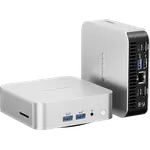
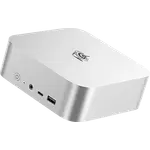
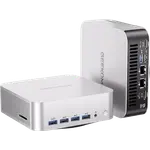
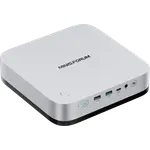
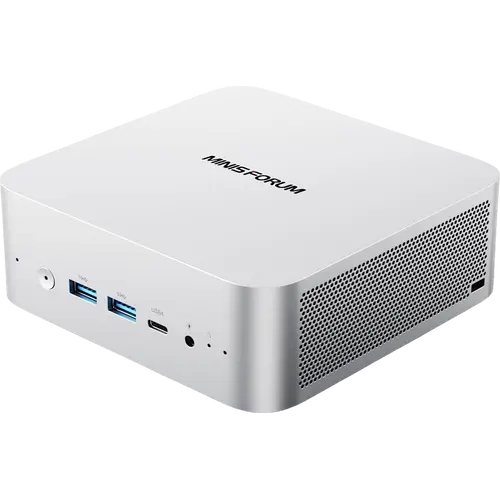
The processor combines six performance cores, eight efficient cores and two low-power cores, with Intel Arc 140T graphics and an Intel AI Boost NPU rated at 13 TOPS; the platform's combined figure is 99 TOPS. Memory is dual-channel DDR5 across two SO-DIMM slots, officially up to 6400 MT/s and 128 GB, with the factory modules running at 5600 MT/s. Storage is two M.2 2280 PCIe 4.0 x4 slots, one of them populated with a 1 TB drive. Connectivity covers 2.5G Ethernet, Wi-Fi 7 and Bluetooth 5.4, and the port layout adds two USB 3.2 Gen 2 Type-A ports, one USB 2.0 Type-A port, a 3.5 mm combo jack, dual microphones and two built-in speakers. An OCuLink port can drive an external GPU, and the dual-fan phase-change cooling is built for a sustained 65 W load.
What to know before you buy
It is not a Thunderbolt machine: the two USB-C ports are USB4, at 40 Gbps with power delivery and video, but they do not carry Thunderbolt. Power comes from an external 19 V 120 W adapter rather than an internal supply. There is no SD card slot, fingerprint sensor or Kensington lock, and the 0.6 kg body is compact but still needs the brick nearby. The OCuLink port shares an M.2 2280 PCIe slot, so using it trades one of the two SSD slots for the external-GPU link. The factory memory runs at 5600 MT/s even though the platform supports 6400 MT/s. It ships with Windows 11 Pro, and the bare metal is a standard x86 PC for Linux and Proxmox.
Is the M1 Pro-285H worth it?
For a premium compact desktop, the combination of a 16-core Core Ultra 9, 64 GB of DDR5, dual M.2 storage, dual USB4 and quad display output is a lot of machine in a small footprint. It is the version to pick over the Core Ultra 5 model when local AI, virtualization or heavy multitasking matter, and the OCuLink port gives it an upgrade path that most mini PCs lack. Buyers who need Thunderbolt, an internal power supply or a memory-card reader should look elsewhere, but for a quiet always-on server or a dense multi-display desk it is a strong fit.
Frequently asked questions
What processor and AI performance does the M1 Pro-285H have?
It uses an Intel Core Ultra 9 285H with 16 cores and 16 threads, boosting up to 5.4 GHz, plus Intel Arc 140T graphics and an Intel AI Boost NPU rated at 13 TOPS. The platform's combined AI figure is 99 TOPS.
How much memory and storage can it take?
It ships with 64 GB of DDR5-5600 in two SO-DIMM slots and supports up to 128 GB at up to 6400 MT/s. There are two M.2 2280 PCIe 4.0 x4 slots, one holding a 1 TB SSD, and each slot supports up to a 4 TB drive.
How many displays can it drive?
Up to four. It has two USB4 Type-C ports, one HDMI 2.1 TMDS port and one DisplayPort 1.4 port, and the USB4 and DisplayPort outputs can reach 8K at 60 Hz or 4K at 144 Hz.
What is the OCuLink port for?
OCuLink is an external PCIe 4.0 x4 link for an external GPU, rated at 64 Gbps. It is not hot-swappable and it uses one of the two M.2 2280 PCIe slots.
Does it have Thunderbolt?
No. The two USB-C ports are USB4 at 40 Gbps with power delivery and video output, but they are not Thunderbolt.
What comes in the box and what is the warranty?
The box includes the mini PC, a US power adapter, an HDMI cable, an OCuLink adapter and a wall mount bracket. MINISFORUM covers mini PCs with a two-year warranty.