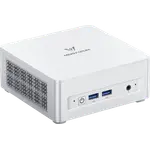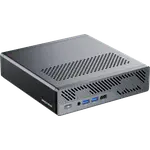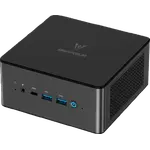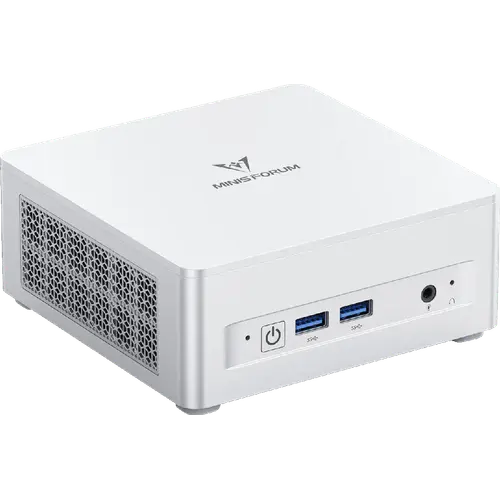



MINISFORUM UM880 Plus Review: A Quiet Ryzen 7 Mini PC With OCuLink eGPU Support
The MINISFORUM UM880 Plus is a small desktop built around an 8-core AMD Ryzen 7 8845HS with Radeon 780M graphics, 32GB of upgradable DDR5, a 1TB PCIe 4.0 SSD and a port set led by a native OCuLink connector for an external GPU, USB4 and HDMI 2.1. It stays quiet under load and suits home offices, programming and always-on home-server duties, and the trade-offs are the external 120W power brick, a plastic chassis, a single 2.5G Ethernet port and a wireless card that needs swapping for trouble-free Linux use.
- Home offices
- Programming and home servers
- Light gaming with a future eGPU
- Compact desks
Pros
- 8-core, 16-thread Ryzen 7 8845HS with a 65W performance mode
- 32GB of DDR5 across two upgradable SO-DIMM slots, up to 96GB
- Two M.2 2280 PCIe 4.0 slots with 1TB fitted, each up to 4TB
- Native OCuLink port for an external GPU
- 40Gbps USB4 port carrying video and up to 100W Power Delivery
- HDMI 2.1 and DisplayPort 1.4 for up to three displays
- Quiet running and low idle power draw
- Windows 11 Pro preinstalled and licensed
- VESA mount and HDMI cable in the box, with a two-year warranty
Cons
- External 120W power brick rather than an internal supply
- Plastic chassis with a very bright blue power LED
- Built-in wireless card needs replacing for Linux
- Single 2.5G Ethernet port, not dual
- OCuLink uses one of the two M.2 storage slots
- No Thunderbolt, SD card slot, fingerprint reader or Kensington lock
- No built-in speakers or documented microphone
Who is the MINISFORUM UM880 Plus for?
This is a mini PC for people who want a small, quiet desktop that still behaves like a full machine. The 8-core, 16-thread Ryzen 7 8845HS and 32GB of DDR5 make office work, browsers, photo editing and coding comfortable, while the Radeon 780M integrated graphics handle lighter gaming and 1080p video work at reduced settings. Its small footprint, low idle power draw and near-silent running suit a tidy desk or a machine hidden behind a monitor with the included VESA bracket, and the two M.2 slots, the removable SO-DIMM memory and the OCuLink port give it an upgrade path that most compact desktops lack.
What owners value about the UM880 Plus
Owners consistently single out how quiet the machine is, even under sustained load, and how much performance it packs for its size. Several use it as a small home server or for programming, and many pick it specifically for the native OCuLink port, which they pair with an external graphics card for serious gaming at a fraction of the cost of a dedicated tower. Buyers also mention the clean Windows 11 Pro install, the easy access to the second M.2 slot for adding a drive, and the range of ports, including the 40Gbps USB4 connector that can carry video and power to a monitor over one cable.
What to know before you buy
The first caveat is power: the UM880 Plus runs from an external 120W brick over a DC 19V input rather than an internal supply, so there is an adapter to hide, though the USB4 port can also take Power Delivery. The chassis is silver plastic rather than aluminium, which keeps the price down but does not feel premium, and owners report a very bright blue power LED. Linux buyers should plan ahead: the built-in wireless module is not supported out of the box, and reviewers routinely fit an Intel AX210 card instead, which is a short job under the bottom cover. Networking is a single 2.5G Ethernet port rather than the dual ports some rivals offer, and there is no Thunderbolt certification, no SD card slot, no fingerprint reader, no Kensington lock, no built-in speakers and no documented built-in microphone. Using the OCuLink port for an external GPU also occupies one of the two M.2 storage slots.
Is the MINISFORUM UM880 Plus worth it?
For its size, the UM880 Plus trades materials and a longer port list for performance, quietness and upgrade headroom that few machines this small offer. The two memory and two storage slots mean it can grow rather than be replaced, the USB4 port makes a single-cable desk setup possible, and the OCuLink connector turns it into a genuine gaming machine later without buying a new computer. What you give up is an internal power supply, an all-metal body, dual Ethernet, Thunderbolt and a card reader, so a buyer who wants those should budget for a higher tier. As a compact, quiet desktop for work, coding, home-server duties and casual gaming, with Windows 11 Pro included and a two-year warranty, it is a sensible pick.
Frequently asked questions
Does the MINISFORUM UM880 Plus come with Windows?
Yes. The configured trims with memory and storage ship with Windows 11 Pro preinstalled and licensed. The barebone SKU ships without memory, storage or an operating system.
Can the UM880 Plus use an external graphics card?
Yes, through its native OCuLink port, which runs at PCIe 4.0 x4 (about 64Gbps) and is faster than Thunderbolt 4 or USB4 for an external GPU. It is not hot-swappable, and using it occupies one of the two M.2 2280 storage slots.
How much memory and storage can the UM880 Plus take?
It ships with 32GB of DDR5-5600 in two SO-DIMM slots and supports up to 96GB. Storage is 1TB in one of two M.2 2280 PCIe 4.0 slots, each of which can take a drive up to 4TB.
Does the UM880 Plus run Linux?
Yes, and owners run it, but the built-in wireless and Bluetooth module is not supported by many Linux distributions. Plan to fit a compatible module such as an Intel AX210 in the internal M.2 wireless slot, or use Ethernet, because Wi-Fi and Bluetooth will not work out of the box.
How many monitors can the UM880 Plus drive?
Up to three. It has one HDMI 2.1, one DisplayPort 1.4 and a USB4 port that also outputs video, supporting resolutions up to 8K at 60Hz or 4K at 120Hz.
Does the UM880 Plus have Thunderbolt?
No. Its Type-C port is USB4 and is not certified Thunderbolt, so Thunderbolt-specific docks and devices are not guaranteed to work. The USB4 port does carry data, video and up to 100W Power Delivery.