


MINISFORUM UM890 Pro Review: A Ryzen 9 Mini PC With Dual USB4 and OCuLink
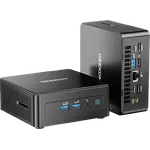
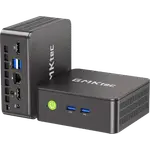
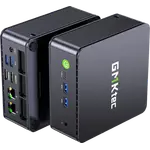
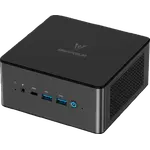
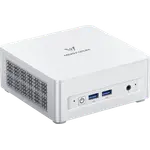
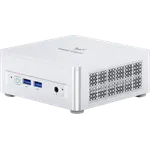
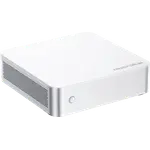
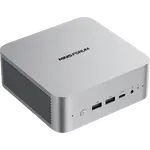
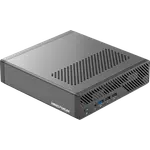
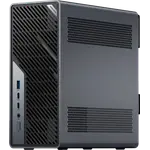
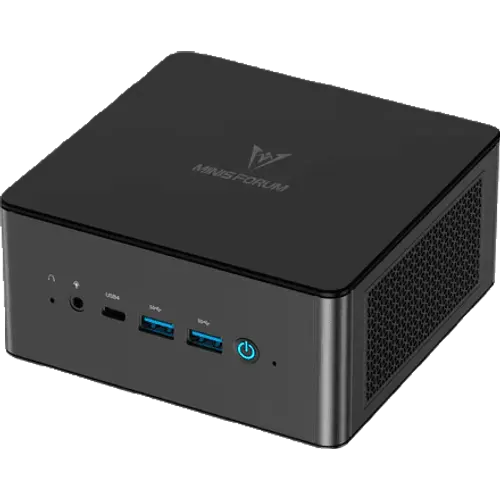
The MINISFORUM UM890 Pro is a compact desktop built around an 8-core AMD Ryzen 9 8945HS with Radeon 780M graphics, 32GB of dual-channel DDR5 that can grow to 96GB, a 1TB PCIe 4.0 SSD in one of two M.2 slots, and a strong port set led by two 40Gbps USB4 ports and dual 2.5G Ethernet. Most owners find it fast, small and quiet, and use it for work, home labs and casual gaming. The catch is reliability: a noticeable minority report units that never booted, froze or failed within months, although the manufacturer's support is described as responsive about replacements. The other trade-offs are the external power brick and OCuLink that arrives as an optional M.2 adapter and costs one of the two storage slots.
- Home offices
- Developers and light gaming
- Home servers and virtualisation
- Compact desks
Pros
- Fast and quiet for everyday work, virtual machines and casual gaming
- 8-core, 16-thread Ryzen 9 8945HS with a 70W performance mode
- 32GB of dual-channel DDR5-5600, upgradable to 96GB across two SO-DIMM slots
- Two M.2 2280 PCIe 4.0 slots with 1TB fitted, up to 8TB total
- Dual USB4 ports at 40Gbps carrying video and up to 100W Power Delivery
- Dual 2.5G Ethernet plus Wi-Fi 6E and Bluetooth 5.3
- HDMI 2.1 and DisplayPort 1.4 for up to four displays
- OCuLink option for an external GPU
- Windows 11 Pro preinstalled and licensed
- VESA mount and HDMI cable in the box, with a two-year warranty
Cons
- A noticeable minority of units arrive dead or fail within months
- External 120W power brick rather than an internal supply
- Plastic top and bottom panels over an aluminium body
- OCuLink is an optional M.2 adapter and uses one of the two M.2 slots
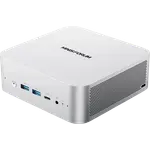
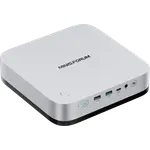
- No Thunderbolt certification and no USB-C on the front
- No USB 2.0 ports
- No SD card slot, fingerprint reader or Kensington lock
- No built-in speakers or documented microphone
- No discrete GPU for serious gaming
Who is the MINISFORUM UM890 Pro for?
This is a mini PC for people who want a small, quiet desktop that still behaves like a full machine. The 8-core, 16-thread Ryzen 9 8945HS and 32GB of dual-channel DDR5 make office work, browsers, photo editing and coding comfortable, while the Radeon 780M iGPU handles lighter gaming at reduced settings. Owners use it behind a monitor, under a television, as a first node of a Proxmox cluster or as an always-on home server, and the dual 2.5G Ethernet ports and two M.2 slots suit that kind of job. Buyers who want an external GPU can add one over OCuLink, and one owner pairs it with a mid-range graphics card for smooth gaming, at the cost of one of the two M.2 storage slots.
What owners like about the UM890 Pro
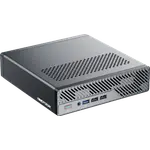
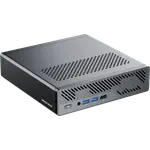
The praise is consistent: it is fast for its size, the fan stays quiet even in demanding games, and setup is easy. Owners call it a powerful little machine for everyday work, virtual machines and gaming, and several coming from larger desktops say they no longer need a full tower. The core is a Zen 4 Hawk Point part with 8 cores and 16 threads, 16MB of L3 cache, up to 5.2GHz boost and a configurable TDP up to 70W in performance mode, with an XDNA NPU for light AI work. Memory is 32GB of DDR5-5600 in two replaceable SO-DIMM slots, upgradable to 96GB, and storage is 1TB in one of two M.2 2280 PCIe 4.0 slots, each able to take a 4TB drive. Connectivity includes two USB4 ports at 40Gbps carrying data, video and up to 100W Power Delivery, four USB 3.2 Gen 2 Type-A ports, one HDMI 2.1, one DisplayPort 1.4, two 2.5G Ethernet ports, Wi-Fi 6E and Bluetooth 5.3. Up to four displays can run at once. Several owners also single out the manufacturer's support, which walked them through diagnosis and replaced faulty parts.
What to know before you buy
Reliability is the main concern. A meaningful minority of owners report a unit that showed no picture or would not boot out of the box, one that died after a few months, or one that began freezing, crashing or shutting down on its own, and a few traced the problem to a bad memory slot or the motherboard. Others saw the processor reach very high temperatures in long gaming sessions until they added extra cooling. Bluetooth trouble led to a replacement wireless card for one owner. The two-year warranty and the responsive support matter here, and it pays to test the machine thoroughly when it arrives. Expectations about OCuLink also catch buyers out: there is no built-in port, it arrives as an M.2 adapter that is not necessarily in the box, and using it leaves only one M.2 slot for storage. The machine runs from an external 120W brick over a DC 19V input, the chassis is an aluminium body with a plastic top and bottom, and there is no USB 2.0, Thunderbolt certification, SD card slot, fingerprint reader, Kensington lock, built-in speakers or documented built-in microphone.
Is the MINISFORUM UM890 Pro worth it?
For its size, the UM890 Pro trades materials and a longer port list for performance, quietness and upgrade headroom that few machines this small offer. The two memory and two storage slots mean it can grow rather than be replaced, and the dual USB4 ports make a single-cable desk setup or a fast external drive possible. The risk is the minority of units that arrive faulty or fail early, so the value call depends on how comfortable you are with a return or a warranty claim if yours is one of them. As a compact, quiet desktop for work, coding, home-server duties and casual gaming, with Windows 11 Pro included and a two-year warranty, it is a sensible pick for buyers who accept that trade-off.
Frequently asked questions
Does the MINISFORUM UM890 Pro come with Windows?
Yes. The configured trims with memory and storage ship with Windows 11 Pro preinstalled and licensed. The barebone SKU ships without memory, storage or an operating system.
Is the UM890 Pro reliable?
Most owners report a fast, quiet machine, but a noticeable minority describe units that did not boot, froze, shut down on their own or failed within months. The two-year warranty applies, and owners say the manufacturer's support is responsive about replacements, so test it thoroughly when it arrives.
Can the UM890 Pro use an external GPU?
Yes, through OCuLink, but it is not built in: it arrives as an M.2 adapter card, so using it leaves only one of the two M.2 2280 slots free for storage. There is no discrete GPU inside the machine.
How much memory and storage can the UM890 Pro take?
It ships with 32GB of DDR5-5600 in two dual-channel SO-DIMM slots and supports up to 96GB. Storage is 1TB in one of two M.2 2280 PCIe 4.0 slots, each of which can take a drive up to 4TB, for up to 8TB in total.
How many monitors can the UM890 Pro drive?
Up to four. It has one HDMI 2.1, one DisplayPort 1.4 and two USB4 ports that also output video, supporting resolutions up to 8K at 60Hz or 4K at 144Hz.
Does the UM890 Pro have Thunderbolt?
No. Its Type-C ports are USB4 and are not certified Thunderbolt, so Thunderbolt-specific docks and devices are not guaranteed to work. The USB4 ports do carry data, video and up to 100W Power Delivery.