
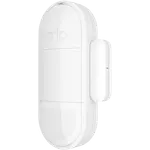
Updated September 2026
Data from Amazon and official Arlo and SwitchBot sites.
2026 verdict
SwitchBot ecosystem perks and broader hub-based integrations let the SwitchBot Motion Sensor take the overall win over the Arlo All-in-One Sensor, even though Arlo counters with a lower price, a higher owner rating and a sensor set that adds ambient light and temperature to plain motion detection. Once paired with a SwitchBot Hub, the SwitchBot Motion Sensor reaches Google Home, Alexa, Samsung SmartThings, IFTTT and Matter on top of native Home Assistant support and a reset-on-motion timer that keeps lights on while someone is present, a wider net than the Arlo All-in-One Sensor manages with just Google Home and Alexa. Both sensors depend on a bridge of their own: the SwitchBot Motion Sensor is Bluetooth-only and needs its Hub for most of that integration list, while the Arlo All-in-One Sensor has no radio at all, Wi-Fi, Bluetooth, Zigbee, Z-Wave and Thread are all absent, and instead relies on a compatible Arlo Security System hub or keypad. The SwitchBot Motion Sensor also detects a bit farther on paper. Buyers building out a SwitchBot or Home Assistant setup should choose the SwitchBot Motion Sensor; those who want the cheapest option that also reads light and temperature inside an Arlo household should pick the Arlo All-in-One Sensor instead.
Price alerts
Motion Sensor prices change while you decide
We check the price of every Motion Sensor in the catalog daily and email you the drops, whichever one you pick.
No spam. Unsubscribe in one click.
| Feature | Arlo All-in-One Sensor | SwitchBot Motion Sensor | Winner |
|---|---|---|---|
| Price | $27.90 | $12.49 | SwitchBot Motion Sensor |
| Connectivity | None | Bluetooth | SwitchBot Motion Sensor |
| Integrations | Google Home, Alexa, Samsung SmartThings | Google Home, Alexa, Apple HomeKit, Samsung SmartThings, Home Assistant, Matter | SwitchBot Motion Sensor |
| Sensors | Motion, Light, Temperature | Motion, Light | Arlo All-in-One Sensor |
| Range of Detection | 6m / 20ft | 9m / 30ft | SwitchBot Motion Sensor |
| Rating | 4.0 | 4.0 | Tie |
| Warranty | 1 year | 1 year | Tie |
| Alerts | Motion Alerts | Motion Alerts | Tie |
7% OFF
$27.90
$29.99
- + Sensors: Motion, Light, Temperature
- - Price: $27.90 vs $12.49
- - Connectivity: None vs Bluetooth
Winner
50% OFF
$12.49
$24.99
- + Price: $12.49
- + Connectivity: Bluetooth
- + Integrations: Google Home, Alexa, Apple HomeKit, Samsung SmartThings, Home Assistant, Matter
- - Sensors: Motion, Light vs Motion, Light, Temperature
Frequently Asked Questions
Which is better overall, the Arlo All-in-One Sensor or the SwitchBot Motion Sensor?
The SwitchBot Motion Sensor wins overall on connectivity and integrations. The Arlo All-in-One Sensor answers with a lower price, a higher owner rating and a broader sensor set.
What is the biggest difference between the Arlo All-in-One Sensor and the SwitchBot Motion Sensor?
Ecosystem reach. Once paired with a SwitchBot Hub, the SwitchBot Motion Sensor reaches Google Home, Alexa, Samsung SmartThings, IFTTT and Matter on top of native Home Assistant support, while the Arlo All-in-One Sensor is limited to Google Home and Alexa.
Do both sensors need a hub from the same brand?
Yes. The SwitchBot Motion Sensor is Bluetooth-only and needs a SwitchBot Hub for most of its integrations, and the Arlo All-in-One Sensor needs a compatible Arlo Security System hub or keypad, since it has no Wi-Fi, Bluetooth, Zigbee, Z-Wave or Thread radio of its own.
Does either sensor keep lights on while someone is standing still?
The SwitchBot Motion Sensor's timer resets with continued motion, so lights stay on while someone is present in the room, a behavior the Arlo All-in-One Sensor's spec sheet does not detail.
Who should buy the SwitchBot Motion Sensor?
Buyers already building a SwitchBot or Home Assistant setup who want a reset-on-motion timer and broader hub-based integrations.
Who should buy the Arlo All-in-One Sensor?
Buyers who want the lowest price and a single sensor that also reads light and temperature inside an Arlo household.
Full comparison table
Compare all 28 Motion Sensors side by side
You are looking at two of them. The full table lines up all Motion Sensors in the catalog with the same specs, so you can filter by what you need and sort by price or rating.
- 28 Motion Sensors
- 33 specs compared
- 30 filters
 Ring
RingAlarm Motion Detector
$29.99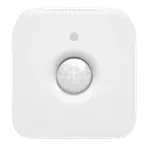 Philips
Hue Motion Sensor
$48.99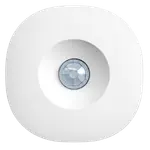 Aeotec
Motion Sensor
$48.99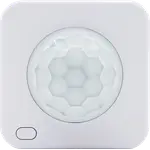 Shelly
BLU Motion ZB
$26.99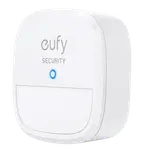 Eufy
EufyMotion Sensor
17% OFF$29.99$24.99 YoLink
Indoor Motion Sensor RT
7% OFF$29.99$27.99 YoLink
LoRa 1/4 Mile Motion Sensor
$23.99 Ring
RingMotion Detector (3rd Gen)
25% OFF$39.99$29.99 Philips
Hue Outdoor Sensor
$54.99 Sonoff
SNZB-03P ZigBee Motion Sensor
$16.50 Aqara
AqaraMotion Sensor P1
17% OFF$23.99$19.99 X-Sense
Solar Outdoor Spotlight - Motion-Sensor
9% OFF$64.99$58.89 Govee
GoveeSmart Wireless Motion Sensor
$14.99 Shelly
Blu Motion
$25.99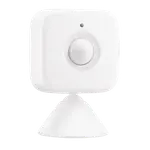 SwitchBot
Motion Sensor
50% OFF$24.99$12.49- Arlo
All-in-One Sensor
7% OFF$29.99$27.90 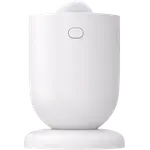 Sonoff
SenseGuard Motion Gen2
$16.50 Aeotec
MultiSensor 7
29% OFF$69.99$49.99 Aqara
AqaraPresence Sensor FP300
$49.99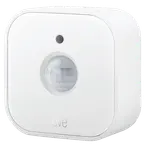 Eve
EveMotion
35% OFF$54.95$35.57
 CamerasArlo
Essential 2K Wired (2025)
3.9(120)20% OFF$49.99$39.99 CamerasArlo
Essential 2K (2nd Gen)
4.0(4,089)65% OFF$99.99$34.99 CamerasArlo
Essential HD (2nd Gen)
4.1(801)50% OFF$29.99$14.99 CamerasArlo
Essential Indoor 2K (2nd Gen)
4.2(1,596)35% OFF$19.99$12.99 CamerasArlo
Essential Indoor HD (2nd Gen)
 CamerasArlo
Essential Pan Tilt (Outdoor)
4.3(453)25% OFF$59.99$44.99 CamerasArlo
Essential Pan Tilt
4.4(586)30% OFF$49.99$34.99 CamerasArlo
Essential XL 2K (2nd Gen)
3.9(353)$106.99 CamerasArlo
Essential XL HD (2nd Gen)
3.8(69)€165.55 CamerasArlo
Go 2
3.4(320)20% OFF$199.99$159.99 CamerasArlo
Pro 3 Floodlight
4.2(5,102)$249.99 CamerasArlo
Pro 5S 2K
3.5(3)$69.99 CamerasArlo
Pro 6 XL
4.1(20)$199.99 CamerasArlo
Pro 6
4.1(385)$124.00 CamerasArlo
Ultra 2
4.0(478)24% OFF$249.00$189.99 CamerasArlo
Wired Floodlight Camera
4.3(345)$149.99 DoorbellsArlo
Essential Wireless Video Doorbell
4.3(491)$56.00 DoorbellsArlo
Video Doorbell 2K (2nd gen)
4.0(1,711)26% OFF$79.99$59.00 DoorbellsArlo
Video Doorbell HD (2nd gen)
4.2(301)$34.99 Door & Window SensorsArlo
All-in-One Sensor
4.0(93)7% OFF$29.99$27.90
 Air PurifiersSwitchBot
Air Purifier Table
4.2(15)$189.99 Air Quality MonitorsSwitchBot
Meter Pro (CO2 Monitor)
3.8(20)$79.99 CamerasSwitchBot
Outdoor Pan/Tilt Cam 3K
4.9(85)13% OFF$79.99$69.99 DisplaysSwitchBot
Smart E-Ink Home Dashboard
3.9(164)23% OFF$109.99$84.99 DoorbellsSwitchBot
Smart Video Doorbell
3.6(707)$99.99 Door LocksSwitchBot
SwitchBot Lock Pro
4.0(1,409)$87.99 Door LocksSwitchBot
SwitchBot Lock Ultra Vision Combo
4.3(1,047)20% OFF€299.99€239.99 Door LocksSwitchBot
SwitchBot Lock Vision Pro
4.1(70)26% OFF$229.99$169.99 Door LocksSwitchBot
Lock Vision
4.2(9)24% OFF$169.99$129.99 Door LocksSwitchBot
SwitchBot Lock
3.5(80) Door & Window SensorsSwitchBot
Contact Sensor
4.2(1,176)$16.99 HubsSwitchBot
AI Hub
5.0(3)15% OFF$259.99$219.99 HubsSwitchBot
SwitchBot Hub 2
4.3(11,498)14% OFF$69.99$59.99 HubsSwitchBot
Hub 3
3.9(1,854)$99.99 HubsSwitchBot
Hub Mini
4.2(55,735)7% OFF$39.00$36.10 IR Remote ControlsSwitchBot
SwitchBot Hub 2
4.3(11,498)14% OFF$69.99$59.99 IR Remote ControlsSwitchBot
Hub 3
3.9(1,854)$99.99 IR Remote ControlsSwitchBot
Hub Mini
4.2(55,735)7% OFF$39.00$36.10 LED BulbsSwitchBot
Color Bulb
$15.99 Light StripsSwitchBot
RGBIC Neon Rope Light
4.1(48)$59.99