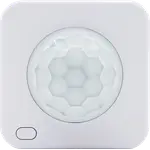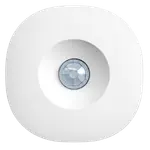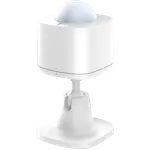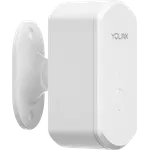



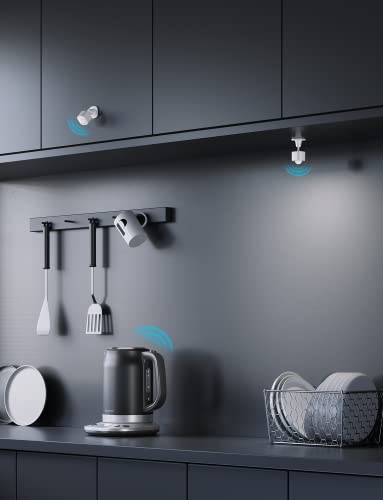


GoveeLife Motion Sensor Review: Cheap and Easy for Govee Lights, but a Limited App and No Alexa/Google Support
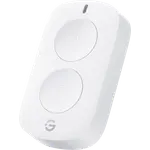
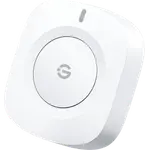
The GoveeLife Motion Sensor (H5121) is a small, cheap Bluetooth sensor designed to trigger Govee devices, and owners rate it decently. Within the Govee ecosystem it's genuinely handy: setup is extremely easy (open the app, tap +, done), it's very compact and discreet, and it makes Govee bulbs, strips, plugs and even air purifiers turn on automatically when you enter a room, cutting out fumbling for switches and saving on power. Owners love it for bathrooms, closets, offices and stairways, and many buy several. But the limitations are significant. The biggest is the app: Govee only offers 'instant' or 'delayed' execution and lacks a true 'no motion detected' automation, so to turn lights off you must set a fixed timeout that fires even while you're still moving in the room, which can shut the lights off with you standing right there (the common workaround is a long 15-minute timeout). It also does not integrate with Alexa, Google Home or HomeKit, it only appears in the Govee app (several buyers were surprised it isn't Alexa-enabled), and it needs a Govee gateway/hub (like a Govee smart plug) to bridge Bluetooth to WiFi. The battery is non-rechargeable and short-lived (a CR2450 that can die within a week at max sensitivity, and it's rated only a few months), some owners report the 'off' command not working at all, and it can be laggy (not instant-on, with a 10-second-plus recovery after a timeout). If you're building a Govee lighting setup and can live with the app's automation limits, it's a cheap, easy win; otherwise, look elsewhere.
- Existing Govee lighting owners
- Simple, cheap auto-on lighting (bathroom, closet, office)
- Users who don't need Alexa/Google/HomeKit
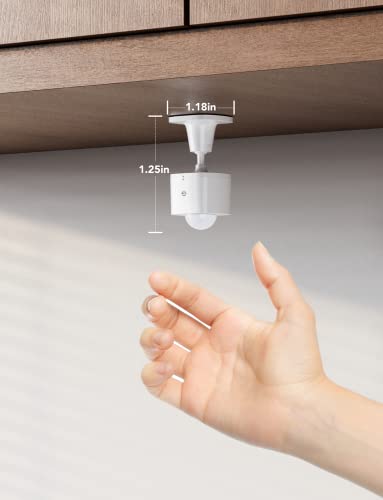
- Compact, discreet placement
Pros
- Very easy setup and cheap; tiny and discreet
- Seamless within the Govee ecosystem (bulbs, strips, plugs, air purifiers)
- Auto-on lighting that saves fumbling for switches (and power)
- Can group-control many Govee devices via the Distributed Gateway
Cons
- Govee app lacks a true 'no motion' auto-off (timeouts fire even while present)
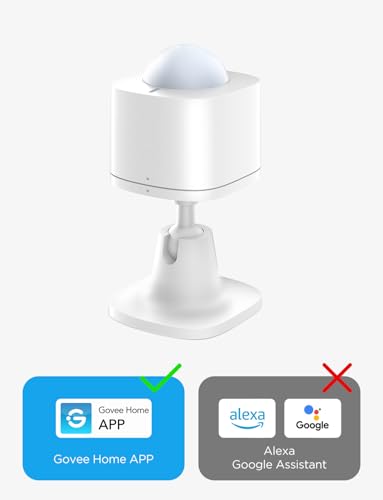
- No Alexa, Google Home or HomeKit support (Govee app only)
- Non-rechargeable, short-lived battery; needs a Govee gateway/hub
- Can be laggy (not instant-on); some report the 'off' command not working
Who is the GoveeLife Motion Sensor for?
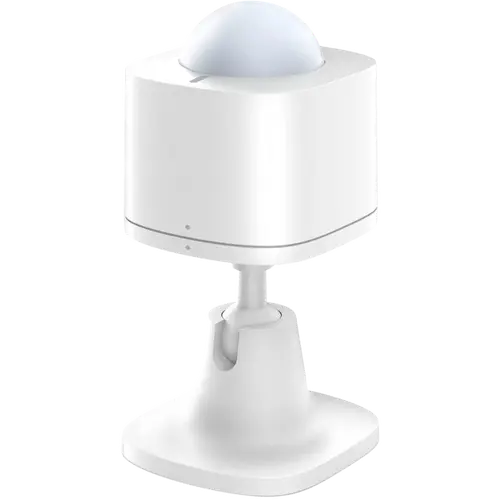
This is a small, inexpensive Bluetooth motion sensor (motion only, no light or temperature) with about 8m/26ft range, made to control Govee devices. It needs a Govee gateway/hub (such as a Govee smart plug) to bridge Bluetooth to WiFi, and it integrates with Home Assistant, but not Alexa, Google Home or Apple HomeKit. It's ideal for people already using Govee lights who want cheap, easy auto-on lighting in a bathroom, closet, office or stairway. It's not for you if you need Alexa/Google/HomeKit control, a proper 'no motion' auto-off, or long battery life.
What buyers love
Ease, price and Govee integration lead. Setup is about as simple as it gets (open the box, open the app, tap +, and it pairs, sensor and gateway), and it's cheap, especially on sale. It's very compact and discreet, easy to hide anywhere with the included 3M pad, and it makes Govee bulbs, strips, plugs and air purifiers activate automatically on entry, so owners stop fumbling for switches and even see lower power bills from lights that no longer stay on all day. Many use it for bathrooms, closets, home offices and stairways, and appreciate that it can group-control unlimited Govee devices via the Distributed Gateway. For a lot of owners it 'just works' and adds the finishing touch to an automated Govee lighting setup, prompting repeat purchases.
What to know before you buy
The app is the biggest weakness. Govee only offers 'instant' or 'delayed' execution and has no true 'no motion detected' automation, so turning lights off requires a fixed timeout that fires even while you're still moving, potentially shutting the lights off with you in the room. The usual workaround is setting a long timeout (around 15 minutes), but that's a compromise. It also doesn't integrate with Alexa, Google Home or HomeKit, it only appears in the Govee app (several buyers were surprised it isn't Alexa-enabled), and you must have a Govee gateway/hub (like a smart plug) to use it remotely. The battery is non-rechargeable and short-lived, a CR2450 that can drain within a week on the most sensitive setting and is rated only a few months, which is why owners wish it were rechargeable. Some report the 'off' command not working at all (turning lights on but never off), and it can be laggy, not instant-on, with a 10-second-plus delay before it can re-trigger after a timeout. It also ships with only a sticky pad (no stand).
Is the GoveeLife Motion Sensor worth it?
For Govee owners, conditionally yes. It's cheap, tiny and dead-simple to set up, and it reliably makes Govee lights turn on when you walk in, which is why it is well rated. But weigh the real drawbacks: the Govee app lacks a proper 'no motion' auto-off (so timeouts fire even while you're present), it has no Alexa/Google/HomeKit support, it needs a Govee gateway, the non-rechargeable battery runs down fast, and it can be laggy. If you're building a Govee lighting setup, accept the app's automation limits, and want an affordable auto-on trigger, it's a good-value add-on; if you need broader ecosystem support or reliable auto-off, choose a different sensor.
Frequently asked questions
Does it work with Alexa, Google Home or HomeKit?
No. It only works within the Govee app and does not integrate with Alexa, Google Home or Apple HomeKit (several buyers were surprised it isn't Alexa-enabled). It can be used with Home Assistant, but for Govee-ecosystem automations you're limited to the Govee app.
Can it turn lights off when no motion is detected?
Not properly. The Govee app only offers 'instant' or 'delayed' execution, with no true 'no motion detected' trigger, so you set a fixed timeout that fires even while you're still moving, which can turn lights off with you in the room. The common workaround is a long timeout (around 15 minutes), but it's a compromise.
Do I need a Govee hub?
Yes. It's Bluetooth-based and needs a Govee gateway/hub, such as a Govee smart plug, to bridge it to WiFi and enable automations remotely. Without a gateway device it can't do much, so factor that into the cost if you don't already own one.
How long does the battery last?
Not long, and it's non-rechargeable. It uses a CR2450 that can drain within a week on the most sensitive setting, and it's rated only a few months. Lowering the sensitivity extends life, and many owners wish it were rechargeable. Plan on periodic battery swaps.
Is it fast and reliable?
Mixed. Many owners find it triggers quickly and works flawlessly, but others report noticeable lag (it's not always instant-on) and a 10-second-plus delay before it can re-trigger after a timeout. A few also report the 'off' command failing entirely. Experiences vary, and the plug-in Govee sensors reportedly react faster.