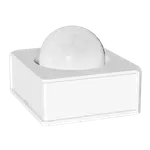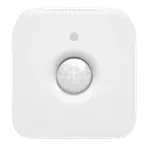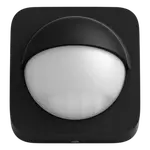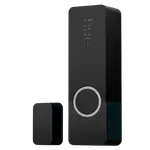


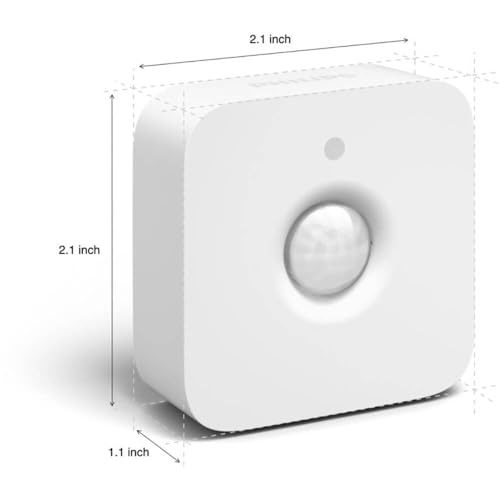
Philips Hue Motion Sensor Review: The Must-Have Accessory That Makes Hue Lights Truly Automatic
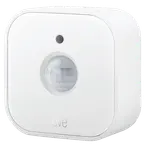
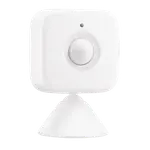
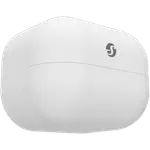
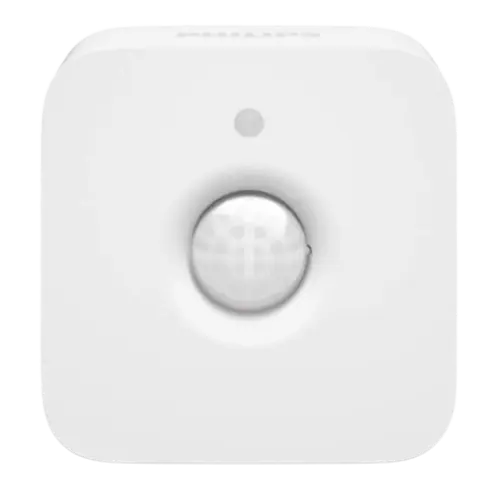
The Philips Hue Motion Sensor is widely considered the must-have accessory for a Hue setup, and owners rate it highly. Many say their Hue lights feel 'pointless' until they add this, it's what makes lights come on automatically when you walk in, hands full of laundry or groceries, and off again after a set time. It packs motion, ambient-light (lux) and temperature sensors, uses reliable Zigbee (via the Hue Bridge, so it doesn't lean on your WiFi), and runs about two years on 2x AAA batteries. The customization is a highlight: in the Hue app you can set schedules, only trigger when it's dark (using the light sensor), adjust motion and light sensitivity (with a handy visual 'I see you' feedback), set off-timers (2 to 30 minutes), assign up to three zones per sensor, and use a 'do not disturb' so it won't override lights you've set manually. Mounting is flexible, screw, the magnetic back, or just set it on a surface, and it integrates with HomeKit, Alexa, Google, SmartThings and Home Assistant (with Matter via the Hue Bridge). The caveats: it requires a Hue Bridge, the app can be finicky (the daylight/'light will not trigger' setting sometimes needs re-tweaking), and there's no way to fully disable the sensor on demand, only schedule it to 'do nothing' (one power user built a Raspberry Pi/REST-API workaround to toggle it by voice). A single sensor may not cover a large room, and it's pricey like all Hue. For Hue owners, it's an essential, dependable upgrade.
- Hands-free automatic Hue lighting
- Closets, pantries, hallways, laundry and kitchens
- Hue owners wanting deep automation control
- Adding light/temperature data (with Home Assistant)
Pros
- Makes Hue lighting truly automatic; reliable and 'bulletproof' for many
- Deeply customizable (schedules, dark-only triggering, timers, zones, sensitivity)
- Includes light (lux) and temperature sensors; ~2-year battery life
- Flexible mounting; works with HomeKit, Alexa, Google, SmartThings and Home Assistant
Cons
- Requires a Hue Bridge
- App can be finicky (daylight/sensitivity settings need re-tweaking)
- No way to fully disable the sensor on demand (only schedule 'do nothing')
- A single sensor may not cover a large room; pricey
Who is the Philips Hue Motion Sensor for?
This is a Zigbee motion sensor (requiring a Hue Bridge) that also measures ambient light and temperature, with a roughly 100-degree field of view, 7m/23ft range, and about a 2-year battery life on 2x AAA. It integrates with Apple HomeKit, Alexa, Google Home, SmartThings and Home Assistant (Matter is supported via the Hue Bridge). It's ideal for anyone in the Hue ecosystem who wants lights to turn on and off automatically, in closets, pantries, hallways, laundry rooms, kitchens and high-traffic areas, with fine control over when and how. It's not for you if you don't have a Hue Bridge, or want a standalone sensor that doesn't rely on Hue.
What buyers love
Owners repeatedly call it a must-have that 'brings it all together', the piece that makes Hue lighting truly automatic. It's reliable (some call it 'bulletproof'), and the customization impresses: schedules, dark-only triggering via the light sensor, adjustable motion and light sensitivity (with a visual feedback flash), off-timers from a couple of minutes to half an hour, up to three zones per sensor, timer reset on re-detection, and a 'do not disturb' that won't override manually set lights. Battery life is excellent (around two years, best with alkaline over rechargeable), and Zigbee mesh connectivity is dependable without taxing your WiFi. Mounting is flexible, screw, magnetic back, or just place it on a shelf, and the built-in light and temperature sensors are a bonus, especially with Home Assistant. Owners love it in closets, pantries, garages and kitchens where hands-free lights are a game changer.
What to know before you buy
First, it requires a Hue Bridge (a safe assumption if you're already in Hue). Second, the app can be finicky: the daylight/'light will not trigger' setting sometimes prevents lights from coming on and needs re-tweaking, and getting sensitivity right takes some trial and error per location. Third, a notable limitation, there's no way to fully disable the sensor on demand; you can only schedule it to 'do nothing' at set times, which doesn't help if your routine varies (one advanced owner built a Raspberry Pi/Homebridge REST-API workaround to toggle it off by voice via HomeKit). Coverage can be a constraint too, a single sensor may not cover a large room, so some use two and group them. It's pricey like all Hue, batteries occasionally arrive dead, and older units with a pinhole reset were less durable than newer button-reset ones. It doesn't support IFTTT.
Is the Philips Hue Motion Sensor worth it?
For Hue owners, yes, arguably essential. It turns Hue from manual lights into genuinely automatic lighting, with reliable performance, excellent battery life, and deep, flexible customization, plus useful light and temperature sensing, which is why it is so well rated. The caveats are real but manageable: it needs a Hue Bridge, the app's daylight/sensitivity settings can be fiddly, you can't fully disable the sensor without a workaround, and one sensor may not cover a big room. If you're in the Hue ecosystem and want hands-free lighting in closets, hallways, kitchens and more, it's a dependable, high-value upgrade; if you're not on Hue or want a standalone sensor, look elsewhere.
Frequently asked questions
Do I need a Hue Bridge?
Yes. The sensor uses Zigbee and requires a Philips Hue Bridge to work. If you're considering it, you almost certainly already have one. The Bridge also enables reliable Zigbee mesh connectivity (so it doesn't depend on your WiFi) and Matter support.
What can I customize in the app?
A lot. You can set schedules, trigger only when it's dark (via the light sensor), adjust motion and light sensitivity (with a visual feedback flash), set off-timers from about 2 to 30 minutes, assign up to three zones per sensor, and enable 'do not disturb' so it won't override lights you've turned on manually. Timers also reset when motion is re-detected.
Can I temporarily turn the sensor off?
Not fully, and this is a real limitation. You can only schedule it to 'do nothing' during set times, but you can't cleanly disable it on demand for irregular routines. One advanced owner built a Raspberry Pi/Homebridge workaround using the Hue Bridge's REST API to toggle the sensor off via Siri, but that's beyond most users.
How long does the battery last?
About two years on 2x AAA. Owners confirm long life, and note alkaline batteries work best, rechargeable NiMH cells work but never report as fully charged and don't last as long. It's a low-maintenance, set-and-forget accessory once configured.
Does it measure anything besides motion?
Yes. It also has ambient-light (lux) and temperature sensors. The light sensor is used to trigger lights only when it's dark, and with Home Assistant you can read the temperature and light-level data too, making it more versatile than a motion-only sensor.