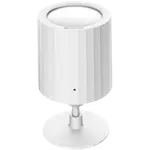
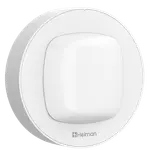
Winner

Full Smart Motion Sensors comparison in 2026
We follow prices across the catalog and email you the best deals we find.
No spam. Unsubscribe in one click.
| Feature | Philips Hue Motion Sensor | YoLink Indoor Motion Sensor RT | Winner |
|---|---|---|---|
| Price | $48.99 | $27.99 | YoLink Indoor Motion Sensor RT |
| Rating | 4.6 | 4.5 | Philips Hue Motion Sensor |
| Connectivity | Zigbee | None | Philips Hue Motion Sensor |
| Sensors | Motion, Light, Temperature | Motion, Temperature | Philips Hue Motion Sensor |
| Warranty | 2 years | 2 years | Tie |
| Battery Life | 2 years | 2 years | Tie |
| Integrations | Google Home, Alexa, Apple HomeKit, Samsung SmartThings, Home Assistant, Matter | Google Home, Alexa, Apple HomeKit, Samsung SmartThings, Home Assistant, Matter | Tie |
| Alerts | Motion Alerts, Low Battery Alerts | Motion Alerts | Tie |
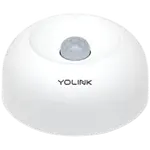
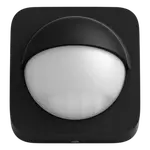
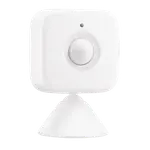
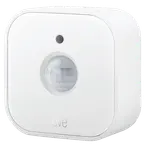
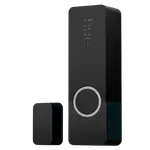
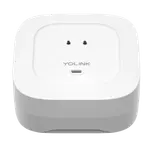
The Philips Hue Motion Sensor uses passive infrared. The YoLink Indoor Motion Sensor RT uses microwave radar, which reacts to movement itself.
The Philips Hue Motion Sensor adds both a light and a temperature reading. The YoLink Indoor Motion Sensor RT adds only an auxiliary temperature reading.
The Philips Hue Motion Sensor reaches Apple Home, Google Home, Alexa, SmartThings and Matter natively through the Hue Bridge. The YoLink Indoor Motion Sensor RT needs the separately sold YoLink Local Hub added on top of a standard hub for those same five.
The Philips Hue Motion Sensor can be assigned up to three zones in the app. The YoLink Indoor Motion Sensor RT does not document zoning.
The YoLink Indoor Motion Sensor RT is the cheaper of the two.
The Philips Hue Motion Sensor's native Bridge support and app depth fit straight into an existing Hue setup.
The YoLink Indoor Motion Sensor RT costs less than the Philips Hue Motion Sensor.
The Philips Hue Motion Sensor includes one; the YoLink Indoor Motion Sensor RT does not.
The YoLink Indoor Motion Sensor RT uses microwave radar instead of a PIR sensor.
Owners of the Philips Hue Motion Sensor describe it as the accessory that finally makes Hue lighting automatic, turning lights on hands-free when arms are full of laundry or groceries and off again after a set time. They praise the deep customization in the app, schedules, dark-only triggering from the light sensor, adjustable sensitivity with visual feedback, off-timers and up to three zones per sensor, plus roughly two years of battery life on alkaline cells. Their main frustration is that there is no way to fully disable the sensor on demand, only to schedule it to do nothing at set times, and the daylight setting can need re-tweaking. A few also note a single sensor may not cover a large room.
Every price change of both, in the same store, so the gap between the two lines is what one costs more than the other.
Loading price history...
The Philips Hue Motion Sensor wins overall, holding a higher owner rating, native Zigbee connectivity through the Hue Bridge, and two extra readings (light and temperature) against the YoLink Indoor Motion Sensor RT's one (temperature only). The YoLink sensor's advantage is a lower price.
How they reach smart home platforms. Both connect to the same five, but Hue's Apple Home, Google Home, Alexa, SmartThings and Matter support runs natively through the Hue Bridge, while YoLink needs the separately sold YoLink Local Hub added on top of a standard hub.
The YoLink Indoor Motion Sensor RT undercuts the Philips Hue Motion Sensor on price, though it does so with a narrower sensor package and an extra hub purchase needed for full platform support.
The Philips Hue Motion Sensor uses a conventional passive infrared (PIR) sensor, reading the heat signature of a body moving through its field. The YoLink Indoor Motion Sensor RT uses radar instead, sensing movement itself, tunable for sensitivity directly in the app.
Anyone already running Hue lighting who wants native, no-extra-hub smart home support plus a light sensor for dark-only automations alongside motion.
Budget shoppers building a YoLink system from scratch, or anyone who specifically wants radar-based motion detection with a temperature reading over a light sensor.
You are looking at two of them. The full table lines up all Motion Sensors in the catalog with the same specs, so you can filter by what you need and sort by price or rating.