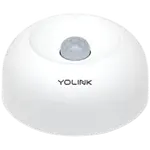


YoLink Indoor Motion Sensor RT Review: Radar Motion Sensing on YoLink's Long-Range LoRa Network
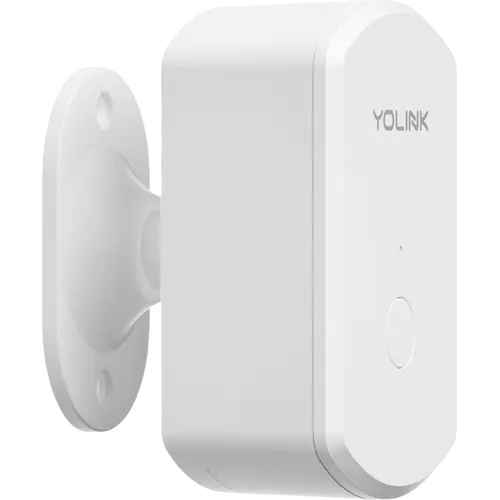
The YoLink Indoor Motion Sensor RT is an indoor motion detector that senses with microwave radar rather than passive infrared and reports over YoLink's long-range LoRa link, so it stays connected in basements, garages and far corners of a property. Sensitivity and two timers are adjustable in the app, it works in YoLink automations and device-to-device pairings that keep running without internet, and AA batteries are rated for two years. It works with Alexa and Home Assistant, but it needs a YoLink hub, and Apple Home, Google Home, SmartThings and Matter require the YoLink Local Hub specifically.
- Existing YoLink households
- Large properties
- Basements and garages
- Home Assistant users
One sensor per room you want covered.
Buy on Amazon USACheck pricePros
- Radar motion sensing instead of PIR
- Long-range LoRa link to the YoLink hub
- Adjustable sensitivity plus no-motion and alert-hold timers
- Control-D2D pairing works without internet
- Rated two years on AA batteries
- Works with Alexa and Home Assistant
- Two year warranty
Cons
- Requires a YoLink hub
- Apple Home, Google Home, SmartThings and Matter need the YoLink Local Hub
- Indoor use only
- Detection angle and range not published
- Temperature reading refreshes only on events
Who is the YoLink Indoor Motion Sensor RT for?
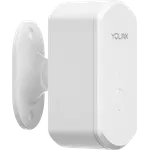
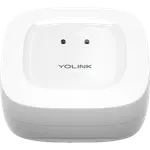
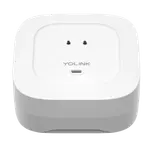
It suits a home or property that already runs a YoLink hub, or is about to, and needs motion detection where Wi-Fi or a Zigbee mesh struggles to reach, such as a detached garage, a basement or the far end of a large house. The sensor has no Wi-Fi, Bluetooth, Zigbee, Z-Wave or Thread radio of its own: it talks to the hub over LoRa, which is what gives it its range. It is an indoor device with no weather resistance, and at 72 x 44.5 x 49.5 mm it is small enough to place discreetly.
What the Indoor Motion Sensor RT offers
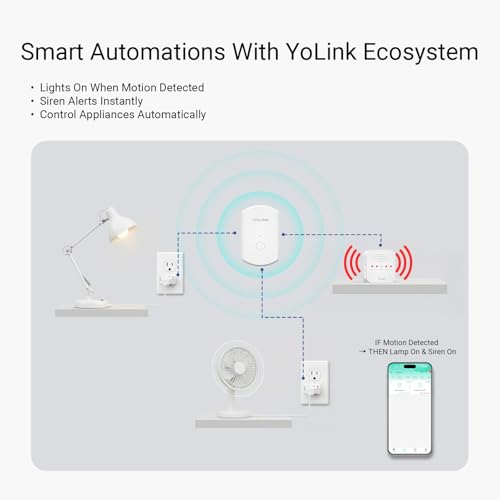
Motion is detected with microwave radar, which responds to movement itself rather than to the heat signature a PIR sensor reads. Sensitivity is adjustable in the app, with the trade-off that a higher setting brings more false alarms and a lower one shortens detection range. Two timers refine it: one sets how long the sensor waits before reporting no motion, and an alert hold suppresses repeat alerts for a set period after a detection. Alerts go out as app push, email and limited SMS and can trigger a YoLink siren or SpeakerHub. The sensor also works as a condition in YoLink automations, pairs directly with another YoLink device through Control-D2D, which keeps working without internet, and keeps a history log. The app shows an auxiliary temperature reading, AA batteries are rated for two years and the warranty is two years.
What to know before you buy
A YoLink hub is required, and which one matters. Alexa works directly and Home Assistant connects through its official YoLink integration, but Apple Home, Google Home, SmartThings and Matter are reached only through the YoLink Local Hub, which republishes YoLink devices over Matter. It is for indoor use only. YoLink does not publish the detection angle or range, so placement comes down to testing in the room, and whether it sends low-battery alerts is not documented. The temperature reading is auxiliary: it only refreshes when the sensor sends an alert or a heartbeat, or when its button is pressed.
Is the YoLink Indoor Motion Sensor RT worth it?
In a home that already has a YoLink hub, it is a simple way to add radar motion sensing to a distant room, with tunable sensitivity, sensible alert timers, local device-to-device control and long battery life. Starting from nothing, the hub is part of the cost, and reaching Apple Home or Google Home means the Local Hub in particular. Anyone who wants a sensor that joins an existing Zigbee, Thread or Wi-Fi setup without new hardware should choose a sensor built for that protocol.
Frequently asked questions
Does the YoLink Indoor Motion Sensor RT need a hub?
Yes. It communicates over YoLink's LoRa radio and has no Wi-Fi, Bluetooth, Zigbee, Z-Wave or Thread, so a YoLink hub is required for the app, alerts and automations.
Does the Motion Sensor RT use radar or PIR?
Radar. It detects movement with microwave radar rather than reading body heat the way a passive infrared sensor does.
Does it work with Apple Home, Google Home or Home Assistant?
Home Assistant works through its official YoLink integration, and Alexa works directly. Apple Home, Google Home, SmartThings and Matter require the YoLink Local Hub, which bridges YoLink devices to Matter.
How long does the battery last?
It runs on AA batteries rated for about two years.
Can the sensitivity and alert timing be adjusted?
Yes. Sensitivity is set in the app, a timer controls how long it waits before reporting no motion, and an alert hold suppresses repeat notifications for a set period after a detection.
Can it be used outdoors?
No. It has no weather resistance and is meant for indoor spaces.