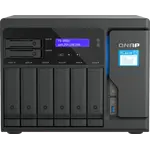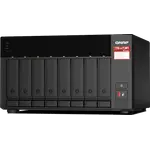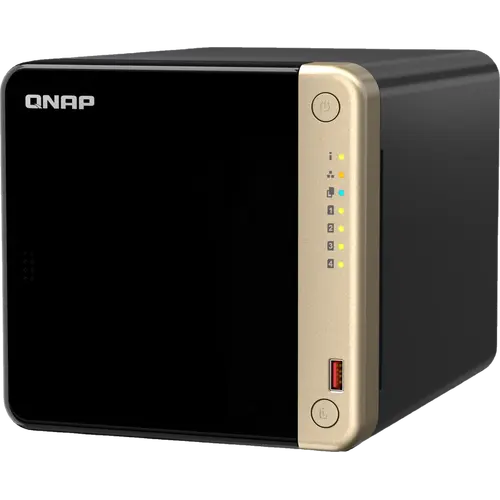



QNAP TS-464-8G-US Review: The Four-Bay NAS Built to Run More Than Files
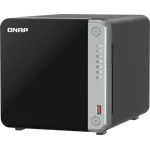
The TS-464 is the four-bay NAS to buy when you want a home server rather than a file box. A quad-core Intel chip with UHD graphics, 8 GB of DDR4 you can double, two 2.5GbE ports and two M.2 slots that work as cache or as a full storage pool give it far more headroom than the ARM boxes it sits beside, and QTS piles on Docker, virtual machines, Plex and an eight-channel surveillance recorder. Owners who came to it from eight and ten year old QNAP units are the strongest argument for it, and the ones who bought it as an appliance are the most frustrated: the chassis plastic is thin, the fan is audible under load, and the software is deep enough to need care before you open it to the internet. Buy it for headroom and tinkering, not for polish.
- Plex and media servers
- Home lab and Docker users
- Upgraders from an older NAS
- Small offices
Pros
- Quad-core Intel x86 processor with UHD graphics for hardware transcoding
- Two 2.5GbE ports with port trunking across seven modes
- Two M.2 PCIe slots usable as SSD cache or as a storage pool
- Runs Docker and LXC containers, virtual machines, Plex and QVR surveillance
- Memory upgradable across two SODIMM slots, and a PCIe slot for a 10GbE card later
- Can be switched from QTS to QuTS hero for ZFS
- Three year warranty, and owners report very long service lives
Cons
- Thin plastic drive trays and a glossy cover that scratches, a step down from older models
- Fan and drive noise are clearly audible under load
- QTS is powerful but fiddly, and owners warn against exposing it straight to the internet
- No ECC memory support
- No hybrid RAID, so mixing drive sizes wastes capacity
- No USB-C port and no SD card slot
Who is the QNAP TS-464-8G-US for?
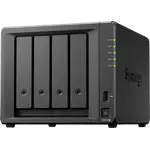
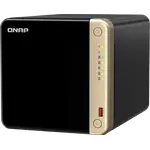
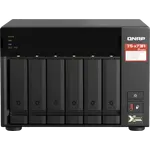
This is a four-bay diskless tower aimed at the buyer whose NAS is going to do several jobs at once. The Intel Celeron N5095 is a 64-bit x86 quad-core with integrated UHD graphics, which is what separates it from cheaper ARM based enclosures: it can transcode in hardware, run virtual machines and host containers rather than only serving files. Owners describe exactly that pattern, using it as a Plex or Emby library, a Docker host, and in several cases a virtual machine running Home Assistant, all on the same box. The four hot-swappable 3.5-inch bays take the bulk storage, and the two M.2 2280 slots take either an SSD cache in front of the spinning drives or a separate fast pool for the services that write constantly. If your needs stop at a shared folder and a Time Machine target, this is more machine than you need.
What buyers love
The recurring theme is longevity. A striking number of owners arrived here from a TS-251, TS-451 or TS-253 that had run for eight to ten years and was still receiving updates, and they bought another QNAP on that record alone. The second theme is the jump to 2.5GbE: with two ports and port trunking across them, people upgrading from gigabit describe it as the change that actually made the NAS feel fast. The M.2 slots come up constantly too, praised less for caching than for the flexibility of choosing between cache and storage, and the memory turns out to be genuinely upgradable across its two SODIMM slots. Setup gets consistent praise for being self-explanatory once the device is discovered on the network, and several owners single out how easy the case is to open and clean, one noting that three screws get you to a fan that can be swapped in minutes. In normal operation most call it quiet, with the hard drives rather than the fan making the noise.
What to know before you buy
Two complaints recur often enough to plan around. The first is the build: several owners describe thin plastic drive trays and a glossy cover that scratches and rattles during drive access, and note that older QNAP generations felt more solid. The second is the software. QTS is enormously capable, but owners describe account and permission management as fiddly, and more than one warns that exposing services directly to the internet invites brute force attempts, so treat it as a local-network machine unless you are prepared to secure it properly. Hardware transcoding exists and works, but owners report that how well it is used varies by application, with some apps needing extra licensed software before they will use it. Noise is a split verdict: quiet at idle, clearly audible when the fan spins up under load or when four mechanical drives work at once, so give it a cupboard if it lives in a bedroom. There is also no ECC memory here, no SHR-style hybrid RAID for mixing drive sizes, and no USB-C or SD card slot, all of which some rivals in this price band do offer. One owner reported a unit that refused to sleep and a support ticket that went a year without a fix.
Is the QNAP TS-464-8G-US worth it?
It is worth it if you intend to use the headroom. For the money you get an x86 quad-core, 8 GB of upgradable DDR4, two 2.5GbE ports, two M.2 slots, an HDMI 2.1 output and a PCIe Gen 3 slot that leaves the door open to a 5GbE or 10GbE card later, plus the option of switching the whole system to QuTS hero and running ZFS. That is a lot of expansion for a desktop four-bay, and it is why owners keep these machines for the better part of a decade. If you want a NAS that simply works without ever being configured, a more appliance-like competitor will annoy you less. If you want a small always-on server that will still be useful after several rounds of new ideas, this is the more capable buy, and the three year warranty backs it.
Frequently asked questions
Does the QNAP TS-464-8G-US come with hard drives?
No. It ships diskless, with four hot-swappable 3.5-inch SATA 6Gb/s bays that take 3.5-inch hard drives or 2.5-inch SSDs, plus two M.2 2280 slots. Drives are bought separately.
Can you upgrade the memory?
Yes. It arrives with 8 GB of DDR4 in a SODIMM slot and has two slots in total, with QNAP rating it for up to 16 GB as two 8 GB modules.
Can it run Plex, Docker and Home Assistant?
Yes. Container Station runs Docker and LXC/LXD containers, Virtualization Station runs virtual machines including Linux guests such as Home Assistant, and Plex is available for the media library. Virtualization Station needs at least 4 GB of memory, which this model exceeds out of the box.
Does the TS-464 support ZFS?
Yes, but not by default. QTS formats internal drives as EXT4, and ZFS comes from switching the NAS to the QuTS hero operating system, which is supported from QTS 5.2.1 and also adds WORM storage.
How fast is the network, and can it do 10GbE?
It has two 2.5GbE ports that can be trunked together, and no built-in 10GbE. The PCIe Gen 3 slot accepts an optional 5GbE or 10GbE expansion card, which is the usual upgrade path.
Can it record security cameras?
Yes. QVR Pro includes eight free camera channels and QVR Surveillance includes two, with desktop and mobile clients for Windows, macOS, Android and iOS.