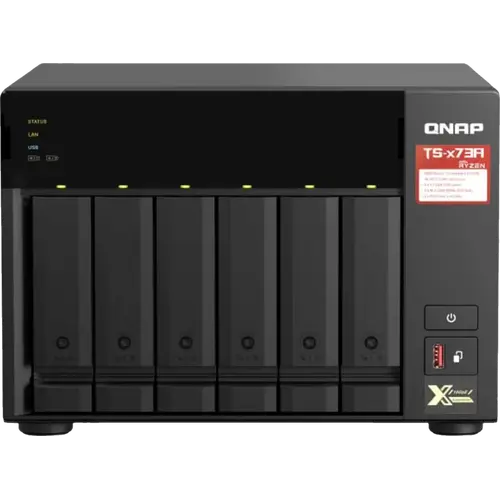


QNAP TS-673A-8G Review: The 6-Bay NAS Built for Upgrades
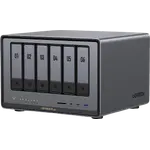
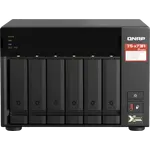
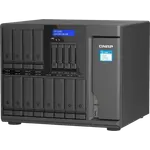
The QNAP TS-673A-8G is a six-bay tower NAS for buyers who want room to grow. An AMD Ryzen Embedded V1500B quad-core, six hot-swappable bays, two M.2 NVMe slots, two PCIe Gen 3 x4 slots and dual 2.5GbE make it a capable host for containers, virtual machines and a media library, and it can switch from QTS to ZFS-based QuTS hero. The main trade-off is that the Ryzen chip has no integrated graphics, so there is no hardware video transcoding without an add-in card, and there is no built-in 10GbE or HDMI.
- Home labs and small offices
- Media and backup libraries
- Virtualization and containers
- Buyers who plan to upgrade
Pros
- Six hot-swappable 3.5-inch bays, enough for RAID 5 or RAID 6
- AMD Ryzen Embedded V1500B quad-core x86 with AES-NI encryption
- Two SO-DIMM DDR4 slots, 8 GB preinstalled and up to 64 GB with ECC support
- Two M.2 2280 NVMe slots for cache, Qtier tiering or an SSD storage pool
- Two PCIe Gen 3 x4 slots for 5GbE/10GbE, QM2 or a graphics card
- Dual 2.5GbE with port trunking across seven modes
- Choice of QTS (ext4) or ZFS-based QuTS hero with block-based snapshots
- Runs Docker containers, virtual machines, Plex and QVR surveillance
- Three-year warranty and a quiet 20.3 dB(A) tower
Cons
- No integrated GPU, so no hardware video transcoding without an add-in card
- No built-in 10GbE; the two 2.5GbE ports are the only network ports
- No HDMI, USB4/Thunderbolt or SD card slot
- No hybrid RAID for mixing different drive sizes
- Shipped memory is one 8 GB module, so dual-channel needs a second matching module
- QTS formats internal drives as EXT4; ZFS needs the QuTS hero edition
- More technical to set up than a consumer NAS
Who is the QNAP TS-673A-8G for?
This is a tower NAS aimed at the buyer whose storage needs go past a couple of drives. Six 3.5-inch bays leave room for a large archive protected by RAID 5 or RAID 6, and because all six are hot-swappable a failed drive can be swapped without powering the unit down. The x86-64 platform, two memory slots and two PCIe Gen 3 x4 slots make it a reasonable host for containers, virtual machines and a surveillance recorder, while the pair of 2.5GbE ports keeps transfers ahead of Gigabit. Owners who fill the upgrade path describe it as a machine that gets faster once you add memory, 10GbE and NVMe caching. If you only need a shared folder and a backup target, this is more machine than the job requires.
What owners praise
The recurring strength buyers report is expandability. Owners who added a 10GbE network card and NVMe cache describe transfer speeds close to the limit of the link, and several note that moving to 64 GB of ECC memory or a dual 10GbE card with two NVMe drives turned the unit into a small production server. The six bays are enough for a large RAID 10 or RAID 6 array, and owners running Plex, Docker containers or virtual machines say the Ryzen chip stays stable under multitasking. Many also like the choice of operating systems: the option to run ZFS-based QuTS hero was a deciding factor for buyers who wanted checksums and snapshots, and more than one came from Synology for that reason. The enclosure itself is repeatedly called quiet and cool, even with the bays filled.
What to know before you buy
The clearest limitation is video transcoding. The Ryzen Embedded V1500B has no integrated graphics and the chassis has no built-in video output, so the NAS does not convert video in hardware for Plex or Jellyfin unless you add a supported PCIe graphics card; owners confirm that 4K transcoding needs a GPU, while 1080p software transcoding is fine. There is also no built-in 10GbE: the two 2.5GbE ports are what you get out of the box, and 10GbE needs a network card in one of the PCIe slots, where a few owners report specific cards that did not work. Rounding out the omissions, there is no HDMI port, no USB4 or Thunderbolt and no SD card slot, and QTS formats internal drives as EXT4, so ZFS requires switching to QuTS hero. The single 8 GB memory module also means memory runs in single-channel until a second matching module is added. Finally, buyers describe the interface as deeper and more technical than a consumer NAS, which suits power users but is more to learn than a plug-and-play box.
Is the QNAP TS-673A-8G worth it?
It is worth it if you expect to fill the bays and grow. For the money you get six hot-swappable drives, a capable x86 processor with hardware encryption, ECC-capable memory up to 64 GB, two NVMe slots, two PCIe slots and dual 2.5GbE, plus the choice of QTS or ZFS-based QuTS hero, containers, virtual machines, Plex and a surveillance recorder on one box. Owners who invested in the upgrade path report speeds and workloads well beyond what a fixed four-bay appliance can do. If you want something compact, quiet and cheap out of the box, or you rely on hardware video transcoding without adding a card, a smaller model will suit you better.
Frequently asked questions
How many drive bays does the QNAP TS-673A-8G have?
Six 3.5-inch SATA bays that also take 2.5-inch SATA drives, all hot-swappable, plus two internal M.2 2280 NVMe slots. It ships without drives.
Does the QNAP TS-673A-8G have 10GbE networking?
No, not built in. It ships with two 2.5GbE RJ45 ports that support port trunking; 5GbE or 10GbE requires a network card in one of the two PCIe Gen 3 x4 slots.
Can you upgrade the memory on the QNAP TS-673A-8G?
Yes. It arrives with 8 GB of DDR4 in one of two SO-DIMM slots and QNAP rates it for up to 64 GB using two 32 GB modules. ECC memory is supported.
Does the QNAP TS-673A-8G support ZFS?
Yes, by switching the system to the QuTS hero operating system, which brings ZFS, end-to-end checksums and block-based snapshots. As shipped it uses QTS, which formats internal drives as EXT4.
Can the QNAP TS-673A-8G transcode video in hardware?
No. The AMD Ryzen Embedded V1500B has no integrated graphics and the unit has no built-in video output, so hardware transcoding for Plex or Jellyfin would need an optional PCIe graphics card.
Can the QNAP TS-673A-8G run Docker and virtual machines?
Yes. Container Station runs Docker and LXC/LXD containers, and Virtualization Station runs Windows, Linux, Unix and Android guests; Virtualization Station needs at least 4 GB of memory, which this model exceeds out of the box.