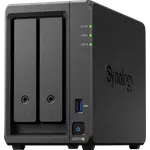
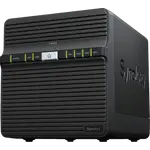
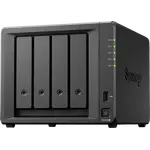
Synology DS124 Review: The Easy One-Bay NAS That Owners Use to Replace the Cloud
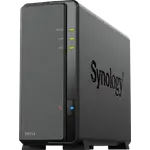
The Synology DS124 is a one-bay desktop NAS running Synology DSM on a quad-core ARM chip with 1 GB of RAM. Owners rate it highly for how quickly it goes from box to working personal cloud, how quiet it is and how much the included apps cover: photo backup from phones, file sync, Time Machine, Plex and DLNA streaming, all with no subscription. The limits are real, though: one drive means no redundancy, 1 GB of RAM slows it when many services run, there is no transcoding and only Gigabit Ethernet, so it suits backups and simple media serving rather than a home lab.
- First-time NAS buyers
- Phone photo and file backup
- Replacing an old WD My Cloud or Time Capsule
- Simple Plex and DLNA streaming
- Upgrading from an older one-bay Synology
Pros
- Set up in minutes, even for a first NAS
- Synology DSM with free photo, sync, backup and Plex apps
- Quiet, at 19 dB, and low power at about 10.69 W
- Easy migration from an older one-bay Synology
- Remote access through QuickConnect, plus VPN server and two-factor sign-in
- Btrfs with snapshots and hardware encryption
Cons
- 1 GB of RAM slows it when many services run
- One bay, so no RAID redundancy
- No hardware transcoding or virtual machines
- Only one Gigabit Ethernet port
- 2.5-inch drive adapter not included
- Plastic case scratches easily
Who is the Synology DS124 for?
It is for a home or small office that wants its own cloud for photos, videos and documents without monthly fees. Owners use it to back up phones and several computers, as a Time Machine target for a MacBook, to replace an old WD My Cloud or Apple Time Capsule, to share a film collection to every TV through Plex or DLNA, as a 24/7 camera recorder and as a torrent box. Many are first-time NAS buyers, and others are upgrading from a decade-old DS115j or a DS120j, who describe the jump as clearly faster and smoother.
What buyers love
Setup is the most praised point: owners fit a drive, plug it into the router and have it running in minutes, and moving from an older one-bay Synology is as simple as swapping the disk across and choosing to keep the settings. DSM gets consistent credit for being clear, polished and full of free apps, from Synology Photos and Drive to Cloud Sync, snapshots and backup tools, with two-factor sign-in and remote access through QuickConnect. It runs quietly, especially with the fan set to its low mode, and several owners mention Synology's reliability over years and quick support replies. For the price, many call it the right balance between cost and capability.
What to know before you buy
The 1 GB of RAM is the most cited limit: Plex and Emby play 4K files fine when no transcoding is needed, but owners see it slow down once several background services run, and there is no virtual machine support. One owner who moved to a newer competitor calls it slow and dated by comparison. A single bay means no RAID redundancy, so plan a USB or cloud backup, which owners do with rotating external drives. A 2.5-inch SSD needs an adapter that is not in the box, DSM warns that drives off Synology's list (such as WD Red) are not validated, though owners carry on without problems, and the plastic case scratches easily. One owner says the power adapter whines audibly, and a UK buyer received a unit with a US plug. One Linux user struggled to set up key-based SSH and rsync backups and found the support answer unhelpful, and the Android apps feel limited to another owner.
Is the Synology DS124 worth it?
For backups, a private photo library and simple streaming, yes: owners rate it highly, it draws about 10.69 W, it is near silent at 19 dB, and DSM gives it far more software than its single bay suggests. If you want redundancy, transcoding, room for several containers or faster than Gigabit networking, a two-bay model with more memory is the better buy from the start, which some owners say they wish they had chosen.
Frequently asked questions
Is the Synology DS124 good for Plex?
For direct play, yes: owners stream 4K files from it to their TVs. It has no hardware transcoding and 1 GB of RAM, so it is not suited to converting video on the fly for several devices.
Can one drive be redundant?
No. With a single bay there is no RAID redundancy, so a failed drive means restoring from a backup. Owners back it up to external USB drives or a cloud service with the included backup apps.
Does the DS124 run Docker?
Yes. Synology lists the DS124 among the models that install Container Manager, its Docker package, on version 24.0.2-1606. Virtual machines are not supported on this model, and its 1 GB of RAM is shared by every service it runs.
Can I move my drive from an older Synology?
Yes. Owners upgrading from a DS120j or DS115j moved the drive across and DSM offered to keep their files and settings, a job of under an hour. Back up first to be safe.
Does it need a subscription?
No. DSM and its apps for photos, file sync, backup, media and remote access through QuickConnect are included.
Can I use a 2.5-inch SSD in it?
Yes, but the bay is sized for 3.5-inch drives and owners needed to buy an adapter for a 2.5-inch drive, which is not included.