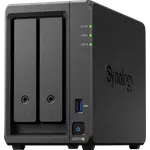
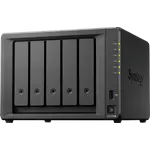
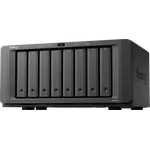
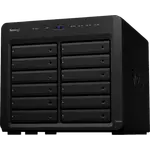
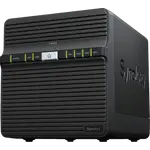
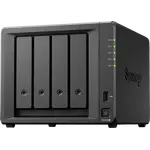
Synology DS1525+ Review: Five Bays and 2.5 GbE for a Growing Array
The DS1525+ is a five-bay Synology for homes and small offices that have outgrown four drives: RAID 5 and 6 or SHR across five hot-swap bays, expansion to fifteen bays, ECC memory up to 32 GB, two M.2 NVMe slots that can hold a storage pool and dual 2.5 GbE. Owners praise the speed over a 2.5 GbE network and how steady DSM runs, while the recurring complaints are drive noise and the drive compatibility policy that early buyers ran into. It has no hardware transcoding, so it suits storage, backup, containers and virtual machines better than a transcoding-heavy media server.
- Small offices
- Growing photo and video libraries
- RAID 6 and SHR arrays
- Containers and virtual machines
- Upgraders from older Synology units
Pros
- Five hot-swap bays, expandable to fifteen
- Dual 2.5 GbE, a clear speed jump over gigabit
- ECC memory, up to 32 GB
- Two M.2 NVMe slots that can form a storage pool
- SHR, RAID 5 and 6, Btrfs and snapshots
- Docker, virtual machines, Plex and Surveillance Station
Cons
- Early owners could only set it up with Synology-branded drives
- Drive noise and rattles reported by some owners
- No hardware transcoding
- Ships with 8 GB of memory
- Light enclosure, according to one owner
Who is the Synology DS1525+ for?
It is aimed at people who have filled a two- or four-bay NAS and want a single box with more drives and a faster network. Owners use it as a family archive, as the shared drive of a creative studio where staff open large Photoshop files straight from the NAS over 2.5 GbE, and as the replacement for an older five-bay Synology. Expansion to fifteen bays through Synology expansion units gives it room to grow without a second NAS to manage.
What owners like about the DS1525+
The step from gigabit to dual 2.5 GbE is the improvement owners notice first: buyers moving from an older unit describe a clear jump in transfer speed on a 2.5 GbE home network, and five large drives cover their storage needs for years. Setup is described as easy, though one owner adds that a little IT knowledge helps. A long-time administrator who runs dozens of Synology systems migrated from an older five-bay model with its expansion units in little time, and values how reliably the platform runs over the years rather than the raw hardware. The software side backs that up: Btrfs with snapshots, SHR, Docker containers, virtual machines, Plex, Surveillance Station and cloud backup are all supported.
What to know before you buy
Drive compatibility is the loudest complaint. Several early owners found that the DS1525+ would only set up with Synology-branded drives, which made reusing existing Western Digital or Seagate disks impossible and raised the cost per terabyte; one owner who migrated after a later DSM update reports that third-party drives now work without warnings, so check the current compatibility policy before buying disks. Noise is the second theme: one owner finds it much louder than the four-bay unit it replaced and the enclosure light, another hears a metallic rattle when the drives work hard. The AMD Ryzen V1500B has no hardware transcoding, it ships with 8 GB of ECC memory (32 GB maximum) and it draws about 44.56 W under access.
Is the Synology DS1525+ worth it?
For a storage-first buyer who wants five bays, ECC memory, M.2 caching or an M.2 pool and a mature operating system, it is a strong choice, and owners who run it rate the experience highly. Buyers who mainly want a Plex box that transcodes 4K, or who plan to reuse a set of third-party drives without checking the current policy, should look harder before they commit.
Frequently asked questions
Can the Synology DS1525+ use third-party hard drives?
Early owners could not initialize it with drives outside Synology's compatibility list. One owner who migrated after a later DSM update reports that Western Digital and Seagate drives now work without warnings, so check Synology's current compatibility policy before buying disks for it.
Is the DS1525+ good for Plex?
It runs Plex Media Server, but its AMD Ryzen V1500B has no hardware transcoding, so it is best for direct play. Libraries that need many simultaneous transcodes are better served by a NAS with integrated graphics.
How many drives can the DS1525+ hold?
Five hot-swappable 3.5-inch bays, expandable to fifteen bays with Synology expansion units, plus two M.2 NVMe slots that can be used as cache or as a storage pool.
How fast is the network on the DS1525+?
It has two 2.5 GbE ports and no 10 GbE port out of the box. Owners upgrading from gigabit units report a significant performance improvement on a 2.5 GbE network.
How much memory does the DS1525+ support?
It ships with 8 GB of DDR4 ECC memory and supports up to 32 GB.