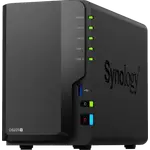
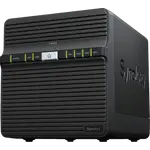
Synology DS223j Review: The Easy, Quiet Entry Into Synology DSM
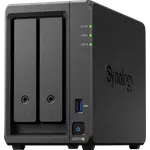
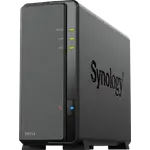
The Synology DS223j is the simplest way into Synology DSM: two bays, a single Gigabit port and 1 GB of memory that cannot be upgraded. Owners consistently praise how quickly it sets itself up, how quiet and compact it is, and how reliably it handles computer backups, Time Machine included, and phone photo backup. The trade-off is speed: Synology Photos and large copies can feel sluggish, and with 1 GB of memory and no hardware transcoding it is a backup and file server, not a media or home server.
- First-time NAS buyers
- Mac and PC backups
- Family photo backup
- Off-site backup target
- Quiet home offices
Pros
- Very easy setup, even for first-time NAS owners
- Reliable Time Machine and PC backups
- Compact and quiet, with 18.2 dB noise level
- Low 16.31 W power consumption
- Btrfs snapshots and Synology Hybrid RAID
- QuickConnect remote access and a built-in VPN server
Cons
- 1 GB of memory with no upgrade, so Synology Photos can feel slow
- Single 1 GbE port
- No virtual machines or hardware transcoding
- Bays are not hot swappable and there is no M.2 slot
- Plastic case feels basic
Who is the Synology DS223j for?
Households and small offices that want a private, always-on place for documents, photos and computer backups instead of a paid cloud plan or a loose USB drive. Many owners bought it as their first NAS and describe a setup that ran almost on its own after the drives went in, and several use it as a second, off-site backup target for a bigger Synology. Owners who already know what they need are just as clear about the limits: it is for storage and backup, not for running a media server with heavy video or a stack of containers.
What owners love about the DS223j
Setup is the most repeated praise: drives in, power on and the web interface or the phone app walks through the rest, with plenty of help online. Mac owners single out Time Machine, which several say worked first time after other NAS boxes failed, and SMB sharing works across Windows and Mac. Phone photo backup and access from outside the home through QuickConnect are the other big reasons people buy it, and owners who had worried about Synology's approved-drive list report that their existing WD and Seagate drives worked. It is small and quiet enough that one owner keeps it in a bedroom, and the full DSM software set, including snapshots on Btrfs, Synology Hybrid RAID, Surveillance Station and a VPN server, comes with it.
What to know before you buy
The 1 GB of DDR4 is also the maximum, so there is no upgrade path, and that memory is what owners feel: some describe Synology Photos as very slow on the phone, a few call the interface less than snappy, and one says it fell short of RAM once they used it more. The single 1 GbE port caps transfer speed, there is no M.2 slot and the bays are not hot swappable. The ARM processor has no hardware transcoding, so Plex works for direct playback but not for converting video on the fly, and the model does not run virtual machines. A minority of owners found the plastic case cheap-feeling, heard clicking drive noise, or struggled with the setup wizard and the account it asks for, and finished setup in a web browser instead.
Is the Synology DS223j worth it?
Yes, if the job is backups, file sharing and photo storage. Owners rate it highly for doing exactly that with little effort, and its low power draw and quiet operation suit a box that stays on all day. If Plex transcoding, a stack of containers, faster-than-Gigabit transfers or a responsive photo library with many users are in the plan, a model with more memory and an x86 processor is the better buy.
Frequently asked questions
Does the Synology DS223j work with Apple Time Machine?
Yes. Owners back up several Macs to it over the network with Time Machine, and its SMB sharing also serves Windows PCs.
Can I upgrade the memory in the DS223j?
No. It ships with 1 GB of DDR4 and that is also its maximum capacity, so the memory you buy is the memory it keeps.
Can the DS223j run Plex or Docker?
Plex Media Server is supported, but the processor has no hardware transcoding, so it suits direct playback rather than converting video on the fly. Docker runs through Container Manager, which Synology lists for the DS223j on version 24.0.2-1606, but virtual machines are not supported on this model.
Does the DS223j support RAID 5?
No. RAID 5 needs at least three drives and the DS223j has two bays. It offers Synology Hybrid RAID, which mirrors the two drives for protection, on the Btrfs file system with snapshots.
Can I reach the DS223j from outside my home?
Yes. It supports QuickConnect remote access, DDNS, SSH and a built-in VPN server, so files and photos are reachable from anywhere.