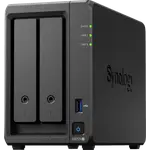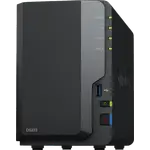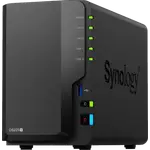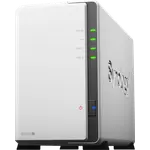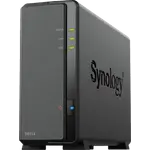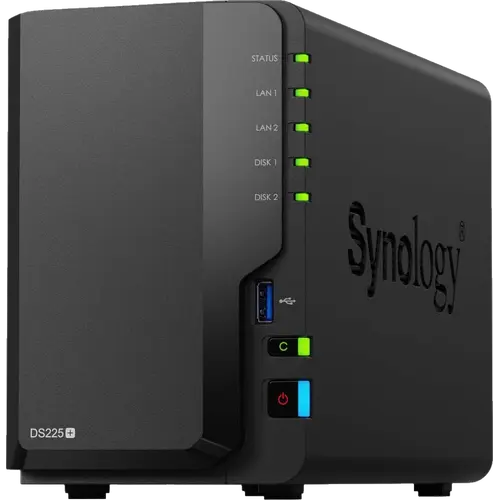





Synology DS225+ Review: A Dependable 2-Bay NAS With a 2.5 GbE Port and Synology's Full Software Suite
The Synology DS225+ is a two-bay desktop NAS for homes and small offices that want reliable storage, backups and remote access without building a server. Owners consistently praise how easy it is to set up, how smoothly it migrates drives from an older Synology, and how much the DSM software does, from photo libraries and Plex to VPN, Docker and camera recording. The criticism is about the hardware: a quad-core Intel Celeron J4125 and 2 GB of RAM that some call dated for the price, no M.2 slots, USB-A ports only, and a 2.5 GbE port as the main step up from earlier models.
- Family photo and file clouds
- Upgrading from an older Synology
- Home Plex and media servers
- Small office backups
Pros
- Easy setup and quick migration from older Synology models
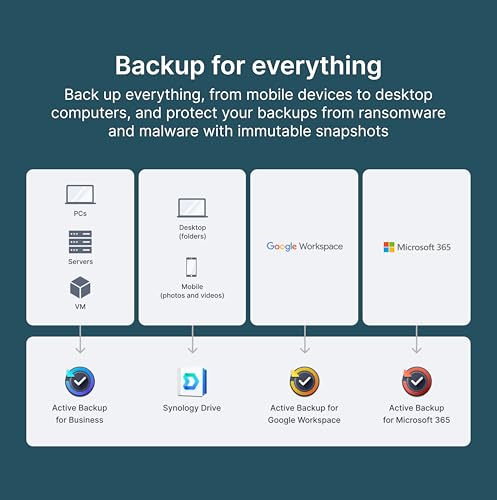
- Full DSM app suite: Photos, Drive, Plex, Docker, VPN and backups
- 2.5 GbE port alongside 1 GbE
- Hardware transcoding, Btrfs snapshots and SHR
- Quiet and stable in everyday use
- Three-year warranty
Cons
- Dated Celeron J4125 processor for the price
- Only 2 GB of RAM as standard
- No M.2 NVMe slots or expansion unit
- USB-A ports only, no USB-C
- Two bays limit capacity and RAID options
Who is the Synology DS225+ for?
It suits anyone who wants a private cloud for photos, documents and backups that runs on its own. Many owners are upgrading from older two-bay Synology models and say the move took minutes, with drives carried over and little or no reconfiguration. Others are first-time NAS owners who replaced paid cloud storage, host a small website or a wiki, or record security cameras with Surveillance Station. Owners note that DSM has a lot to learn, but that online guides cover every step.
What owners love about the Synology DS225+
Setup and stability come up again and again: owners describe it as simple to install, quiet on a desk, and something that just keeps working. The 2.5 GbE port makes a measurable difference, with one owner reporting transfers roughly doubling over the 1 GbE connection. The software is the other big draw: Synology Photos and Drive, Plex, Docker, virtual machines, the VPN server, QuickConnect remote access and the backup tools are all included with the hardware, and the spec sheet confirms hardware transcoding, Btrfs snapshots and SHR. Several owners run Home Assistant or other services on it after adding memory.
What to know before you buy
The hardware is the main criticism. The Celeron J4125 has been used in Synology models for years, and some owners feel the 2.5 GbE port is the only real upgrade for the price, with cheaper competitors offering more. The 2 GB of RAM fills quickly with virtual machines or photo indexing, so owners who use those features add memory. There are no M.2 NVMe slots, no expansion unit support and no RAID 5 or 6 with only two bays, and the external ports are USB-A only, which disappointed one owner with a USB-C backup drive. Earlier owners received warnings about non-Synology hard drives, while later owners report reusing third-party drives without issues. One owner found the stock fan too loud for a desk and swapped it, and another had a unit arrive with a dead fan.
Is the Synology DS225+ worth it?
For buyers who value software, stability and ease of use, owners say yes: it is a set-and-forget NAS with a three-year warranty and a mature app ecosystem. Anyone who wants the most hardware for the money, M.2 caching or USB-C should compare it with newer competitors, and remember that with two bays in a mirror you get the capacity of one drive, so buy larger disks than you think you need.
Frequently asked questions
Can I use non-Synology hard drives in the DS225+?
Owners who bought it later report reusing third-party drives, such as WD Red, without issues, while some early owners saw compatibility warnings. Check Synology's current compatibility list before buying drives.
Does the Synology DS225+ support Docker and Plex?
Yes. It runs Docker containers, virtual machines and Plex Media Server, and its Celeron J4125 supports hardware transcoding.
How fast is its network connection?
It has one 2.5 GbE port and one 1 GbE port. One owner measured roughly twice the transfer speed over the 2.5 GbE connection compared with 1 GbE.
How much RAM does the DS225+ come with?
It ships with 2 GB of DDR4 memory, non-ECC. Owners who run virtual machines or heavy photo indexing add more.
Does it have M.2 slots for SSD caching?
No. It has two drive bays and no M.2 NVMe slots.
Can I access my files away from home?
Yes. It includes Synology's QuickConnect remote access service, DDNS and a VPN server.