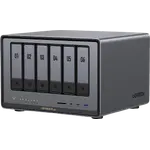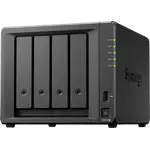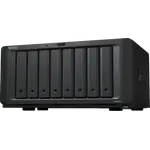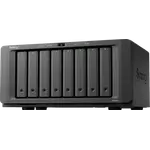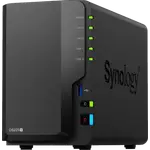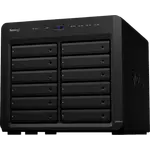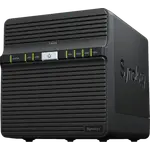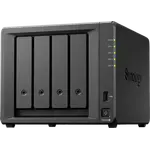





Synology DS2422+ Review: Twelve Hot-Swap Bays and Reliable DSM, With a Drive Warning Many Owners Dislike
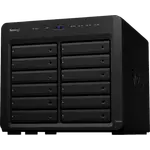
The Synology DS2422+ is about capacity and dependability: twelve hot-swappable bays in a desktop chassis, expandable by another twelve with an expansion unit, running Synology DSM on a quad-core AMD Ryzen V1500B with 4 GB of ECC DDR4 that can grow to 32 GB. Owners praise how reliable and quiet it is, the easy migration from older Synology units and how much software DSM brings. The recurring complaint is how it treats drives that are not Synology's own, with warnings and reduced support that many owners resent, and the standard networking is only four Gigabit ports, which owners often fix with a PCIe network card.
- Large archives and media libraries
- Business backup
- Upgrading from an older Synology
- RAID 6 redundancy
Pros
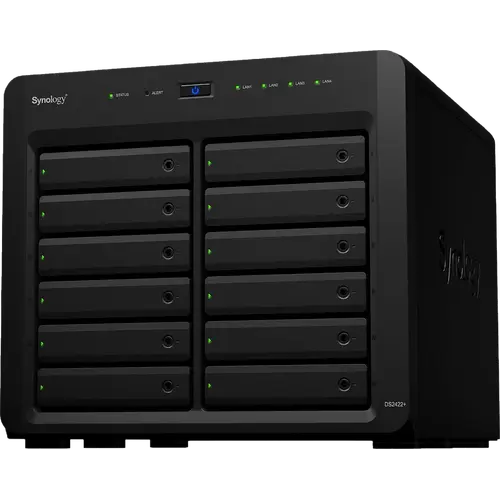
- Twelve hot-swappable bays, expandable to twenty-four
- Reliable and quiet, with easy migration from older Synology units
- ECC DDR4 memory, expandable to 32 GB
- RAID 5, RAID 6 and Synology Hybrid RAID with Btrfs snapshots
- Docker, virtual machines, Plex and a surveillance app in DSM
- PCIe card for 10 GbE or 2.5 GbE networking works for owners
- Three-year warranty
Cons
- Warnings and limited support for drives that are not Synology's own
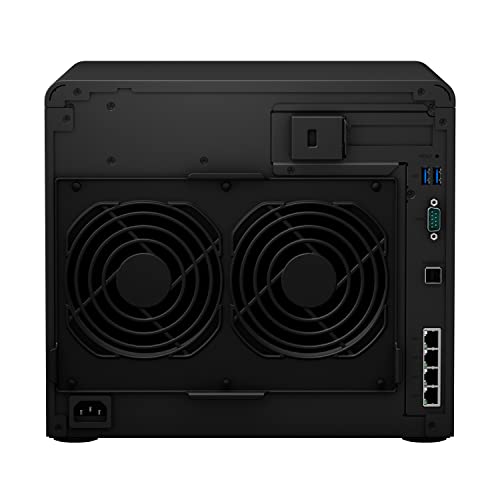
- Only four Gigabit Ethernet ports, no 2.5 GbE or 10 GbE as standard
- No M.2 NVMe slots
- No hardware transcoding and no ZFS support
- Steep learning curve for newcomers
- 73.11 W power consumption and 9.5 kg empty
Who is the Synology DS2422+ for?
It is built for anyone whose problem is sheer volume of data: business backups that have outgrown a smaller NAS, long surveillance archives, photo collections or media libraries. Twelve bays leave room for RAID 6, which survives two failed drives at once, and the expansion unit support takes the total to twenty-four bays. Many owners are repeat Synology buyers moving up from an older DS unit, and others use it for 4K video editing or as a central database once they add faster networking.
What do owners like about the Synology DS2422+?
Reliability and software are the headline. Owners describe a dependable unit with a straightforward operating system, helpful support and plenty of guides, and several say it replaced an older NAS from Synology or another maker without trouble. Migration is a highlight: owners moved drives and data from older models and found everything back online, with the software offering to migrate. They also like that it is quiet at idle, that the processor is fast, and that DSM can run Docker, virtual machines and apps such as Home Assistant alongside file sharing. Owners who added a 10 gigabit network card or a 2.5 gigabit card report it working well, and extra memory has worked too.
What to know before you buy
Drives are the big caveat. The unit displays warnings for drives that are not on Synology's list, and owners who fitted other brands report constant warnings, stricter behavior at launch, issues with migrating drives from older units and limited support, so many warn to check compatibility first or buy Synology drives. More recent reviews say third-party drives still work, usually with a yellow warning, and some ran everything flawlessly. Memory and cards that are not Synology's also draw warnings. Networking is the other weak point: four Gigabit Ethernet ports and no 2.5 GbE, 10 GbE or SFP+ ports as standard, no M.2 NVMe slots for an SSD cache or storage pool, and no hardware transcoding. Newcomers find the learning curve steep, and one owner received a unit with scratches on a side panel.
Is the Synology DS2422+ worth it?
For bulk capacity with strong data protection it makes sense: ECC memory, RAID 6, Btrfs snapshots, a room-to-grow path to twenty-four bays and a mature software suite, backed by three years of warranty. It is priced at the premium end of desktop NAS units and several owners resent paying that for a system that nudges them toward Synology drives. Buyers who want freedom to choose any drive, or who need built-in fast networking, NVMe cache or hardware video transcoding, should look at a model that offers them.
Frequently asked questions
Can I use non-Synology drives in the DS2422+?
They work, but owners report warnings that the drives are unverified or unsupported, and early buyers hit stricter behavior. Many suggest checking Synology's compatibility list or buying Synology drives if you want full support and no warnings.
How many drives does the Synology DS2422+ hold?
Twelve hot-swappable drives, and an expansion unit adds twelve more for twenty-four bays in total.
Does the Synology DS2422+ have 10 Gigabit Ethernet?
No. It has four Gigabit Ethernet ports and no 2.5 GbE, 10 GbE or SFP+ ports as standard, though owners report adding 10 gigabit and 2.5 gigabit PCIe network cards successfully.
Can the Synology DS2422+ transcode video for Plex?
It runs Plex Media Server, but the AMD Ryzen V1500B has no hardware transcoding, so any on-the-fly video conversion is done by the processor alone.
Can I move drives from an older Synology into the DS2422+?
Yes, owners report moving drives and data from older models and finding everything back online, though non-Synology drives may need extra steps or draw warnings.
Does the Synology DS2422+ have M.2 slots?
No. It has no M.2 NVMe slots, so it cannot use an NVMe SSD cache or storage pool.