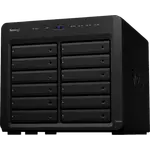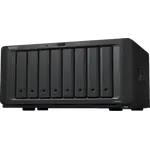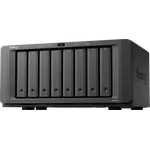


Synology DS3622xs+ Review: A Fast Twelve-Bay Xeon NAS Held Back by Its Drive-Compatibility Rules
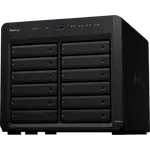
The Synology DS3622xs+ is a twelve-bay desktop NAS built for business storage: a six-core Intel Xeon D-1531, 16 GB of DDR4 ECC memory that grows to 48 GB, two built-in 10 GbE ports alongside two Gigabit ports, and room to expand to 36 bays. Owners who got it running call it fast and reliable, with one reporting sustained transfers above 900 MB/s over 10 GbE. The loudest complaint by far is drive compatibility: many buyers report that DSM marks non-Synology drives as unverified or puts the storage pool into a critical warning, which pushes them toward Synology's own, more expensive disks. Other owners flag the 94.42 W power draw and say it is not a home machine. It also has no M.2 NVMe slots and no hardware video transcoding, so it is far more machine than most homes need.
- Business and production storage
- Virtualization and iSCSI workloads
- Large RAID 6 arrays
- 10 GbE networks
Pros
- Fast and reliable in use, with sustained transfers above 900 MB/s over 10 GbE reported
- Six-core Intel Xeon D-1531 with hardware encryption
- 16 GB of DDR4 ECC memory, expandable to 48 GB
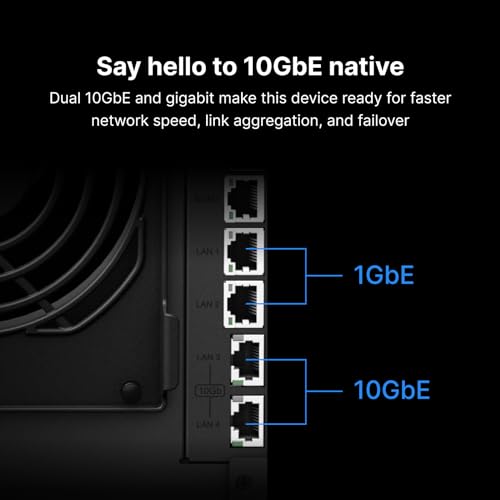
- Two 10 GbE ports built in, plus two Gigabit ports
- Twelve hot-swappable bays, expandable to 36
- RAID 5 and 6 on Btrfs with snapshots
- Docker, virtual machines, iSCSI, NFS and rsync
- Cloud sync and endpoint backup, with UPS support
Cons
- Owners report non-Synology drives flagged as unverified, with an undismissable warning and a critical pool status
- Synology's own drives can cost about twice as much as comparable drives
- 94.42 W power draw, which one owner calls unsuited to home use
- No M.2 NVMe slots
- No hardware video transcoding
- No Hybrid RAID or ZFS
- Premium price for home use
- Warranty period not documented
Who is the Synology DS3622xs+ for?
It is aimed at offices, studios and demanding home labs that need a lot of storage and fast networking in one box: creative teams editing over the network, servers hosting virtual machines or iSCSI targets, and backup targets for many endpoints. Owners are often long-time Synology users coming from 8-bay and 12-bay units. Twelve hot-swappable bays, two 10 GbE ports and ECC memory are business features, and the 9.8 kg desktop chassis with its 94.42 W draw is not a casual home appliance.
What owners like about the Synology DS3622xs+
Owners who have it running describe a fast, reliable system. One reports at least 900 MB/s writes and 1,000 MB/s reads over a 10G switch and wired Ethernet, and has maxed out the memory so a volume can exceed roughly 108 TB. The processor is a six-core Intel Xeon D-1531 on x86-64 with hardware encryption, paired with 16 GB of DDR4 ECC memory expandable to 48 GB; ECC memory corrects errors before they reach your data, which matters on a machine that stays on for years. Storage starts at twelve hot-swappable bays and grows to 36 with expansion units, with RAID 5 and RAID 6, the Btrfs file system and snapshots. Synology DSM adds Docker, virtual machines, Plex Media Server, a surveillance app and AI photo recognition, file services over NFS, iSCSI and rsync, cloud sync and endpoint backup, and remote access through QuickConnect, DDNS, a VPN server and SSH.
What to know before you buy
Drive compatibility dominates the reviews. Several long-time Synology users report that this model flags non-Synology drives as unverified or recommends replacing them, with a persistent warning that cannot be dismissed and a storage pool shown as critical. One owner who filled it with twelve new 18 TB drives from another maker found every one flagged, with SMART details such as temperature and bad sectors no longer readable, and another says only Synology's own disks, which cost about twice as much, avoid the nag. Some owners say third-party drives still run despite the warning, and some are replacing their Synology units over it. Check the current compatibility list before buying. Power draw is 94.42 W, and one owner warns to watch the electricity bill and calls it unsuited to home use. There are no M.2 NVMe slots for SSD caching or an SSD pool, and no hardware transcoding, so Plex streams that need converting rely on the CPU alone. There is no Hybrid RAID or ZFS, no HDMI output, no USB-C and no 2.5 GbE or SFP+ ports. Two owners also criticise customer service, and the warranty period and the maximum raw capacity are not documented.
Is the Synology DS3622xs+ worth it?
For a business that needs dual 10 GbE, ECC memory up to 48 GB and room to grow to 36 bays on DSM's mature backup and virtualization tools, it delivers speed and reliability in one desktop unit, provided you accept paying for drives Synology approves. That requirement is the reason many buyers rate it poorly, and it can add a large amount to a fully populated system. For a home media server it is overkill: the power draw, the premium price and the lack of hardware transcoding and NVMe slots point to a smaller, newer NAS instead.
Frequently asked questions
Can I use any hard drives in the Synology DS3622xs+?
Owners report that it works with other drives but flags them as unverified, with a warning that cannot be dismissed and a critical storage pool status, and that SMART details of such drives are not shown. Several say only Synology's own drives avoid the warning. Check the current compatibility list before buying.
How much memory does the Synology DS3622xs+ support?
It ships with 16 GB of DDR4 ECC memory and supports up to 48 GB.
Does it have 10 GbE?
Yes. Two 10 GbE ports are built in, alongside two Gigabit Ethernet ports, so no add-in card is needed for 10 GbE.
Can it transcode video for Plex?
Plex Media Server runs on it, but there is no hardware transcoding, so any transcoding falls on the six-core Xeon CPU.
How many drives can it hold?
Twelve hot-swappable bays, expandable to 36 with Synology expansion units.
Does it have M.2 slots?
No. There are no M.2 NVMe slots, so any SSDs have to go in the drive bays.