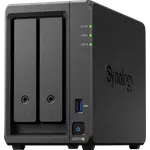
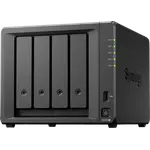
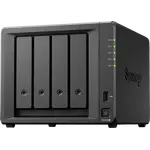
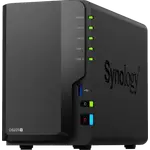
Synology DS425+ Review: A Polished Four-Bay NAS for Home Backup
The DS425+ is a four-bay Synology for home and small-office storage: SHR, RAID 5 and 6, Btrfs snapshots, two M.2 NVMe slots that can hold a storage pool, and one 2.5 GbE port beside a gigabit one. Owners rate it highly for how easy and stable DSM is and for smooth migrations from older Synology units, while the recurring complaints are Synology's drive and NVMe compatibility policy and hardware that feels dated next to rivals. It is a strong buy for backup and file serving, less so as a dedicated media server.
- Home backup and Time Machine
- Upgraders from older Synology units
- Small offices
- SHR and RAID 5 arrays
- Docker and light self-hosting
Pros
- DSM is easy, stable and rich in apps
- Smooth migration from older Synology units
- Four hot-swap bays with SHR, RAID 5 and 6
- Two M.2 NVMe slots that can form a storage pool
- 2.5 GbE port
- Quiet in daily use
Cons
- Drive compatibility warnings and early refusals of third-party drives
- M.2 slots expect Synology-branded SSDs
- Ships with 2 GB of memory, 6 GB official maximum
- Hardware feels dated next to rivals
- No expansion unit support
Who is the Synology DS425+ for?
It suits people who want their files out of a pile of external drives and into one redundant box, and Synology owners replacing a unit that is ten or more years old. Owners use it for home computer backups (Mac Time Machine included), shared folders for music, films and photos, encrypted private shares and small-business file serving. Four bays let a buyer start with two drives in SHR and add capacity later without replacing the NAS.
What owners like about the DS425+
DSM is the reason most owners give for choosing it: a clean interface, a large app catalog, Hyper Backup and monitoring tools, and warnings that make a catastrophic mistake hard. Migrations from older DiskStations are described as uneventful, with drives moved across and the array back online, and owners coming from two-bay models notice a big jump in responsiveness. It runs quietly, setup is called easy, and long-time owners value Synology's years of software updates on older units. The spec sheet backs the versatility: Docker, virtual machines, Surveillance Station, AI photo recognition, a VPN server and QuickConnect remote access.
What to know before you buy
Drive compatibility is the main complaint. Some early owners saw the DS425+ refuse or flag drives outside Synology's list, and one was told to replace working NAS drives after a migration; later owners report that a software update made Seagate IronWolf Pro and other third-party drives work, with only a reminder that they are not on the list. M.2 is stricter: owners say the NVMe slots expect Synology's own SSDs, which they find overpriced, and one could not reuse Crucial cache modules. Memory is 2 GB out of the box with a 6 GB official maximum, the second Ethernet port is gigabit, there is no expansion unit, and owners who bought it mainly as a Plex server are the least satisfied, so media-first buyers should check current Plex support first. One owner found folders created in the Photos app missing after a migration, though the photos themselves were intact.
Is the Synology DS425+ worth it?
As a storage and backup appliance it delivers what owners want: reliability, an excellent operating system and room for four drives. The value case weakens for buyers who want the newest hardware, plenty of memory or a transcoding media server, where rivals offer more for the money.
Frequently asked questions
Can the Synology DS425+ use non-Synology hard drives?
Owners report that it now works with third-party NAS drives such as Seagate IronWolf Pro, showing a reminder that they are not on the compatibility list. Early units refused or flagged some drives until a software update, and the M.2 slots are stricter, expecting Synology's own SSDs.
How much memory can the DS425+ take?
It ships with 2 GB of DDR4 and Synology lists a 6 GB maximum. The memory is not ECC.
Does the DS425+ have 2.5 GbE?
Yes, it has one 2.5 GbE port and one 1 GbE port, with no 10 GbE option.
Can I expand the DS425+ beyond four drives?
No, it does not support expansion units, so four 3.5-inch bays plus two M.2 NVMe slots is the ceiling.
Is the DS425+ good for Mac backups?
Yes, owners use it as a Time Machine target and for centralized backups of home computers, and it adds cloud sync, endpoint backup and snapshots on Btrfs volumes.