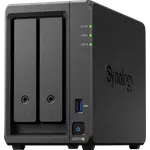
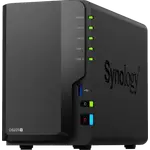
Synology DS725+ Review: A Two-Bay NAS With Plus-Series Power and DSM Polish
The DS725+ is Synology's compact Plus-series NAS: a Ryzen R1600 with ECC memory expandable to 32 GB, two hot-swap bays, two M.2 NVMe slots that can hold a storage pool, and a 2.5 GbE port next to a gigabit one. Owners praise DSM as polished and far ahead of rival systems, and describe the box as fast, quiet and stable for backups, media, Docker containers and a virtual machine, with painless migrations from older DiskStations. The complaints are about policy and price rather than performance: several owners ran into Synology's drive compatibility warnings, the 4 GB of memory it ships with is tight, and it costs more than most two-bay NAS. It has no hardware transcoding, so it suits self-hosting and backups better than a Plex library that needs converting.
- Upgrading from an older Synology
- Backups, snapshots and file sharing
- Docker and light virtual machines
- Small offices and demanding home users
Pros
- Polished, mature DSM software with many free apps
- Fast and stable for backups, media, Docker and virtual machines
- ECC memory expandable to 32 GB
- Two M.2 NVMe slots that can hold a storage pool
- 2.5 GbE port alongside gigabit Ethernet
- Quiet, with smooth migration from older Synology models
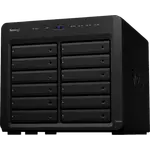
- Expandable with a seven-bay expansion unit
- Three-year warranty
Cons
- Drive compatibility warnings with non-Synology disks
- 4 GB of memory out of the box is tight
- No hardware transcoding
- Only one USB port
- Expensive for a two-bay NAS
- Learning curve for first-time NAS owners
Who is the Synology DS725+ for?
It is for people who want Synology's software in the smallest Plus-series chassis. Many owners are upgrading from a DS218+, DS718+, DS720+ or DS215j and say the move was quick once the drives were copied, with a noticeable jump in responsiveness. Others bought it as a backup target for a bigger Synology, or as a home and small business server for encrypted folders, photo syncing, media streaming over 2.5 GbE, containers and a virtual machine. Two bays keep it compact; when that runs out, a seven-bay expansion unit can be added.
What owners like
DSM is the main reason people choose it. Owners describe it as polished, easy to manage once set up and better than competing NAS systems even on modest hardware, with plenty of free apps, extensive documentation and QuickConnect for secure remote access. Performance is called fast and stable, with Btrfs, snapshots and user management making it far more than a pair of external drives. It is quiet in use, and several owners on their third or fourth Synology call the build quality and reliability as good as ever. Under the hood it backs that up with ECC memory, hardware encryption, two M.2 NVMe slots and SHR.
What to know before you buy
Drives are the biggest source of frustration. Several owners report that the DS725+ warned about, or refused to build pools on, drives that are not Synology's own, and while Synology later relaxed that policy, owners still describe compatibility warnings, and one spent two days and several support calls before a storage pool would build. Check the compatibility list before buying disks. The 4 GB of memory it ships with is not enough for more than light container and VM use, so plan on an upgrade up to the 32 GB maximum. There is no hardware transcoding, there is a single USB port, which one owner wished sat at the back for a UPS cable, and setup has a learning curve for newcomers because of how many options DSM offers. It is also expensive for a two-bay NAS.
Is the Synology DS725+ worth it?
For someone already invested in DSM, owners say yes: it is a fast, quiet and dependable step up from an older two-bay Synology, and the software is what they are paying for. If you want to reuse existing third-party drives without friction, or you need a two-bay box that transcodes video for Plex, look at a model with hardware transcoding, or another brand, first.
Frequently asked questions
Can the Synology DS725+ use non-Synology hard drives?
Synology's own drives are the ones on its compatibility list, and owners report warnings, or trouble creating storage pools, with other brands. Synology later relaxed the restriction, but check the current compatibility list before buying disks.
Does the DS725+ support hardware transcoding for Plex?
No. The Ryzen R1600 has no integrated graphics, so Plex Media Server runs but cannot convert video in hardware. It is best when clients can play files directly.
How much memory does the DS725+ take?
It ships with 4 GB of DDR4 ECC memory and accepts up to 32 GB, which is worth doing before running several containers or a virtual machine.
Can I add more drives later?
Yes. Beyond its two hot-swap bays it has two M.2 NVMe slots usable as a storage pool and supports a seven-bay expansion unit.
How fast is its network connection?
It has one 2.5 GbE port and one gigabit port, with wake-on-LAN and remote access through QuickConnect, DDNS or a VPN server.