33% OFF
$560.02
$829.99

Full NAS comparison in 2026
New releases and the smart home news worth knowing, in your inbox.
No spam. Unsubscribe in one click.
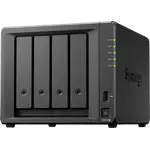
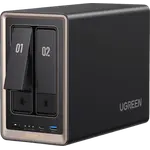
| Feature | Synology DS725+ | UGREEN NASync DXP2800 | Winner |
|---|---|---|---|
| Price | $560.02 | $389.99 | UGREEN NASync DXP2800 |
| Rating | 4.1 | 4.6 | UGREEN NASync DXP2800 |
| Warranty | 3 years | 2 years | Synology DS725+ |
| Processor | Hardware Encryption Engine | Hardware Transcoding | UGREEN NASync DXP2800 |
| Memory Capacity | 4 GB | 8 GB | UGREEN NASync DXP2800 |
| Storage | Hot Swappable, M.2 as Storage Pool, Expansion Unit Support | M.2 as Storage Pool | Synology DS725+ |
| Network | Wake on LAN | None | Tie |
| Apps & Virtualization | Docker Containers, Virtual Machines, Plex Media Server, Surveillance App, AI Photo Recognition | Docker Containers, Virtual Machines, Plex Media Server, AI Photo Recognition | Tie |
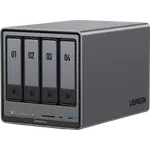
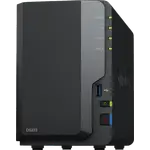
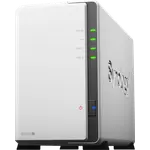
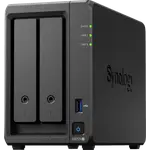
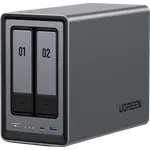
The UGREEN NASync DXP2800 has an Intel N100 with integrated graphics, so Plex and similar servers convert video in hardware. The Synology DS725+ uses an AMD Ryzen R1600 with no integrated GPU and its hardware transcoding field says no, which makes it a poor fit for a library that needs converting for phones or remote viewing.
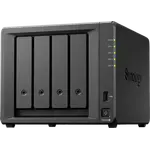
The Synology DS725+ ships with 4 GB but accepts 32 GB of ECC DDR4, which protects stored data against silent memory errors. The UGREEN NASync DXP2800 starts higher at 8 GB of DDR5 but tops out at 16 GB and is not ECC, so the Synology is the one to choose for long-term data integrity and the UGREEN for more memory out of the box.
The Synology DS725+ supports an expansion unit that brings it to seven bays, so the two internal bays are not a permanent ceiling. The UGREEN NASync DXP2800 has no expansion support, which means replacing the unit when two bays stop being enough.
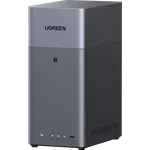
The UGREEN NASync DXP2800 adds 4K HDMI and a 10 Gbps USB-C port, useful for a direct monitor or fast external drives. The Synology DS725+ has a single USB-A port and no video output, so it stays a browser-managed box.
Synology quotes 17.9 dB for the DS725+ and UGREEN 34 dB for the NASync DXP2800, a difference you would hear in a small room. Power draw runs the other way, 20.41 W against 16.38 W, and the Synology carries a three-year warranty against two years for the UGREEN.
The Synology DS725+ runs DSM with Synology Hybrid RAID, iSCSI, rsync and a long-established app catalog. The UGREEN NASync DXP2800 runs the much newer UGOS Pro, with no hybrid RAID mode, no link aggregation and iSCSI and rsync undocumented in this catalog, which is the trade for its lower price and friendlier first-time setup.
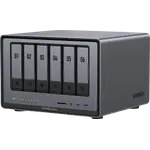
The UGREEN NASync DXP2800 combines hardware transcoding, 8 GB of DDR5 and an approachable UGOS Pro setup in a two-bay box.
The Synology DS725+ takes ECC memory up to 32 GB, and ECC catches memory errors before they reach the array.
The Synology DS725+ supports an expansion unit up to seven bays, while the UGREEN NASync DXP2800 has no expansion path.
At 17.9 dB the Synology DS725+ is roughly half as loud on paper as the UGREEN NASync DXP2800 at 34 dB.
The UGREEN NASync DXP2800 has 4K HDMI and 10 Gbps USB-C, neither of which the Synology DS725+ offers.
Owners of the UGREEN NASync DXP2800 describe the setup as quick and UGOS Pro as friendly, and many of them had no NAS experience before. They use it to replace paid cloud photo storage, run Plex and Immich, and host Docker containers, with apps and databases on the two M.2 drives and media on the hard drives. They single out the Intel N100 with hardware transcoding for smooth playback and the value of the hardware against other two-bay units. Their complaints are a young app catalog with missing niceties such as photo tagging, some Docker troubleshooting for newcomers, and a minority reporting drive dropouts or a faulty M.2 slot.
The UGREEN NASync DXP2800 is the better fit for most homes because it transcodes video in hardware, ships with more memory and adds HDMI and USB-C, while the Synology DS725+ is the stronger choice for ECC memory, an expansion path to seven bays, quieter operation and a longer warranty.
The processor. The UGREEN NASync DXP2800 uses an Intel N100 with integrated graphics and hardware transcoding, while the Synology DS725+ uses an AMD Ryzen R1600 with no integrated GPU, so media conversion falls to the CPU or does not happen.
No. The Synology DS725+ has no integrated graphics, so Plex and similar servers cannot use hardware transcoding on it. The UGREEN NASync DXP2800 can, through the Intel N100.
Neither one. Both are two-bay units, so RAID 5 and RAID 6 are not available and redundancy means mirroring the pair. The Synology DS725+ adds Synology Hybrid RAID for mixed drive sizes, which the UGREEN NASync DXP2800 does not offer.
Buyers who want ECC memory, a mature DSM platform and a path to more bays through an expansion unit, and who do not need hardware video transcoding.
First-time NAS buyers and home media users who want hardware transcoding, a friendly app, HDMI and USB-C, and more memory than the other two-bay option ships with.
 Our store on AmazonShop our ideas on AmazonLists of the smart home setups we would put together ourselves, ready to add to your Amazon cart.Shop on Amazon
You are looking at two of them. The full table lines up all NAS in the catalog with the same specs, so you can filter by what you need and sort by price or rating.