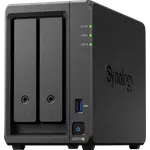
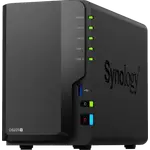
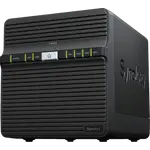
Synology DS925+ Review: A Fast, Quiet Four-Bay Upgrade With a Drive-Policy Asterisk
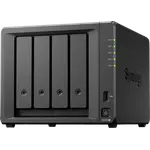
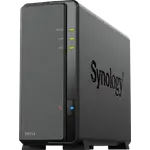
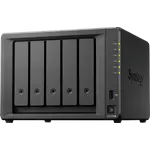
The Synology DS925+ is a four-bay NAS for prosumers and small offices that want Synology's mature DSM software with real headroom: an AMD Ryzen V1500B, ECC memory expandable to 32 GB, two 2.5 GbE ports, two M.2 NVMe slots and support for the DX525 expansion unit. Owners who moved their drives from an older Synology say it simply picked up where the old box left off, and call it much faster, quieter and smaller. The controversy is drives: at launch it fully supported only Synology's own disks, which drew a wave of angry reviews, and while a DSM update has since restored third-party hard drives, owners say the M.2 slots still expect Synology SSDs. Add the lack of hardware transcoding, and it is an excellent storage and services box rather than a Plex transcoder.
- Upgrading from an older Synology
- Small offices and prosumers
- Docker and virtual machines
- Surveillance Station recording
- Families sharing photos and files
Pros
- Painless drive migration from older Synology units
- Much faster than older models, especially with NVMe SSDs
- Quiet, cool and compact with tool-less caddies
- Two 2.5 GbE ports
- ECC memory expandable to 32 GB
- Docker, virtual machines and Surveillance Station for up to 40 cameras
- Expandable with the DX525 unit, three-year warranty
Cons
- M.2 slots expect Synology SSDs, per owners
- Launch drive restrictions still colour its reputation
- No hardware transcoding
- Only 4 GB of memory out of the box
- Synology Photos falls short for some owners
Who is the Synology DS925+ for?
It suits owners of an ageing Synology who want a faster box without rebuilding their setup, and anyone who values software and long-term support over raw hardware for the money. Owners run it as a family file server, a primary office file server mirrored to a second unit, a Hyper Backup target, a Surveillance Station recorder for several cameras, and a host for Docker apps such as a self-hosted photo library. Four bays, RAID 5, RAID 6 and SHR cover most homes, and the DX525 expansion unit is there for growth.
What buyers love
Migration is the standout: owners coming from a DS416play, a DS418 and older units moved their drives across in order, let it update DSM and were back up within an hour with their settings intact. Many describe it as much faster than what it replaced, especially with NVMe SSDs added, and as quiet, cool and compact, with tool-less drive caddies and a clean design. The two 2.5 GbE ports are welcome, and one office owner bonds them on a 2.5 GbE switch. Long-time Synology users keep coming back for the stability of DSM, Btrfs snapshots, the built-in local and cloud backup tools and the Synology Photos and Synology Drive mobile apps, and several say the software and support are worth paying a bit more than for rival hardware.
What to know before you buy
Drive compatibility dominates the negative reviews. At launch, non-certified drives lost features and many owners felt pushed into Synology's more expensive disks; several returned it or rated it one star. Owners now report that a DSM update reversed the hard-drive restriction, and some run WD Red, WD Gold and Samsung drives without trouble, but others say the M.2 slots still recognise only Synology SSDs for cache or storage, and some recommend sticking to Synology parts for a warning-free system. Beyond drives: the Ryzen V1500B has no hardware transcoding, it ships with only 4 GB of memory, one owner found Synology Photos clumsy and moved to a Docker app, another could not view iPhone HEIC photos and videos in Synology's own apps without a browser extension, and one owner received a unit with two stuck drive bays. Some first-timers needed help with the initial setup, and hard drive seek noise is audible.
Is the Synology DS925+ worth it?
For a Synology user upgrading, or anyone who wants a reliable four-bay NAS with Docker, virtual machines, ECC memory, 2.5 GbE and a three-year warranty, yes. Check Synology's current compatibility list before buying drives, especially M.2 SSDs, and budget for a memory upgrade if you plan to run several containers or VMs. If on-the-fly video transcoding for Plex is the main job, a model with integrated graphics is a better fit.
Frequently asked questions
Does the Synology DS925+ work with WD, Seagate or Samsung hard drives?
At launch it fully supported only Synology's own drives, but owners report that a DSM update reversed the hard-drive restriction, and several run WD Red, WD Gold and Samsung drives normally. Check Synology's current compatibility list before you buy.
Can I use any NVMe SSD in the DS925+ M.2 slots?
Owners say the two M.2 slots still recognise only Synology SSDs, for cache or as a storage pool, so plan on Synology NVMe drives for them.
Can I move my drives from an older Synology to the DS925+?
Yes, owners who upgraded from a DS416play and a DS418 put the drives in the same order, let DSM update and kept their configuration, up and running within about an hour.
Does the DS925+ do hardware transcoding for Plex?
No. Plex Media Server runs on it, but the AMD Ryzen V1500B has no hardware transcoding, so it is best for media your players can play directly.
How much memory does the DS925+ have?
It ships with 4 GB of DDR4 ECC memory and takes up to 32 GB, worth considering if you run Docker containers or virtual machines.
How many drives can the DS925+ hold?
Four hot-swap bays plus two M.2 NVMe slots, up to 80 TB raw, and more bays through the DX525 expansion unit.