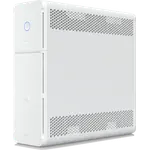
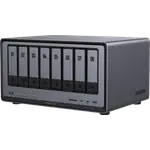
Winner

Full NAS comparison in 2026

We follow prices across the catalog and email you the best deals we find.
No spam. Unsubscribe in one click.
| Feature | Ubiquiti UNAS 2 | Ubiquiti UNAS 4 | Winner |
|---|---|---|---|
| Price | $248.20 | $574.99 | Ubiquiti UNAS 2 |
| Rating | 2.1 | 4.6 | Ubiquiti UNAS 4 |
| Memory Capacity | 4 GB | 4 GB | Tie |
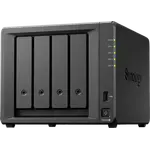
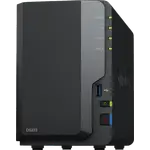
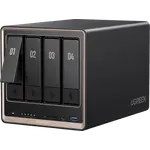
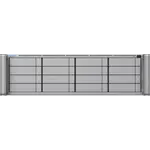
The Ubiquiti UNAS 2 holds two 3.5-inch drives in a shared tray and the Ubiquiti UNAS 4 holds four. Two bays mean a mirror, so half the raw capacity is spent on the copy; four allow RAID 5 and RAID 6, where one or two drives cover the whole array.
The UNAS 4 adds two M.2 NVMe slots that the UNAS 2 does not have, used to cache repeated reads in front of the spinning disks. On a photo library or a busy media share that cache is what keeps browsing responsive.
The UNAS 2 offers mirroring only. The UNAS 4 supports RAID 5 and RAID 6, so it survives one or two drive failures while keeping most of the raw capacity usable, which is the point of moving to four bays.
The UNAS 2 runs on a single PoE cable at 60W. The UNAS 4 needs a PoE+++ supply of about 90W, more than many switches deliver per port, so a single-cable install is easier on the smaller unit.
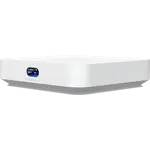
The UNAS 2 covers two-bay mirroring, snapshots and remote backup in a smaller, quieter desktop.
The UNAS 4 unlocks RAID 5 and RAID 6, which the two-bay UNAS 2 cannot offer.
The UNAS 4 has two M.2 NVMe slots; the UNAS 2 has none.
The UNAS 2 draws up to 60W over PoE, where the UNAS 4 needs about 90W.
Moving up from the Ubiquiti UNAS 2 to the Ubiquiti UNAS 4 swaps a two-bay mirror for four bays and two M.2 NVMe slots, which is what unlocks RAID 5 and RAID 6 and a larger pool. Network and single-cable PoE management stay the same, as does UniFi Drive, so the change is capacity and redundancy rather than software. The UNAS 4 also wants more power over that one cable, so check the switch. If a mirror already holds everything you need, the UNAS 2 stays enough; if the array is filling up or you want parity instead of a copy, the four bays are the reason to move.
Every price change of both, in the same store, so the gap between the two lines is what one costs more than the other.
Loading price history...
The Ubiquiti UNAS 2 for a simple mirrored file share, since it is smaller, quieter and more affordable and covers snapshots and remote backup. The Ubiquiti UNAS 4 is the upgrade pick once you want four bays, RAID 5 or RAID 6 and NVMe caching.
Bay count. The Ubiquiti UNAS 2 has two bays for mirroring only, while the Ubiquiti UNAS 4 has four bays plus two M.2 NVMe slots, which enables RAID 5 and RAID 6 and a much larger usable pool.
Yes. Both run UniFi Drive and are managed in the UniFi console with snapshots and remote backup. Neither runs Docker containers, virtual machines or a third-party app store.
The Ubiquiti UNAS 2 draws up to 60W on a PoE cable, while the Ubiquiti UNAS 4 needs a supply of about 90W. Check that your switch can deliver the higher PoE class before planning a single-cable install on the UNAS 4.
A UniFi user who wants a compact desktop share with mirroring, snapshots and one PoE cable, and does not need four bays or NVMe caching.
A UniFi user whose data has outgrown a mirror, or one who wants RAID 5 or RAID 6, NVMe caching and more room to grow.
You are looking at two of them. The full table lines up all NAS in the catalog with the same specs, so you can filter by what you need and sort by price or rating.

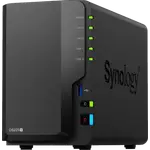
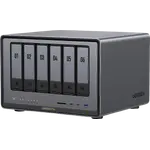
Last priceOct 10, 2026$967.99

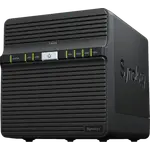
Last priceOct 6, 2026$138.99

Last priceOct 11, 2026$224.99