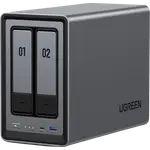
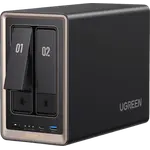
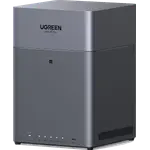
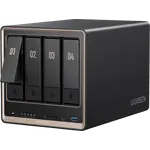
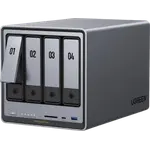
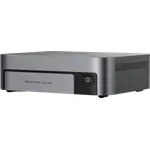
UGREEN NASync DH2300 Review: A Beginner-Friendly Two-Bay NAS That Feels Like Your Own Cloud
The UGREEN NASync DH2300 is an entry-level two-bay NAS that owners consistently describe as easy to set up and pleasant to use, with apps for phone backup, AI photo recognition, media and file sharing on Windows, Mac, Android and iOS, plus remote access through UGREENlink. Its 8-core Rockchip RK3576 with 4 GB of memory and a 6 TOPS NPU is plenty for personal backup and media, and its Btrfs snapshots protect files. The limits are a single 1 GbE port, no Docker or virtual machines, memory that cannot be upgraded, and a minority of owners who hit app errors or slow support.
- First-time NAS buyers
- Phone and photo backup
- Replacing cloud subscriptions
- Family file sharing
- Home media library
Pros
- Very easy setup with guided apps
- Polished photo, media and file apps on every platform
- Remote access through UGREENlink and DDNS
- Btrfs file system with snapshots
- HDMI output at 4K 60Hz
- Quiet and low 13.72 W power consumption
Cons
- Single 1 GbE port
- No Docker containers or virtual machines
- 4 GB of memory with no upgrade
- No RAID 5 or M.2 slots
- Some owners report app glitches and slow support
Who is the UGREEN NASync DH2300 for?
People who want their photos, documents and backups in one place they control instead of spread across cloud services, and who would rather tap through an app than learn storage jargon. Many owners bought it as their first NAS, often with two drives mirrored, and several describe it as their own cloud: a professional photographer keeps client work on it and reached a file remotely during an emergency, and families use it to back up everyone's phones. Owners who need more drives, faster networking or a full app catalog point to UGREEN's four-bay models instead.
What owners love about the DH2300
Setup comes up again and again: drives slot in without tools under a lift-off lid, and the app or web interface guides the rest, with one owner timing it at about four minutes. The apps are the second big reason, covering photo management with AI recognition, a media library that pulls in posters and descriptions and plays on a TV through UGREEN's app, file access from Windows, Mac, Android and iOS, and remote access to photos and videos without building a VPN. Owners call it quiet and well built for the price, use it for SMB and NFS shares, music libraries and backups of other systems, and rate the value very highly against monthly cloud fees.
What to know before you buy
It has a single 1 GbE port, so transfers are limited to Gigabit speed, and there is no M.2 slot or expansion unit. The model does not support Docker containers or virtual machines, and owners say media servers such as Jellyfin take extra work compared with UGREEN's bigger models. The 4 GB of LPDDR4X is also the maximum. Sharing over the internet needs a UGREEN account, mapping it as a network drive in Windows 11 confused a few owners, and others say the first setup assumes some knowledge of RAID and file systems. A minority report problems: Time Machine backups that left the NAS unreachable until a restart, apps that would not reinstall, slow support after a drive failure, and the apps not being available in one region.
Is the UGREEN NASync DH2300 worth it?
Yes, for personal and family storage. Owners rate it highly as a low-cost, low-effort way to replace cloud storage, with apps that are friendlier than most entry-level NAS software and low 13.72 W power consumption. If you want containers, virtual machines, faster than Gigabit networking or room for more drives, a higher-end model is the better buy.
Frequently asked questions
Is the UGREEN NASync DH2300 good for beginners?
Yes. Owners describe a guided setup through the app or web interface that takes minutes, and apps for photos, media and files on Windows, Mac, Android and iOS.
Can I access the DH2300 from outside my home?
Yes. It includes the UGREENlink remote access service and DDNS. Sharing over the internet requires a UGREEN account.
Does the UGREEN NASync DH2300 support Docker?
No. Docker containers and virtual machines are not supported on this model, which uses an ARM processor.
What RAID options does the DH2300 have?
With two bays it can mirror the drives for protection, but it does not support RAID 5, RAID 6 or hybrid RAID. It uses the Btrfs file system with snapshots.
Which file sharing protocols does the DH2300 support?
UGOS Pro serves SMB, NFS, WebDAV, FTP and SFTP, and SSH access can be enabled from the control panel.