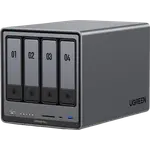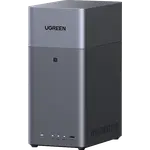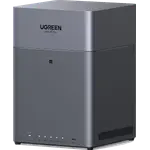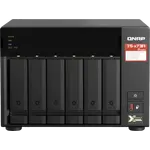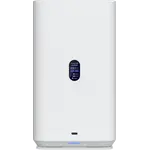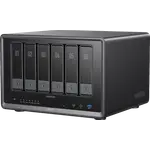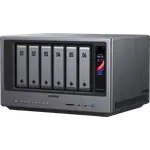



UGREEN NASync DH4300 Plus Review: The Four-Bay NAS Beginners Set Up From Their Phone
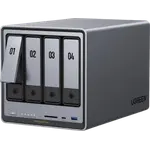
The UGREEN NASync DH4300 Plus is a four-bay NAS for households that want their photos, phone backups and shared files at home instead of in a paid cloud. Owners repeatedly say it is the easiest NAS they have set up: the app finds it, builds the storage pool and starts backing up phones in minutes, and transfers over its 2.5 GbE port are quick. The trade-offs are the ARM processor and soldered 8 GB of memory, which owners say limit containers, and a few early setups ran into drive recognition or network drop-outs that needed support.
- First-time NAS buyers
- Replacing a photo subscription
- Family phone backup
- Low-power home storage
Pros
- Very easy setup through the phone app
- Automatic phone photo and video backup
- Four bays with RAID 5 and RAID 6
- 2.5 GbE networking with quick transfers
- NPU-powered photo recognition and Btrfs snapshots
- Low power use and UPS support
Cons
- ARM processor: Docker for ARM64 images only, no virtual machines
- 8 GB of soldered memory
- Bays are not hot-swappable and drives need screws
- No hardware transcoding or M.2 slots
- Some reports of drive recognition and network issues at setup
Who is the UGREEN DH4300 Plus for?
It suits people moving their photos and files off cloud services and loose external drives onto one box at home. Owners use it to back up every family member's phone automatically, give each user a personal folder with an optional quota, share folders with Windows and Mac computers, and reuse hard drives they already had. With four bays and up to 128 TB raw, it has room to grow, and owners upgrading from two-bay units say the extra slots were the reason to switch.
What owners love
Setup is the most common praise. Owners describe installing the drives, opening the phone app and having it detect the NAS, initialize the drives and create a storage pool with almost no input, calling it slick and headache-free. Automatic photo and video backup from phones works well, and shared folders show up on a Mac or PC like a local drive. Several say UGOS Pro feels faster and snappier than the NAS software they used before, and one measured about 200 MB/s over Ethernet. Owners also like that external drives plugged into it can be browsed directly, and one was impressed that scheduled power off and on resumed a RAID build by itself.
What to know before you buy
The ARM processor and 8 GB of soldered LPDDR4X set the ceiling. Docker is supported for ARM64 images only, with no virtual machines and no hardware transcoding, and owners who want to self-host several services recommend UGREEN's Intel models instead. The bays are not hot-swappable, drives fasten with screws (a screwdriver is included), and there are no M.2 slots, no link aggregation and no VPN server. One owner says it cannot be used as a direct-attached drive over USB-C. A few report a rocky start: one could not get two new drives recognized despite days with support, and another fixed constant transfer drop-outs by disabling IPv6. One owner recommends adding a UPS, which it supports.
Is the UGREEN DH4300 Plus worth it?
For storage, backup and a private photo library, owners say yes, and most rate it highly for value. RAID 5 and RAID 6, Btrfs snapshots, a 6 TOPS NPU for photo recognition, 4K HDMI output and a low draw of 22.89 W with drives active (7.23 W hibernating) make it a capable home storage box. If you plan to run many containers, virtual machines or a transcoding media server, step up to an x86 model.
Frequently asked questions
Is the UGREEN DH4300 Plus easy to set up?
Owners say it is one of the easiest NAS units to set up: after installing the drives, the phone app finds it, initializes the drives and creates a storage pool in minutes. Drives fasten with screws, and a screwdriver is in the box.
Can the DH4300 Plus run Docker or Plex?
It supports Docker with ARM64 images only, and Plex can run in a container, but there are no virtual machines and no hardware transcoding, so media is best played directly rather than converted on the fly.
What RAID levels does it support?
With four bays it supports RAID 5 and RAID 6 on the Btrfs file system with snapshots, for up to 128 TB of raw capacity.
Can I upgrade the memory?
No. It has 8 GB of LPDDR4X soldered to the board, which cannot be expanded.
How much power does it use?
About 22.89 W with the drives active and 7.23 W with them hibernating, and it supports a UPS for protection against power cuts.