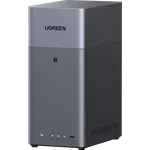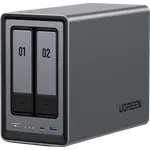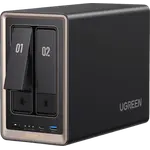



UGREEN NASync DXP2800 Review: The Beginner-Friendly 2-Bay NAS With Real Horsepower
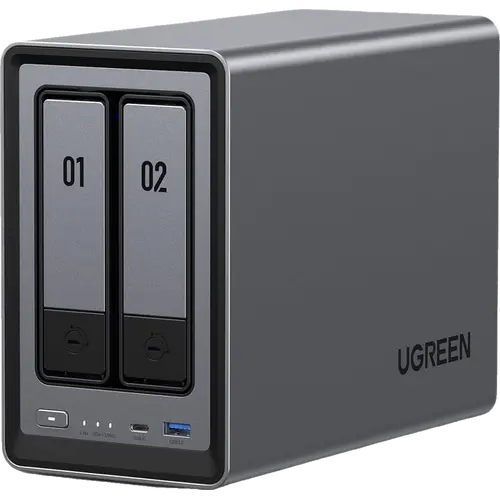
The UGREEN NASync DXP2800 gives a 2-bay NAS the kind of hardware older brands reserve for pricier models: a quad-core Intel N100 with hardware transcoding, 8 GB of DDR5 (upgradable to 16 GB), two M.2 NVMe slots and a 2.5GbE port. Owners consistently praise how easy UGOS Pro is for first-time NAS buyers and use it to replace paid cloud photo storage, run Plex or Immich and host Docker containers. The limits are two drive bays (so mirroring rather than RAID 5), a young app catalog and a few reports of drive or M.2 slot faults. For a home media and backup server, it is one of the strongest values in its class.
- First-time NAS buyers
- Plex and home media servers
- Replacing cloud photo storage
- Docker and self-hosting
Pros
- Easy setup and friendly UGOS Pro software
- Intel N100 with hardware transcoding for Plex
- 8 GB of DDR5, upgradable to 16 GB
- Two M.2 NVMe slots that can form their own storage pool
- 2.5GbE port, 10 Gbps USB-C and 4K HDMI output
- Docker, virtual machines and AI photo recognition
- Btrfs with snapshots and cloud sync backup
Cons
- Two bays only, so no RAID 5 or RAID 6
- App catalog still growing
- No ECC memory, link aggregation or expansion unit
- A few reports of drive or M.2 slot faults
- Ships diskless
Who is the UGREEN NASync DXP2800 for?
It is aimed at households and individuals who want their own cloud: automatic phone photo backups, a Plex media library, Mac and PC backups and a few self-hosted apps. Owners describe moving off monthly cloud subscriptions, storing large files on the NAS instead of paying for a bigger laptop drive, and running Plex, Immich and Docker containers around the clock. Several say they had no prior NAS experience, which is where this model earns its reputation.
What buyers love
Ease of use is the most common praise: setup is described as quick and UGOS Pro as friendly and fast, with built-in Photos and media apps that owners compare to the cloud services they replaced, including AI photo recognition. Performance is the second theme. The N100 with hardware transcoding handles Plex and Immich smoothly, and owners put apps and databases on the two M.2 NVMe drives (which can form their own storage pool) while hard drives hold the media. One owner moving from an older 2-bay NAS says Time Machine backups dropped from hours to under one. Value comes up repeatedly, with buyers noting more memory and a stronger processor than competing 2-bay units, and the HDMI output, Docker and virtual machine support add flexibility.
What to know before you buy
With two bays there is no RAID 5 or RAID 6, so protection means mirroring the pair, and there is no expansion unit or link aggregation. Memory is not ECC. The app catalog is still growing, and owners mention missing niceties such as photo tagging, though Docker fills most gaps. Newcomers to Docker should expect some troubleshooting. A minority of reviews report hardware faults: one owner saw a drive repeatedly drop out of the array, and another returned two units over a second M.2 slot that did not work. The unit ships diskless, so drives are a separate purchase.
Is the UGREEN NASync DXP2800 worth it?
Yes, for most home users. It pairs strong hardware, including hardware transcoding, DDR5 memory, two NVMe slots and 2.5GbE, with software that owners find approachable, at a price well below comparable 2-bay units from the established brands. If you need parity RAID across more disks or a mature third-party app ecosystem, look at a larger or longer-established NAS instead.
Frequently asked questions
Can the UGREEN NASync DXP2800 run Plex?
Yes. Plex Media Server is supported, and the Intel N100 has hardware transcoding for streaming to different devices.
Can I upgrade the RAM in the DXP2800?
Yes. It ships with 8 GB of DDR5 and supports up to 16 GB. The memory is not ECC.
What are the M.2 slots for?
It has two M.2 NVMe slots, which can be used as a separate fast storage pool for apps and databases, alongside the two drive bays.
Does the DXP2800 support RAID 5?
No. With two drive bays it cannot run RAID 5 or RAID 6; the drives are typically mirrored for redundancy.
Can I access the DXP2800 away from home?
Yes. UGREEN Link provides remote access, and UGOS Pro also includes DDNS and SSH access.