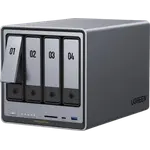





UGREEN NASync DXP480T Plus Review: A Quiet All-Flash NAS With a Laptop-Class Core i5
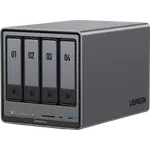
The UGREEN NASync DXP480T Plus is a compact all-flash NAS that pairs an Intel Core i5-1235U with four M.2 NVMe slots, a 10GbE port, Thunderbolt 4 and 8K HDMI. Owners describe it as blazing fast, almost silent and beautifully built, and say UGOS Pro is easy to set up and familiar to anyone coming from Synology. The trade-offs are a high price before any drives go in, an app catalog that is still thinner than the established NAS brands, and a capacity ceiling set by M.2 drives rather than hard disks.
- Video editors and creators
- Docker and virtual machine homelabs
- 10GbE networks
- Quiet desktop setups
Pros
- Intel Core i5-1235U with 10 cores and hardware transcoding
- Four M.2 NVMe slots for an all-flash storage pool
- 10GbE port plus Thunderbolt 4 and 8K HDMI output
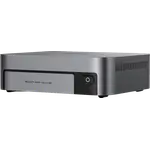
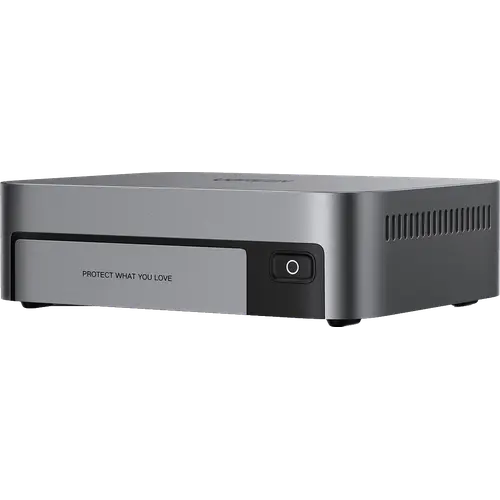
- Very quiet in everyday use, in a compact aluminium housing
- Easy setup, Docker, virtual machines and Plex on UGOS Pro
- Upgradable to 64 GB of DDR5, and it can run another OS
Cons
- Expensive, and sold without drives
- App catalog still thinner than the established NAS brands
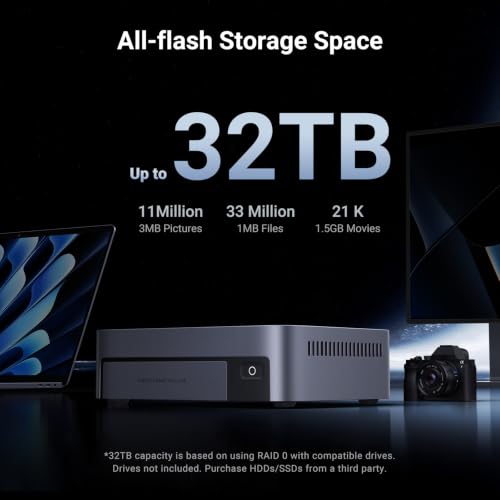
- Capacity capped at 32 TB raw by the four M.2 slots
- No hybrid RAID, ZFS in UGOS Pro, ECC memory or hot-swap
- Single 10GbE port with no slower Ethernet fallback
Who is the UGREEN NASync DXP480T Plus for?
It is for people who want speed and silence more than raw capacity: creators editing off the network, homelab users running Docker containers and virtual machines, and anyone with a 10GbE or Thunderbolt link who would leave a hard-disk NAS idle waiting for drives. Owners use it as their main file server, as a fast companion to a larger hard-disk NAS, and as a small home server, and several came from long-running Synology systems looking for newer hardware.
What buyers love
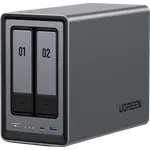
Speed is the headline: owners call the combination of the Core i5 and NVMe drives blazing fast for file transfers, Docker and VMs, with 10GbE needed to see it fully. Noise is the second theme, with the fan described as barely audible or silent during plain storage use, and one owner measuring idle draw under 10 watts. The grey aluminium housing gets repeated praise as a desk-worthy design. UGOS Pro is described as quick to set up even for a first NAS and close enough to Synology DSM that switchers settle in fast, and memory is easy to reach and upgrade with the supplied screws, up to 64 GB of DDR5. Owners who prefer another system note it has a normal BIOS and can run TrueNAS, Unraid or OpenMediaVault.
What to know before you buy
The box is diskless: the storage is four M.2 NVMe slots with no 3.5 inch bays, so the drives are an extra cost and the raw ceiling is 32 TB. Owners agree the software still lacks the depth of apps the bigger NAS brands offer, and one who moved to TrueNAS warns that the BIOS watchdog has to be disabled first or the unit reboots when it does not find UGOS. Assembly details came up too: narrow recessed screw holes and fiddly thermal pad films, and one unit arrived with cosmetic scratches. There is no SHR-style hybrid RAID, no ZFS in UGOS Pro, no ECC memory and no hot-swap, and the 10GbE port is the only Ethernet port, with no 2.5GbE or 1GbE fallback.
Is the UGREEN NASync DXP480T Plus worth it?
Owners who bought it rate it highly and most say they do not regret the price, which is high for a NAS before drives. What it buys is a modern 10-core CPU, DDR5, 10GbE, Thunderbolt 4 and an all-flash design that runs fast and quietly on a desk, plus the freedom to install another OS. If the priority is many terabytes of cheap storage, a hard-disk NAS is the better value; if it is speed, silence and room for containers, this is one of the strongest small boxes available.
Frequently asked questions
Does the UGREEN NASync DXP480T Plus come with drives?
No. It is sold diskless with four M.2 NVMe slots and no 3.5 inch bays, so the SSDs are bought separately. The raw capacity tops out at 32 TB.
What network ports does it have?
A single 10GbE port, plus Thunderbolt 4 for a direct high-speed link to a computer. There is no 2.5GbE or 1GbE port.
Can it run Docker, virtual machines and Plex?
Yes. UGOS Pro supports Docker containers, virtual machines and Plex Media Server, and the Core i5-1235U supports hardware transcoding.
Can I install TrueNAS or Unraid instead of UGOS Pro?
Owners report that it has a standard BIOS and runs TrueNAS and other systems. Disable the BIOS watchdog first, or the unit restarts after a few minutes when it does not detect UGOS.
How much memory does it support?
It ships with 8 GB of DDR5 and accepts up to 64 GB. The memory is non-ECC.