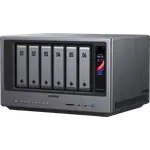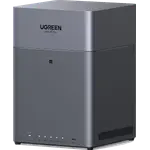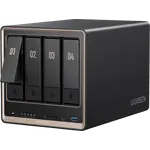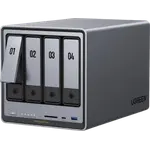



UGREEN NASync DXP6800 Pro Review: Six Bays and Dual 10GbE That Owners Call a Bargain
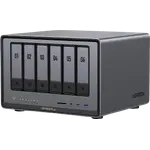
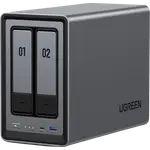
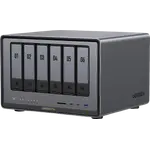
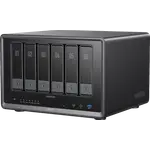
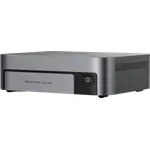
The UGREEN NASync DXP6800 Pro is a six-bay desktop NAS with laptop-class muscle: a 10-core Intel Core i5-1235U with hardware transcoding, 8 GB of DDR5 expandable to 64 GB, two M.2 NVMe slots, two 10GbE ports, Thunderbolt 4, HDMI and an SD card slot. Owners rate it highly for build quality, quiet running, Plex and Docker performance and the speed of its 10GbE links, and many switched from Synology over its drive policy and dated hardware. The trade-off is the software: UGOS Pro is improving with frequent updates, but some owners hit a learning curve, instability or support delays, so it rewards buyers comfortable with Docker more than plug-and-play users.
- Plex, Jellyfin and Emby media servers
- Docker and homelab users
- Small studios and teams
- 10GbE networks
- Synology switchers
Pros
- 10-core Intel Core i5-1235U with hardware transcoding for Plex
- Two 10GbE ports, fast transfers on a 10GbE network
- Six hot-swap bays plus two M.2 NVMe slots
- DDR5 memory expandable to 64 GB
- Thunderbolt 4, HDMI output and an SD card slot
- Solid, well-designed build that runs quietly
- Works with ordinary third-party NAS drives
Cons
- UGOS Pro has a learning curve and some reports of instability
- Bundled media apps are weak, many apps need Docker
- Support delays reported by some owners
- Ships with only 8 GB of memory
- No expansion unit and no hybrid RAID
Who is the UGREEN NASync DXP6800 Pro for?
It suits people who want a powerful six-bay box without building a server: owners run Plex, Jellyfin or Emby media libraries, Docker containers, photo archives kept off public clouds, and shared storage for small studios. Several replaced an HTPC or a Synology unit, citing Synology's drive compatibility rules and older hardware, and owners note it accepts the ordinary NAS drives they already had, from WD Red Plus to IronWolf. It is less suited to someone who wants an appliance that never asks them to learn anything.
What owners like about the DXP6800 Pro
The hardware gets the most praise. Owners describe it as fast and responsive under several concurrent users, with the i5 handling Plex streaming and indexing smoothly thanks to hardware transcoding, and the two 10GbE ports making transfers to a 10GbE switch and Mac very quick. Build quality is called superb and well thought out: drive installation is simple, the M.2 and memory slots are easy to reach, and owners have added NVMe cache or a separate SSD volume for Docker and upgraded memory to 16, 48 and 64 GB. It runs quietly, with only some drive noise under load, and one owner praises the airflow that pulls air from the back across the drives. Owners also like the thorough documentation, the monthly software updates and the value against rivals with similar hardware.
What to know before you buy
UGOS Pro is where opinions split. Owners with Docker experience are happy, but others describe a steep learning curve, apps that are easier through Docker than natively, and weak bundled media apps. A few report real problems: one returned it after days of slow formatting and RAID setup and a Thunderbolt link a Mac never saw, another saw recurring error beeps and storage that appeared to vanish, one found it needs a wired network and an internet connection for full control through the app, and one owner waited months for support to fix a disconnected account. A Japanese owner notes there is no PPPoE dial-up for direct WAN access. It ships with only 8 GB of DDR5, and it has no expansion unit support and no hybrid RAID.
Is the UGREEN NASync DXP6800 Pro worth it?
For a technically comfortable buyer it is one of the strongest hardware packages in a six-bay NAS, and owners repeatedly call it a bargain next to competitors that charge more for 10GbE and lock drive choice. Buyers who want mature, set-and-forget software above all should weigh the reported rough edges in UGOS Pro first.
Frequently asked questions
Is the UGREEN DXP6800 Pro good for Plex?
Yes. Its Intel Core i5-1235U supports hardware transcoding, Plex Media Server runs on it, and owners report smooth streaming and fast indexing even with large files.
Does the DXP6800 Pro work with third-party hard drives?
Yes. Owners run it with WD Red Plus, WD Blue, IronWolf and other standard drives, and several chose it over brands that restrict drive compatibility.
How much memory can the DXP6800 Pro take?
It ships with 8 GB of DDR5 and supports up to 64 GB. Owners have upgraded to 16, 48 and 64 GB.
What network ports does it have?
Two 10GbE ports, with no 2.5GbE or 1GbE port, plus a Thunderbolt 4 port, USB ports, HDMI output and an SD card slot.
Is UGOS Pro easy to use?
Owners find the basics easy and the documentation thorough, but running extra services often means Docker, which has a learning curve, and some owners report bugs and slow support.