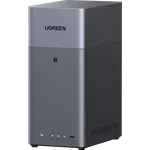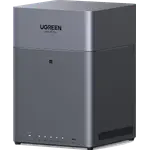





UGREEN NASync DXP8800 Ultra Review: A Core 7 Workstation With Eight Bays
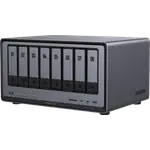
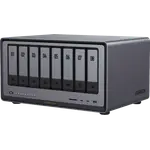
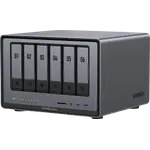
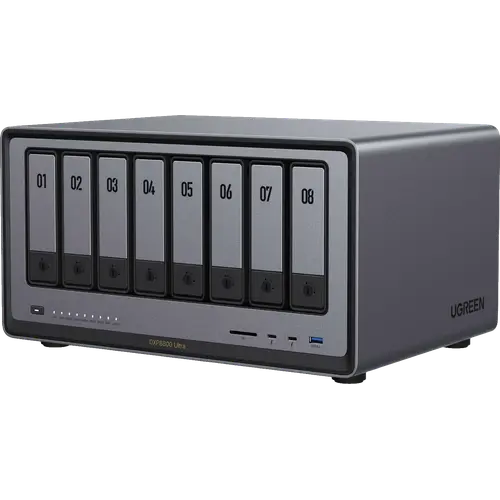
The DXP8800 Ultra is the top of UGREEN's desktop NAS range: eight hot-swap SATA bays plus two M.2 NVMe slots for 272 TB raw, a ten-core Intel Core 7 150U, 8 GB of DDR5 that expands to 96 GB, two 10GbE ports that can be aggregated, and two Thunderbolt 4 ports for a direct link to a workstation. It suits a small studio or team that needs rack-class capacity and bandwidth without a rack, and that will actually use the virtual machines, containers and iSCSI targets UGOS Pro exposes. The trade-offs are the ones a machine this size carries: 70.39 W while the drives are being accessed, no expansion chassis beyond the eight bays, and eight drives to buy on top of an empty enclosure.
- Small studios and teams
- Video production
- 10GbE networks
- Virtualization and containers
- Maximum desktop capacity
Pros
- Eight hot-swap bays plus two M.2 slots, 272 TB raw
- Two 10GbE ports that can be aggregated into one link
- Two Thunderbolt 4 ports for a direct 40 Gbps computer link
- Ten-core Intel Core 7 150U with Quick Sync hardware transcoding
- Memory expandable to 96 GB DDR5, with ODECC support
- M.2 slots can hold a storage pool, not only a cache
- Docker, virtual machines, iSCSI and a built-in VPN server
- 8K 60Hz HDMI output and an SD 4.0 card reader
- Three-year warranty
Cons
- No expansion chassis, so eight bays is the ceiling
- No flexible mixed-drive RAID mode, so unequal drives waste capacity
- No ZFS option, only Btrfs or EXT4
- 70.39 W while the drives are being accessed
- Noise level is not published
- Ships with 8 GB of the 96 GB it supports
- No NPU for local AI work
Who is the DXP8800 Ultra for?
This is a machine for people who have outgrown a four-bay box in two directions at once: capacity and throughput. Eight SATA bays plus two NVMe slots reach 272 TB raw, and two 10GbE ports mean several editors or workstations can pull from the array at the same time rather than queueing behind a single Gigabit link. The ten-core Core 7 150U and the path to 96 GB of DDR5 put it in the class where a NAS stops being a file share and starts being a small server, running containers, virtual machines and a surveillance recorder alongside the storage.
What the DXP8800 Ultra offers
The eight bays are hot-swappable, so a failed drive in a redundant array is replaced without taking the machine down, and RAID 5 and RAID 6 are both available. The two M.2 slots are not restricted to caching: UGOS Pro can build a normal storage pool on them, which is the difference between an all-flash share you can store files on and a cache that only accelerates the spinning drives. Volumes can be formatted Btrfs, which is what makes the snapshot feature work. Connectivity is unusually complete for a desktop unit: two 10GbE ports with link aggregation, two Thunderbolt 4 ports at 40 Gbps for a direct computer-to-NAS path that bypasses the network, four USB Type-A ports, an 8K 60Hz HDMI output and an SD 4.0 card reader for offloading camera cards. On the software side UGOS Pro carries Docker, virtual machines, iSCSI through SAN Manager, NFS, rsync, an OpenVPN and WireGuard server, SSH, DDNS, the UGREENlink relay, local AI photo recognition and Surveillance Center. The processor also brings Intel Quick Sync for hardware video transcoding and AES-NI so encrypted shares do not collapse in throughput. UPS communication, power schedules and Wake on LAN round it out, and the warranty runs three years.
What to know before you buy
There is no expansion chassis in the range, so eight bays plus two M.2 slots is the hard ceiling for this machine. UGOS Pro offers no flexible mixed-drive RAID mode, which means drives of unequal size waste the difference, and no ZFS: the choice is Btrfs or EXT4. Power draw is 70.39 W while the drives are being accessed, a real line on the bill for something that runs all year, and UGREEN does not publish a noise figure for a chassis holding eight drives. It ships with 8 GB of the 96 GB it supports, so anyone planning virtual machines should budget for memory as well as for the eight drives the enclosure arrives without. There is also no NPU, so the local photo recognition runs on the CPU and integrated graphics.
Is the DXP8800 Ultra worth it?
On specification it offers more capacity and far more I/O than most desktop machines in this comparison, and the Thunderbolt 4 pair is the piece almost nobody else at this size includes. The honest question is not the hardware but the software: UGOS Pro is younger than the established NAS operating systems, and the app catalogue reflects that, with Plex for example running in a container rather than as a first-party package. If the workload is storage, transfer speed and containers, this is a lot of machine. If it depends on a mature third-party app ecosystem, that is where to look before committing.
Frequently asked questions
How much storage can the DXP8800 Ultra hold?
272 TB raw, across eight SATA bays and two M.2 NVMe slots. That figure is before redundancy: in RAID 6 two drives worth of capacity goes to parity, so the usable total is meaningfully lower.
Can the M.2 slots hold a normal volume, or only a cache?
Both. UGOS Pro can create a storage pool on the NVMe slots, so they can be an all-flash share rather than only an accelerator in front of the hard drives.
Does it handle video transcoding in hardware?
Yes. The Intel Core 7 150U includes Quick Sync with H.264 and H.265 hardware encode and decode, so media conversion runs on the integrated graphics instead of pegging the CPU cores.
Can it run Docker containers and virtual machines?
Yes, UGOS Pro supports both, and the ten-core processor with memory expandable to 96 GB is the reason to use them. Plex runs here as a container rather than as a first-party package.
How do you reach it from outside the local network?
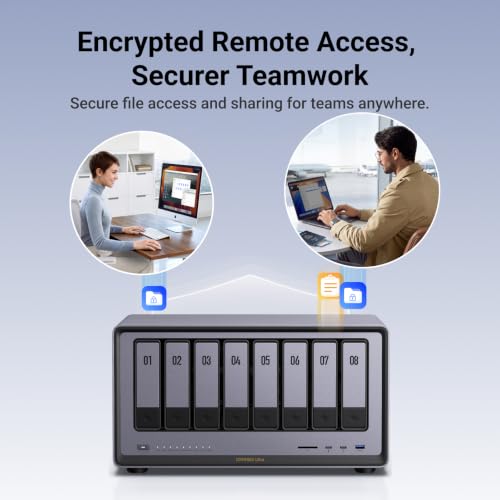
Three ways: the UGREENlink relay service, which needs no router configuration, a DDNS hostname for a direct connection, or the built-in OpenVPN and WireGuard server, which puts the client back on the home network.
Does it support RAID 6?
Yes, both RAID 5 and RAID 6 are available, which matters on an array this size because rebuilding eight large drives takes many hours. There is no flexible mixed-drive mode, so drives of unequal size waste the difference.