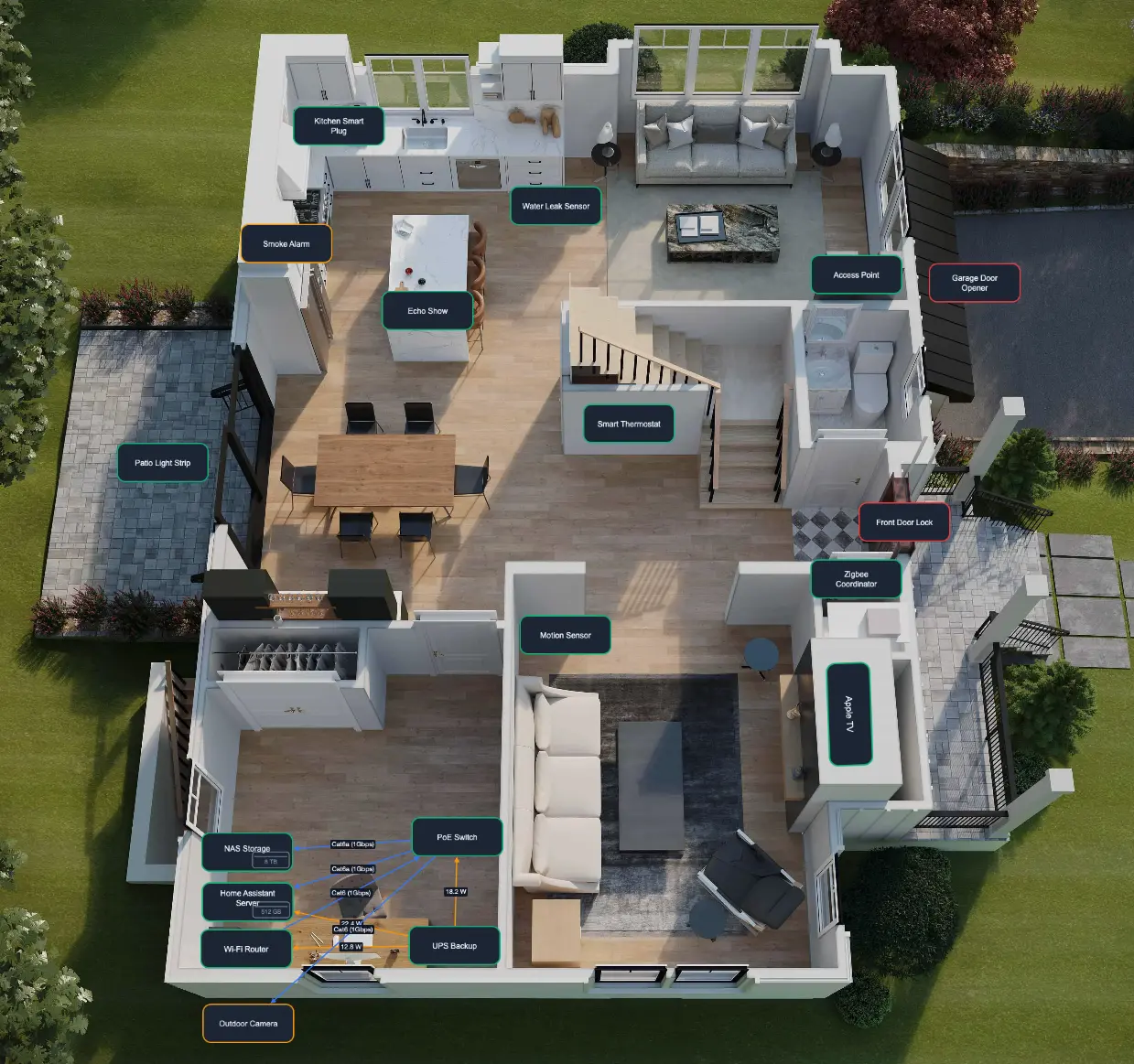
Plan, document, and visualize your entire smart home
Smart Home Planner helps you document your Home Assistant setup with a clear device list, searchable notes, important dates, and a visual map of how everything is connected.
Open the Smart Home Planner app, press Install and wait for the download to finish.
Start the app from the Info tab and press Open Web UI to reach the onboarding page.
Frequently Asked Questions
Is Smart Home Planner free?
Yes. Smart Home Planner is free and open source under the MIT license. There is no account, no subscription and no paid tier.
Where is my data stored?
All data lives in the app /data volume inside your own Home Assistant instance, so it is included in Home Assistant backups and never leaves your network.
Do I need Home Assistant to use it?
Yes. Smart Home Planner is a Home Assistant app: you install it from the App Store by adding the GitHub repository, and it syncs devices, labels, areas and floors with your Home Assistant registries.
What can I document for each device?
Identity, brand and type, labels, floor and area, power source and battery type, integrations, notes, important dates, network ports and VLAN assignments, plus attachments such as manuals, invoices and photos.
Can I export my device inventory?
Yes. The app exports your full device inventory as a printable PDF report, useful for insurance documentation, maintenance handoff or keeping an offline record of your setup.
Ready to use Smart Home Planner?
Open the GitHub repository and install it as a Home Assistant app. It is free, open source and your data never leaves your Home Assistant instance.