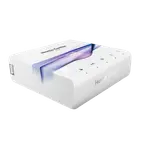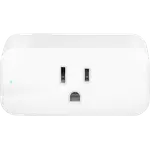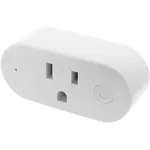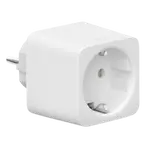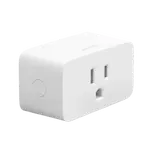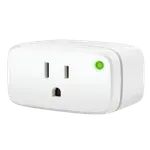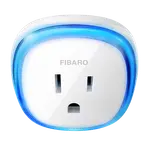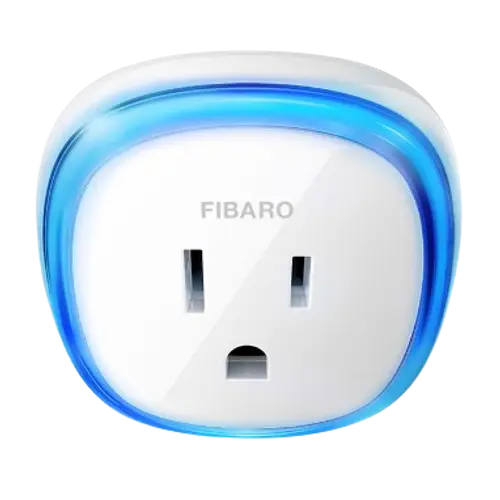


Fibaro Wall Plug with USB Review: Solid Energy Monitoring for Z-Wave Automations
The Fibaro Wall Plug with USB is aimed at Z-Wave home automation enthusiasts who want real energy-usage data alongside remote control, not casual buyers looking for a plug-and-forget WiFi switch. It nails accurate power monitoring, a high load rating for demanding appliances, and solid Home Assistant compatibility with Alexa voice control through a hub. The main trade-off is that it requires a separate Z-Wave controller to work at all, lacks Apple HomeKit and Google Home support, and a portion of owners describe occasional connectivity hiccups. For a dedicated Z-Wave setup focused on detailed automations and energy tracking, it remains a solid, if not flawless, pick.
- Home Assistant users
- Z-Wave automation enthusiasts
- Energy-monitoring shoppers
- Seasonal lighting and appliance schedules
Pros
- Real-time energy monitoring for tracking actual power draw
- High 15A / 1800W load rating handles AC units, heaters and dehumidifiers
- Works with Home Assistant, plus Alexa voice control through a hub
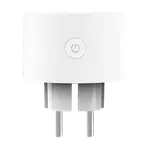
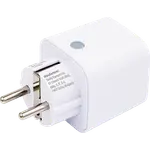
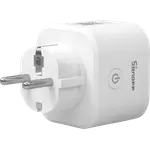
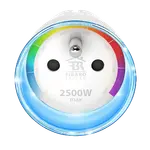
- Compact design that avoids blocking the outlet's second socket
- Built-in USB port for convenient device charging
- Physical on/off button and overheat/overload protection
Cons
- No Apple HomeKit or Google Home support
- Requires a separate Z-Wave controller; no standalone WiFi connection
- USB port shares the same switch as the outlet, it can't be toggled independently
- Not weather resistant, indoor use only
- Some buyers report the plug occasionally drops off the network or misreports its on/off status
- Priced higher than basic smart plugs
Who is the Fibaro Wall Plug with USB for?
This plug is built for people already running a Z-Wave smart home, since it needs a Z-Wave controller to pair and control rather than connecting directly over WiFi. Reviewers consistently use it for automations: turning holiday lights on and off on a schedule, remotely starting window air conditioners before arriving home, triggering a coffee maker or e-bike charger with a timer, and tracking how much power a dehumidifier or lamp draws. Its compact form factor is designed not to block the second socket on a duplex outlet, and the 1800W/15A load rating gives enough headroom for higher-draw devices like space heaters and AC units, not just small electronics. A built-in USB port adds simple device charging without using a separate adapter.
What buyers love
The feature reviewers highlight most is energy monitoring: several describe using it to see the exact wattage a connected device pulls, which helped them spot power-hungry appliances and trim their electricity bill. Once paired with a compatible hub, buyers report smooth automations and schedules, along with voice control through Alexa when it's tied into their smart home platform. The 15A load rating and overheat/overload protection give confidence for higher-power gear like air conditioners and dehumidifiers, and several owners specifically call out the compact design for not hogging the second outlet on a duplex plug.
What to know before you buy
This is a Z-Wave-only device: there's no WiFi, Bluetooth, Zigbee or Thread radio, so you need a Z-Wave controller before it does anything. It also doesn't work with Apple HomeKit or Google Home, only Alexa (through a hub) and Home Assistant are supported integrations, and it isn't weather resistant, so it's strictly an indoor plug. The built-in USB port shares the same on/off state as the main outlet rather than switching independently, a limitation multiple reviewers flag when they try to control it separately. A recurring complaint among a subset of buyers is the plug occasionally falling off the Z-Wave network or reporting an incorrect on/off status back to the hub, usually resolved with a manual unplug and replug, so buyers on finicky Z-Wave meshes should factor that possibility in.
Is the Fibaro Wall Plug with USB worth it?
For the right buyer, someone already invested in a Z-Wave ecosystem like Home Assistant who wants genuine energy monitoring and a plug rated for demanding loads, it's a capable, well-rounded choice backed by a full manufacturer warranty. It sits at a higher price point than basic smart plugs, and it won't suit anyone wanting simple WiFi setup or Apple HomeKit/Google Home support. Weighed against its automation depth, load capacity and energy-tracking accuracy, it's a worthwhile pick for a dedicated Z-Wave automation setup, with the caveat that a portion of owners have run into occasional connectivity quirks.
Frequently asked questions
Does the Fibaro Wall Plug with USB work with Apple HomeKit or Google Home?
No. This model does not support Apple HomeKit or Google Home. It's built for Z-Wave ecosystems like Home Assistant and can be voice-controlled through Alexa once paired to a compatible hub.
Do I need a separate hub to use this plug?
Yes. It communicates over Z-Wave, not WiFi, so it needs a Z-Wave controller or smart home hub to pair and control it.
Can I control the USB port separately from the outlet?
No. Buyers consistently note the USB charging port shares the same on/off state as the main outlet rather than switching independently.
Does it support energy monitoring?
Yes. The plug tracks real-time power consumption, letting you see exactly how much energy a connected device is drawing, a feature reviewers frequently highlight as useful for spotting energy-hungry appliances.
Is the Fibaro Wall Plug with USB reliable?
Many buyers report smooth, long-term operation once paired with their hub, but a portion of owners describe the plug occasionally dropping off the Z-Wave network or misreporting its on/off status, usually requiring a manual unplug and replug to recover.
What is the maximum load this plug can handle?
It's rated for up to 1800W / 15A, enough headroom for higher-draw devices like window air conditioners, space heaters or dehumidifiers.