


GoveeLife Smart Plug Pro Review: A Tiny, Reliable Wi-Fi Plug That Just Works
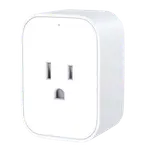
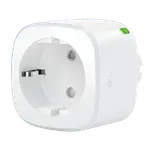
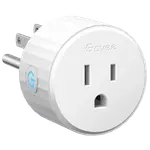
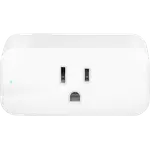
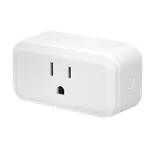
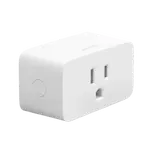
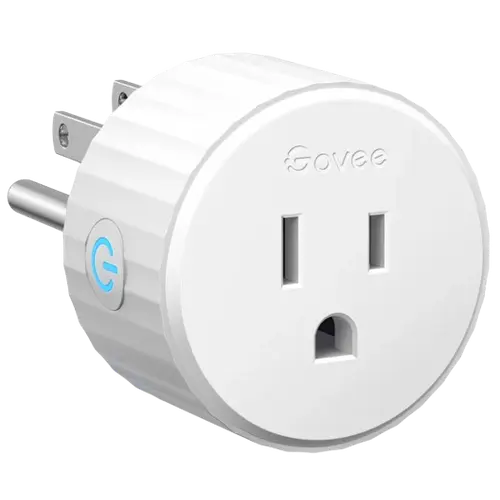
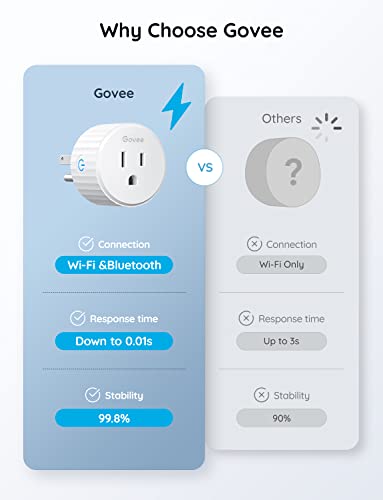
The GoveeLife Smart Plug Pro is a cheap, compact Wi-Fi outlet that nails the basics: it sets up in minutes, stays connected reliably, and responds instantly to Alexa and Google Home voice commands. Its round, low-profile design does not block the second outlet, and the timer, scheduling and grouping features make it easy to automate lamps, fans, coffee makers and seasonal lights. It connects over 2.4GHz Wi-Fi and Bluetooth with no hub required, works with Home Assistant, IFTTT and Matter, and includes a physical on/off button plus overload and overheat protection. The main limitations: it is 2.4GHz Wi-Fi only, there is no energy monitoring, the relay makes an audible click, and the Govee app, while fine for simple schedules, is clunky for complex automations. For the price, it is one of the easiest smart-home upgrades to recommend.
- Budget smart-home buyers
- Govee ecosystem owners
- Lamp, fan and seasonal-light control
- Alexa and Google Home users
Pros
- Inexpensive with a compact, rounded design that does not block the second outlet
- Reliable Wi-Fi connection that rarely drops
- Fast, near-instant Alexa and Google Home voice control
- Useful timer, scheduling and grouping features; no hub required
- Works with Home Assistant, IFTTT and Matter, with an API key on request
- Physical on/off button plus overload and overheat protection
Cons
- 2.4GHz Wi-Fi only (no 5GHz)
- No energy or power-consumption monitoring
- Relay makes an audible click when switching
- Govee app is clunky for complex automations and required for setup
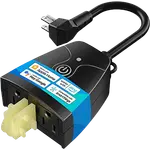
- Three-prong only and no weather resistance for outdoor use
- No native HomeKit profile: Apple Home support arrives through Matter
Who is the GoveeLife Smart Plug Pro for?
This is an inexpensive, no-hub Wi-Fi smart plug for anyone who wants to control a lamp, fan, coffee maker, fountain or seasonal lights from their phone or voice. It connects over 2.4GHz Wi-Fi and Bluetooth, handles up to 1200W / 10A at 120V (Type B), and includes a physical on/off button so you can operate it without the app. It works with Amazon Alexa, Google Home, Home Assistant, IFTTT and Matter, which is also how it reaches the Apple Home app, and supports timers, schedules, grouping and automations. It has overload and overheat protection with fire-resistant materials, but no energy monitoring, no USB charging and no weather resistance. It best suits budget-minded buyers, people already in the Govee ecosystem, and anyone who wants simple, reliable scheduling for small devices without buying into a hub-based system.
What buyers love
The recurring praise is reliability and size. Owners repeatedly say it stays connected to Wi-Fi and rarely drops, with snappy, near-instant responses to Alexa and Google voice commands. The compact, rounded design is a favorite: it does not block the adjacent outlet and two can sit on the same wall plate, which is rare for a Wi-Fi plug. Setup is described as quick and easy through the Govee app (Wi-Fi or Bluetooth), and the timer, scheduling and group features get a lot of use, from turning a lamp on at dusk and a coffee maker on in the morning to running grow lights on a strict schedule or switching off several devices at bedtime. Many owners run several of these as their favorite plug across multiple brands, citing the small footprint and consistency, and a few appreciate that Govee provides an API key on request for Home Assistant or iOS Shortcuts setups. Overload protection and safety certifications add peace of mind.
What to know before you buy
A few honest limitations. It is 2.4GHz Wi-Fi only (no 5GHz), which is typical for smart plugs but worth knowing. There is no energy or power-consumption monitoring, so if you want to track usage this is not the plug. The relay makes a small audible click when switching, which is a sign of a solid relay but noticeable in a quiet bedroom. You need the Govee app for initial setup (you cannot configure it from Alexa alone), and while the app is fine for basic schedules, owners describe it as not very intuitive for complex automations, sometimes resorting to iOS Shortcuts. It is a three-prong (grounded) plug, so it is not for two-prong-only setups, and it has no weather resistance, so outdoor use needs a cover. Apple Home users reach it through Matter rather than a native HomeKit profile, so the Home app shows it as a plain switch, and it is not a Zigbee router.
Is the GoveeLife Smart Plug Pro worth it?
Yes, for the basics it is excellent value: it is cheap, tiny, reliable, and works smoothly with Alexa, Google Home, Home Assistant and Matter, with genuinely useful timers and grouping. For lamps, fans, small appliances and seasonal lighting, it does exactly what a smart plug should and stays connected, which is the main thing people want. Skip it if you need energy monitoring, Apple HomeKit, weather resistance for outdoor use, or a silent relay. Otherwise, especially if you are already using Govee devices or just want an affordable, dependable plug, it is one of the easiest smart-home buys to recommend.
Frequently asked questions
Does the GoveeLife Smart Plug Pro need a hub?
No. It connects directly over 2.4GHz Wi-Fi (and Bluetooth) with no hub required. You set it up in the Govee app, then control it from the app or via Alexa and Google Home.
Does it work with Alexa, Google Home and Apple HomeKit?
It works with Amazon Alexa, Google Home, Home Assistant, IFTTT and Matter. Matter is also the route into Apple Home, so you can add it to the Home app and control it with Siri.
Does it monitor energy usage?
No. The GoveeLife Smart Plug Pro does not have energy or power-consumption monitoring. It focuses on on/off control, timers, schedules and grouping.
Can I use it outdoors?
Not as-is. It has no weather resistance, so outdoor use requires a waterproof cover or enclosure. Some owners use it for outdoor fountains or lights by protecting it from water.
What can it power, and does it have a manual button?
It handles up to 1200W / 10A at 120V, suitable for lamps, fans and small appliances, and includes a physical on/off button on the side so you can switch it without the app or voice.