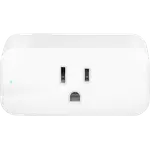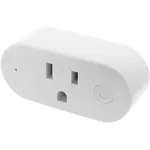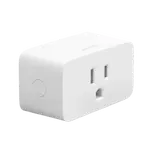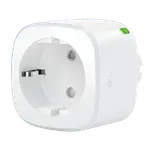


YoLink Mini Plug Review: A Long-Range LoRa Smart Plug for Whole-Property Control
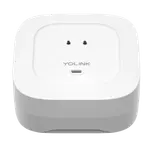
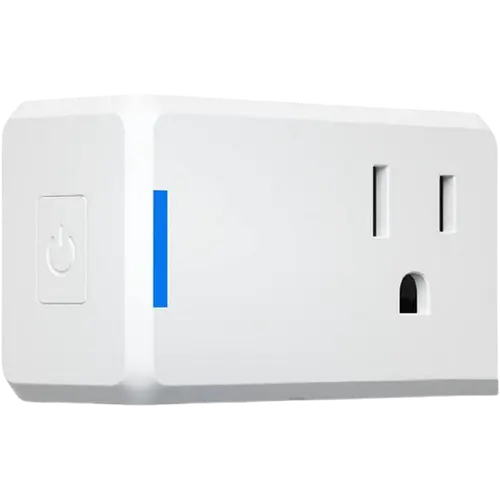
The YoLink Mini Plug trades the typical Wi-Fi/Bluetooth smart plug approach for long-range LoRa wireless, making it a strong pick for controlling outlets far from the router, in basements, detached garages, barns or across large rural properties. It requires the YoLink hub to work at all, but in exchange buyers consistently report a far more reliable connection at distance than Wi-Fi plugs, plus useful energy monitoring and automation support. It is best suited to buyers already in or building out the YoLink ecosystem rather than someone wanting a simple standalone plug.
- Large or rural properties with weak Wi-Fi coverage
- Detached buildings, basements and outbuildings
- Existing YoLink hub owners
- Home Assistant users wanting long-range automation
One plug per appliance you want to control.
Buy on Amazon USACheck pricePros
- Long-range LoRa connectivity that reaches basements and detached buildings
- Real-time energy monitoring
- Reliable performance reported even at large distances from the hub
- Works well with Home Assistant automations
- Built-in overheat/overload protection
Cons
- Requires the separate YoLink hub to function, no direct Wi-Fi/Bluetooth
- Not weather-resistant
- No USB charging port
- Scheduling in the app is more basic than some dedicated outdoor plug apps
- No confirmed Apple HomeKit, SmartThings or Matter support
Who is the YoLink Mini Plug for?
This plug is built for situations where standard Wi-Fi smart plugs struggle: buyers repeatedly mention using it to control a block heater or pump in a detached building hundreds of feet from the house, a sump pump in a concrete basement, or outdoor lighting on a large property, all cases where Wi-Fi signal is weak or unreliable. Because it relies on YoLink's long-range LoRa protocol rather than Wi-Fi, Bluetooth, Zigbee or Z-Wave, it needs the YoLink hub to operate, which makes it a natural fit for buyers who already own other YoLink sensors (leak sensors, door sensors, water valves) and want to add outlet control to the same hub and app. Home Assistant users are also a strong match given the plug's direct integration.
What buyers love
The dominant theme in reviews is range and reliability at distance, with multiple owners describing rock-solid connections from basements, barns, and buildings hundreds of feet away where Wi-Fi devices had failed them, which lines up with LoRa being the plug's core selling point over 2.4GHz alternatives. Reviewers also value the real-time energy monitoring for keeping an eye on power draw, and several highlight simple setup: plug it in, pair it to the hub, and it is ready to schedule. Automations for turning outlets on and off on a cycle or timer are a common use case, and Home Assistant users specifically praise how easily the plug drops into existing automation setups alongside other YoLink devices.
What to know before you buy
The plug has no Wi-Fi, Bluetooth, Zigbee, Z-Wave or Thread radio of its own, it only works through the YoLink hub, so factor in that additional purchase if you don't already own one. It is also not weather-resistant and has no USB charging port, so it's meant for indoor or covered outlets rather than fully exposed installations. A few reviewers note the companion app's scheduling is more basic than dedicated outdoor smart-outlet apps, lacking dusk/dawn-based scheduling, and at least one buyer reported inconsistent signal strength despite being close to the hub. Apple HomeKit, Samsung SmartThings and Matter support are also not documented for this plug.
Is the YoLink Mini Plug worth it?
For buyers who need reliable outlet control at real distance, somewhere a typical Wi-Fi smart plug would drop out, the YoLink Mini Plug is a well-regarded, focused solution, and its strong buyer ratings reflect that. The requirement for a separate hub is the main added cost and complexity to weigh, but for existing YoLink households or anyone automating a large property, that hub is often already justified by other sensors. Energy monitoring, solid overload protection and Home Assistant support round out a plug that earns its keep specifically where range matters.
Frequently asked questions
Does the YoLink Mini Plug need a hub?
Yes. It communicates over YoLink's long-range LoRa wireless protocol rather than Wi-Fi or Bluetooth, so it requires the YoLink hub to connect to the app and other integrations.
How far can the YoLink Mini Plug work from the hub?
Buyers commonly report reliable operation from detached buildings, basements and outdoor areas hundreds of feet from the hub, which is the main advantage of its LoRa-based design over Wi-Fi smart plugs.
Does the YoLink Mini Plug support energy monitoring?
Yes, it includes real-time energy monitoring with exportable reports, so you can track the power draw of whatever is plugged into it.
Does it work with Home Assistant?
Yes, the plug has a documented Home Assistant integration and is commonly used in Home Assistant automations alongside other YoLink devices.
Is the YoLink Mini Plug weatherproof?
No, it is not rated for weather resistance, so it should be used indoors or in a covered, protected location rather than fully exposed outdoors.