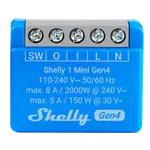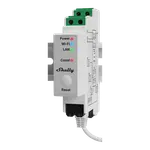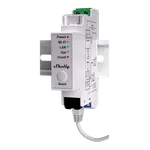


Shelly 1PM Gen4 Review: A Multi-Protocol Smart Relay With Power Metering
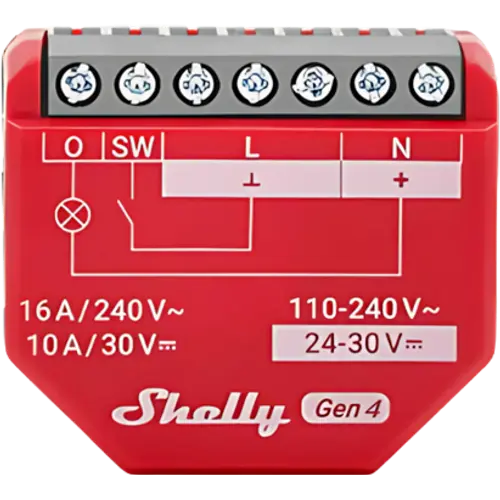
The Shelly 1PM Gen4 is the power-metering version of Shelly's multi-protocol relay: it adds accurate energy monitoring (instant power, voltage and total consumption) on top of Wi-Fi, Bluetooth, Zigbee and Matter connectivity, dry and wet contacts, and a 16A rating. It hides behind a switch or in a junction box with no hub required, runs locally for instant response, and integrates with Alexa, Google Home, Apple HomeKit, SmartThings and Home Assistant (including Zigbee2MQTT). Owners use it to monitor and control water heaters, boilers, furnaces, dehumidifiers and more. The main frustration, echoed across reviews, is the unconventional, poorly drawn wiring diagram, and switching it into Zigbee mode can be fiddly. If you want power metering and the higher 16A rating in a compact relay, this is the one to get.
- Energy / power monitoring
- Multi-protocol (Wi-Fi or Zigbee) setups
- Home Assistant and DIY automation
- Water heaters, boilers and appliances
One relay per circuit you automate.
Buy on Amazon USACheck pricePros
- Accurate power metering (instant power, voltage, total consumption)
- Multi-protocol: Wi-Fi, Bluetooth, Zigbee and Matter in one module
- 16A rating and no neutral required, with dry and wet contacts
- No hub needed; full local control with instant response
- Works with Alexa, Google, HomeKit, SmartThings and Home Assistant (incl. Zigbee2MQTT)
- Acts as a Zigbee repeater in Zigbee mode; OTA updates and good online support
Cons
- Wiring schematic is unconventional and poorly drawn; expect to decode it
- Tiny printed instructions and a somewhat fiddly app/radio setup
- Switching into Zigbee mode can be unintuitive (firm button presses)
- No DIN-rail mount and no physical on/off button
- No Z-Wave or Thread
- Mind the recommended wire gauge for your install
Who is the Shelly 1PM Gen4 for?
This is the energy-monitoring member of Shelly's Gen4 relay family, for people who want to both control a circuit and measure its power use. It adds power metering (instant power, voltage and total consumption) to the same feature set as the Shelly 1 Gen4: Wi-Fi, Bluetooth, Zigbee (via a Zigbee hub, acting as a Zigbee router) and Matter, plus dry-contact and wet-contact modes. It handles up to 16A at 110-240V AC (or 12-48V DC), needs no neutral wire, and works with Amazon Alexa, Google Home, Apple HomeKit, Samsung SmartThings and Home Assistant, with OTA updates and full local control. It best suits anyone who wants to track consumption of an appliance (water heater, boiler, furnace, dehumidifier) while controlling it, Home Assistant users (including via Zigbee2MQTT), and DIYers who want the higher 16A rating and metering in a compact, no-hub module.
What buyers love
The standout is the combination of power metering and flexibility. Owners enjoy watching real consumption (one notes seeing how often the hot water heater runs all day) and use the metering for smarter automations and analysis. The 16A rating is cited as the reason to choose it over the smaller Mini, and the multi-protocol radios (Wi-Fi, Bluetooth, Zigbee, Matter) let people connect it however their setup is built, with Matter as the default for Alexa, Google and HomeKit. Integration with Home Assistant is praised as immediate and stable, including through Zigbee2MQTT, and putting it in Zigbee mode makes it act as a Zigbee repeater automatically. Reviewers describe creative uses: power-cycling a furnace remotely, automating a dehumidifier with an RC snubber for stable readings, keeping a wall tablet's battery between set levels, and monitoring an electric boiler. The compact size, easy scheduling, no-hub local control and strong online support from Shelly round out the praise.
What to know before you buy
The most common complaint, as with other Shelly relays, is documentation: the schematic and hookup diagrams are described as awful and non-conventional, so you often have to decode them (or use an online guide) before wiring it correctly, after which it works as advertised. The printed instructions are tiny, and app setup can be tricky at first, so plan to read carefully or consult a guide. Switching radios is also non-obvious: Matter is the default, and you change between Zigbee, Matter and Bluetooth with specific button presses (for example five quick presses to toggle Zigbee/Matter), which some found needed a firmer press than expected. Worth knowing on wiring gauge: a Shelly recommendation of 14 AWG circulates, though owners on 12 AWG homes have used it successfully with Wago connectors. It has no DIN-rail mount and no physical on/off button, and there is no Z-Wave or Thread. Otherwise reliability and accuracy are reported as very good.
Is the Shelly 1PM Gen4 worth it?
If you want power metering, yes: it does everything the Shelly 1 Gen4 does (multi-protocol connectivity, dry contacts, local control, broad platform support) and adds accurate energy monitoring plus a 16A rating, which makes it the right pick for appliances you want to both control and measure. Choose the 1PM over the plain 1 Gen4 when consumption data matters, and over the Mini when you need the higher amperage. Be ready to decode the wiring diagram (lean on an online guide) and to fiddle a little when switching to Zigbee. With those minor hurdles aside, it is a compact, capable, well-supported relay and excellent value for monitored automation.
Frequently asked questions
How is the 1PM Gen4 different from the Shelly 1 Gen4?
The 1PM adds power metering: it measures instant power, voltage and total consumption, while the plain 1 Gen4 does not. Both share the same Wi-Fi, Bluetooth, Zigbee and Matter connectivity, dry contacts and 16A rating. Choose the 1PM when you want energy data.
Does it need a neutral wire or a hub?
It does not require a neutral wire and needs no hub for Wi-Fi or Matter. Using it over Zigbee requires a compatible Zigbee hub. It supports full local control either way.
Which platforms and protocols does it support?
It supports Matter (the default) and works with Amazon Alexa, Google Home, Apple HomeKit, Samsung SmartThings and Home Assistant. You can connect it over Wi-Fi, Bluetooth or Zigbee, including via Zigbee2MQTT with Home Assistant.
Why is the wiring confusing?
Owners consistently say the included schematic is unconventional and hard to follow. Once decoded (an online guide helps), the device wires up and works exactly as advertised, so it is worth checking a known-good diagram before you start.
How do I switch it between Matter, Zigbee and Bluetooth?
Matter is the default. You change radios with the small button: roughly five quick presses to toggle between Zigbee and Matter, and about ten seconds held for Bluetooth pairing mode. Some owners found it needs a firmer press than expected to register.