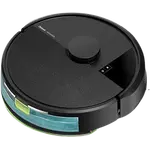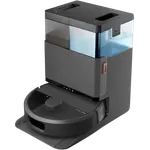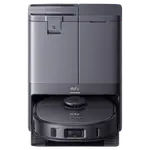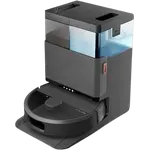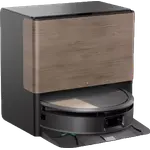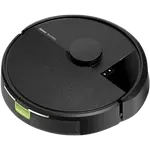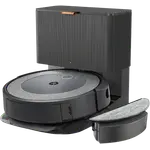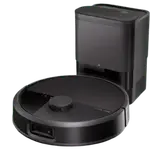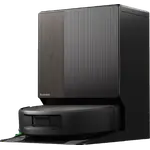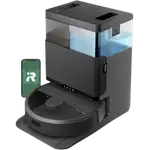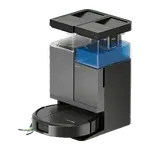


iRobot Roomba 105 Combo Review: An Entry-Level Vacuum and Mop That Needs a Bit of Patience
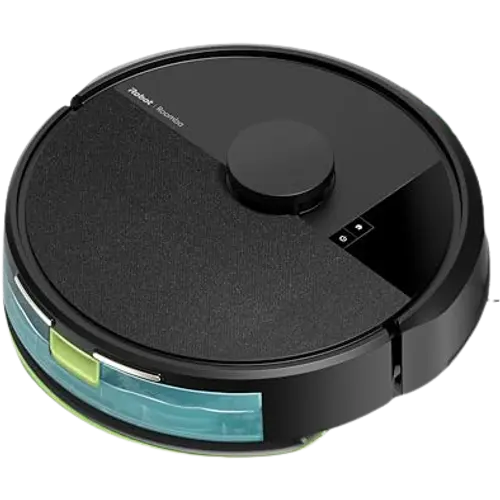
The Roomba 105 Combo is an entry-level vacuum-and-mop robot that uses LiDAR navigation to clean methodically rather than bump around at random, and many owners report it handles day-to-day dust, hair and light debris well at an accessible price. The tradeoff shows up in mapping: several buyers describe a rocky first mapping run, occasional getting stuck near rugs or thresholds, and mixed reliability over time. It suits buyers who want basic hands-off daily maintenance on mostly hard floors and are willing to fine-tune the map, rather than those chasing a flawless, self-emptying premium experience.
- Budget-conscious first-time robot vacuum buyers
- Small to medium homes with mostly hard flooring
- Daily maintenance cleaning rather than deep cleaning
- Pet owners wanting help with everyday shedding
Pros
- LiDAR navigation cleans methodically rather than bumping around at random
- Solid everyday suction on dust, crumbs and pet hair
- Combined vacuum and mop in one affordable unit
- Simple app scheduling with real-time tracking and no-go zones
- Quiet operation during runs
Cons
- Initial mapping can be inconsistent and may need manual correction
- Avoids carpets/rugs in combo mode instead of auto-switching to vacuum-only
- Mop uses water only; no detergent, auto-washing, auto-drying or auto-lifting
- No self-emptying dock; bin must be emptied manually
- 2.4GHz WiFi only, no Bluetooth, Apple HomeKit, Samsung SmartThings, Home Assistant or Matter
Who is the iRobot Roomba 105 Combo for?
This model fits buyers who want an affordable way to keep floors looking clean between deeper cleans, especially in small to medium homes with mostly hard flooring. Owners describe running it daily or on a schedule and no longer needing to sweep or mop by hand for routine upkeep, and several specifically mention it working well in pet households for daily hair pickup. It combines vacuuming and mopping in one pass, which buyers highlight as convenient for kitchens and hard-floor areas where spills and footprints build up.
What buyers love
The LiDAR-based navigation is a recurring highlight: reviewers contrast its methodical, room-by-room cleaning pattern with older bump-and-go robots that clean at random, matching the multi-room mapping and no-go zones the spec sheet lists. Suction performance for everyday dust, crumbs and pet hair draws consistent praise, and the mopping function is called out as a helpful bonus for hard floors even though it is not positioned as a deep clean. Buyers also like the simple app-based scheduling and real-time tracking, quiet operation during runs, and straightforward initial setup for most users.
What to know before you buy
The most common complaint is mapping: several owners describe an initial map that took multiple runs to build correctly, required manual editing of room boundaries, or got stuck behind furniture, doors or slider door tracks during the first pass. In combo mode the robot avoids carpets and rugs rather than automatically switching to vacuum-only on them, which a few buyers found less convenient than hoped, and the mop uses water only, since detergent compatibility, auto mop washing, auto mop drying and auto mop lifting are all unsupported on this model. It also has no self-emptying dock, so the bin needs regular manual emptying. A handful of owners reported reliability issues emerging months after purchase, from failing to dock properly to sensor errors, and connectivity is 2.4GHz WiFi only, with no Bluetooth, Zigbee, Z-Wave, Thread, Apple HomeKit, Samsung SmartThings, Home Assistant or Matter support (Google Home, Alexa and IFTTT are supported).
Is the iRobot Roomba 105 Combo worth it?
With around 100 minutes of runtime per charge, auto-recharge and a 1-year warranty, the Roomba 105 Combo is positioned as a budget-friendly entry point into mapped robot cleaning rather than a premium, self-maintaining system. Sentiment is mixed but leans positive for buyers using it for light daily maintenance on hard floors, while the more frustrated reviews tend to come from larger or more complex carpeted homes where mapping and obstacle handling are put to a tougher test. For a first robot vacuum on a budget, or a second unit for daily touch-ups, it is a reasonable buy as long as expectations are set around basic mopping and some initial mapping patience.
Frequently asked questions
Does the Roomba 105 Combo mop and vacuum at the same time?
Yes, it can vacuum and mop in one pass on hard floors, but it is designed to avoid carpets and rugs while mopping rather than switching to vacuum-only automatically.
Does it have a self-emptying dock?
No, self-emptying is not supported on this model, so the onboard dustbin needs to be emptied by hand.
Can I use cleaning solution with the mop?
No, detergent compatibility is not supported, so the mop function uses water only.
Does it work with Alexa and Google Home?
Yes, it supports Google Home, Amazon Alexa and IFTTT. It does not support Apple HomeKit, Samsung SmartThings, Home Assistant or Matter.
Is the mapping accurate out of the box?
It uses LiDAR for multi-room mapping and no-go zones, but several owners report the first mapping run needs a few attempts or manual editing to get room boundaries right.