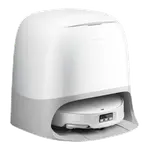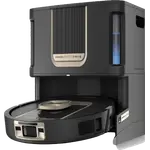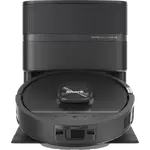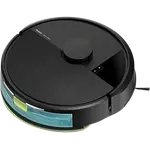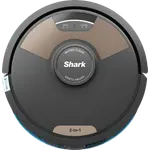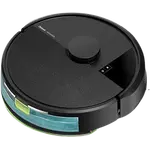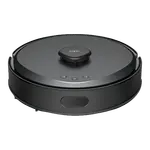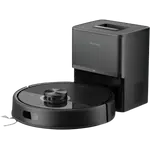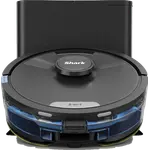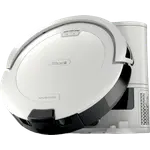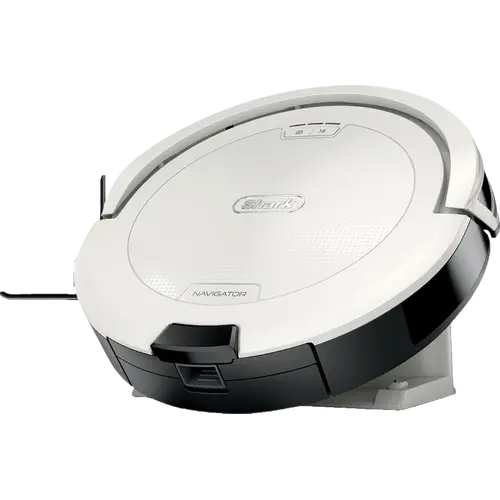


Shark Navigator AV2120 Review: LiDAR Mapping and a Self-Cleaning Brushroll Without the Self-Empty Base
The Shark Navigator AV2120 is an entry-level robot vacuum for homes that want row-by-row LiDAR mapping and a self-cleaning brushroll without paying for a self-empty dock. It covers carpets and hard floors, avoids everyday objects and runs for up to 120 minutes, while giving up mopping, a self-empty base and the newer Matter ecosystem. It is the practical pick for a first robot vacuum or a second one for a specific floor.
- First robot vacuum
- Carpet and hard floors
- Pet homes
- Homes without a self-empty dock
Pros
- SmartPath LiDAR mapping with row-by-row cleaning
- Detects and avoids objects in its path
- Self-cleaning, anti-hair-wrap brushroll
- Up to 120 minutes of runtime
- Recharge and resume
- Three side brushes included
- Alexa and Google Home voice control
- Home Assistant through the Shark IQ integration
Cons
- No self-empty base, so the bin is emptied by hand
- Vacuum only, with no mopping
- 2.4 GHz Wi-Fi only
- No Matter, Apple Home or SmartThings support
- No published Pa suction, noise or charging-time figures
Who is the Shark Navigator AV2120 for?
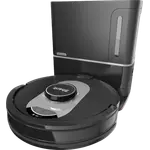
This is a vacuum-only robot for apartments and houses that need systematic coverage more than hands-free emptying. SmartPath navigation maps the home and cleans in rows, and the low-profile body reaches under furniture. The included charging base and three side brushes cover the basics, while the self-cleaning brushroll is aimed at hair pickup on carpet and hard floors.
What stands out on paper
The Navigator AV2120 uses spot LiDAR for SmartPath mapping, detects and avoids objects in its path, and supports recharge and resume when the battery runs low. Shark rates runtime at up to 120 minutes. The 470 ml onboard dustbin and the anti-hair-wrap brushroll suit regular whole-home passes, and the SharkClean app adds scheduling, room selection and voice control through Alexa and Google Home.
What to know before you buy
There is no self-empty base, so the 470 ml bin is emptied by hand. The robot vacuums only, with no water tank or mopping hardware. Connectivity is 2.4 GHz Wi-Fi only, with no Bluetooth, Zigbee, Z-Wave, Thread or Matter, and Apple Home and SmartThings are not supported. Shark does not publish a Pa suction figure, a noise rating or a charging time for this model, and cliff detection, multi-room mapping and no-go zones are not confirmed in the official specification.
Is the Shark Navigator AV2120 worth it?
It makes sense when mapping and a self-cleaning brushroll matter more than a dock that empties itself. The trade-off is manual bin emptying and no mopping, which are the two features the next tier of robot vacuums adds. For a first robot or a dedicated carpet cleaner, the combination of LiDAR navigation, object avoidance and 120-minute runtime is the core value.
Frequently asked questions
Does the Shark Navigator AV2120 map the home?
Yes. It uses SmartPath navigation with spot LiDAR to map the home and clean in a row-by-row pattern.
Does the Shark Navigator AV2120 work with Alexa and Google Home?
Yes. The SharkClean app supports voice control through Amazon Alexa and Google Home.
Does the Shark Navigator AV2120 empty itself?
No. It comes with a charging base, not a self-empty dock, so the 470 ml onboard dustbin is emptied by hand.
Can the Shark Navigator AV2120 mop?
No. It is a vacuum-only robot, with no water tank or mopping hardware.
How long does the Shark Navigator AV2120 run?
Shark rates the battery at up to 120 minutes per charge, and the robot recharges and resumes cleaning when the battery runs low.
Does the Shark Navigator AV2120 work with Home Assistant?
Yes. The official Shark IQ integration connects the SharkClean cloud account and covers Shark robot vacuums.