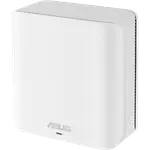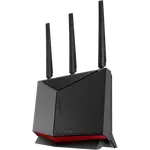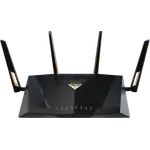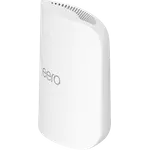




Asus RT-BE9700 Review: A Fast Wi-Fi 7 Router With a 10G Port and Deep Settings, With Range and Firmware Caveats
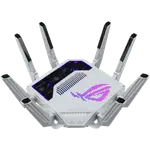
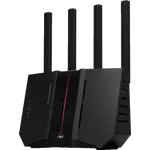
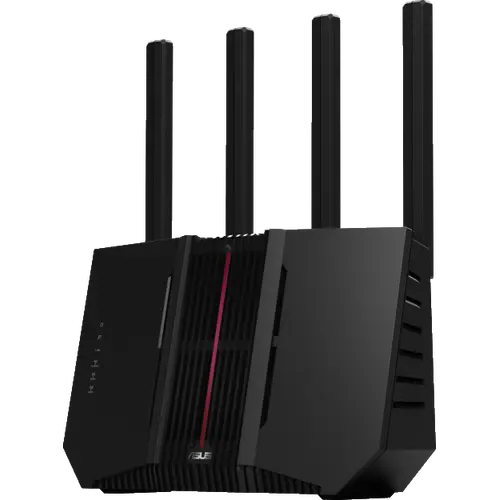
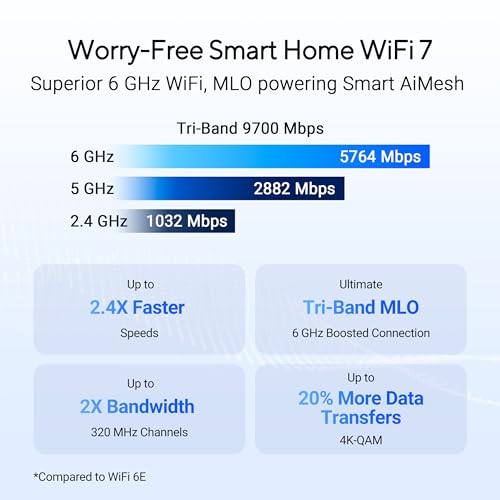
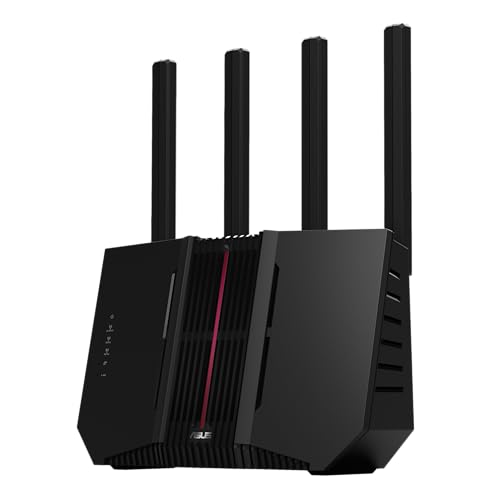
The Asus RT-BE9700 is a tri-band Wi-Fi 7 router with the 6 GHz band, one 10G and four 2.5G Ethernet ports, dual WAN with failover and AiMesh. Owners praise easy setup, fast speeds and a deep web interface with VPN, guest and IoT networks, and some use a second unit as a mesh extender. The complaints are consistent: range through walls falls short of the headline coverage in larger homes, a minority report dropped connections they blame on firmware, and a few units failed within months. It suits people who value wired speed and control, and it is a weaker pick for a big house that needs one box to cover everything.
- Wi-Fi 7 upgrades
- Multi-gig wired homes
- People who like deep router settings
- AiMesh expansion
Pros
- Tri-band Wi-Fi 7 with the 6 GHz band and MLO
- Quick, guided setup
- Fast wired and wireless speeds
- One 10G and four 2.5G Ethernet ports
- Dual WAN with failover
- Deep web interface with WireGuard and other VPN options
- Separate IoT and guest networks and parental controls
- AiMesh support and access point mode
Cons
- Range through walls falls short in larger homes
- A minority of owners see dropped connections, which they blame on firmware
- A few units failed within months
- Older devices fall back to 2.4 GHz and do not use MLO
- AiMesh with older Wi-Fi 6 nodes can be awkward under WPA3
- Support and warranty handling draw complaints
- Not a Thread border router or a Matter controller
- Large footprint and no cellular backup
Who is the Asus RT-BE9700 for?
It suits households moving to Wi-Fi 7 who also want fast wired ports and plenty of control. Owners replacing older Asus routers or a Nighthawk like the speed and the interface, and those wiring in a desktop, a NAS or a second router get the most from the 10G and 2.5G ports. Homes with two internet lines can use dual WAN with failover, and larger homes can add a second unit or another AiMesh-compatible Asus router as a node.
What owners like
Setup is the most common praise: a guided web page walks through names and passwords, and several owners call it easy, though one warns that you should know what you are configuring. Speed is next, with owners describing it as fast on wired and wireless links, and one owner running two units as a mesh with no problems after replacing a stack of older routers. The interface gets credit for depth: WireGuard and other VPN options, separate IoT and guest networks, parental controls and a firmware track that third-party firmware users find friendly. Some owners were able to put it directly on the internet connection in place of their modem or gateway.
What to know before you buy
Range is the most repeated complaint. Owners in homes around 2,000 to 2,500 square feet say one unit did not cover the house, walls cut the signal, one saw the 2.4 GHz signal drop at about 25 feet, and a few had to add a second router or mesh node. Connection drops come next: a minority of owners describe the connection falling off or dropping, which they blame on firmware, and a few units quit working within a few months. Smaller issues include a guest network that did not appear in a 2.4 GHz-only mode on one firmware, trouble reaching a USB drive from other devices, a DNS security setting that cut the internet, Multi-Link Operation not being used by older phones that fall back to 2.4 GHz, and AiMesh trouble when mixing in older Wi-Fi 6 nodes set to WPA3. Owners also complain about hard-to-reach phone support and slow warranty handling, and one objects to the data-sharing terms tied to firmware updates. It is not a Thread border router or a Matter controller, and it has no cellular backup.
Is the Asus RT-BE9700 worth it?
For a home up to a modest size that will use the multi-gig ports and the advanced settings, owners are largely happy. Anyone covering a larger house with one box, or expecting to run an older mesh, should plan for a second unit or look at a router with a stronger range reputation.
Frequently asked questions
Does the Asus RT-BE9700 support Wi-Fi 7?
Yes. It is a tri-band Wi-Fi 7 router with 2.4, 5 and 6 GHz bands, 9.7 Gbps combined and Multi-Link Operation, and it also supports Wi-Fi 5, 6 and 6E devices.
What wired ports does the Asus RT-BE9700 have?
Five Ethernet ports: one 10G and four 2.5G. The 10G port and one 2.5G port can work as WAN. It also has one USB 3.0 port and no SFP or SFP+ ports.
Will one Asus RT-BE9700 cover a large house?
Owners in homes of 2,000 square feet or more report that walls cut the signal and some needed a second router or node. A smaller home is a better fit, and AiMesh lets you add units.
Does it support dual WAN?
Yes. It supports multi-WAN with failover across its two WAN-capable ports, but it has no cellular backup.
Can the Asus RT-BE9700 be used in a mesh network?
Yes. It supports Asus AiMesh, so it can be combined with other AiMesh-compatible Asus routers, and it can also run in access point mode. Owners mixing it with older Wi-Fi 6 nodes report WPA3 settings can get in the way.
Does it work as a Thread border router or Matter controller?
No. It does not host Thread or Matter smart home devices.