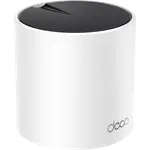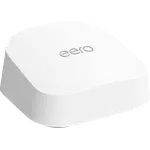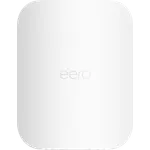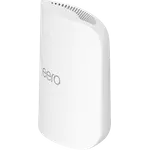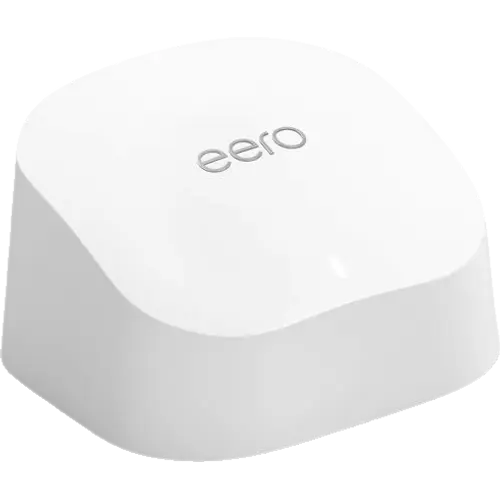
Image Slideshow Items

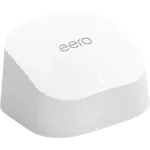
  • eero 6
  • eero 6 photo 2
  • eero 6 photo 3
  • eero 6 photo 4
  • eero 6 photo 5
  • eero 6 photo 6
  • eero 6 photo 7
Last updated November 2026
Top Rated

eero 6

Dual-band AX1800 Wi-Fi 6 with two gigabit Ethernet ports, a Thread border router and Matter controller role, all set up and managed from the eero app.

4.4
29,533 ratings

#1 Top Rated in Routers

39% OFF
$89.99
$54.99

Also sold in packs

  • Pack of 239% OFF$109.98$179.98$54.99 per unitBuy
  • Pack of 339% OFF$164.97$269.97$54.99 per unitBuy
As an Amazon Associate I earn from qualifying purchases
Launch Year: 2020

Model: N010001

See the 10 best selling routers
Open selection
News by email

Not buying today? Get what's new by email

New releases and the smart home news worth knowing, in your inbox.

Smart home news and new releases, straight to your inbox

New releases, comparisons and the smart home news worth knowing.

No spam. Unsubscribe in one click.

Your subscription could not be saved. Please try again.
Please enter a valid email address.
Tick the box above to finish signing up.
We couldn't verify you're human. Please try again.
Too many attempts. Please try again in an hour.
Your subscription has been successful.
Our review

eero 6 Review: A Budget Wi-Fi 6 Mesh Router With Thread and Matter Built In

The verdict

The eero 6 is a budget dual-band Wi-Fi 6 mesh router for homes that want steady coverage without paying for the newest radio. Its two radios are rated AX1800, it carries up to 75 connected devices, and it offers two gigabit Ethernet ports (one WAN, one LAN) plus bridge mode for use behind an ISP router. A Thread border router and Matter controller are built in, so it can serve as the base of a smart home without a separate hub, and WPA3, guest Wi-Fi and profile pause schedules are part of the free feature set. The trade-offs are clear at this tier: no 6 GHz band, no Wi-Fi 6E or 7, only two Ethernet ports, no web interface, VPN or USB, content filtering and dynamic DNS behind a subscription, and a one-year warranty.

Best for
  • Budget mesh buyers
  • Apartments and smaller homes, with more units added for coverage
  • Small smart homes with Thread or Matter devices
  • Internet plans up to 900 Mbps

Pros

  • Dual-band Wi-Fi 6 rated AX1800, with 574 Mbps on 2.4 GHz and 1,201 Mbps on 5 GHz
  • Two gigabit Ethernet ports, one WAN and one LAN
  • Rated for up to 75 connected devices
  • Thread border router and Matter controller built in
  • WPA3, guest network and pause schedules in the free feature set
  • Setup and management through the eero app, with bridge mode for an existing router

Cons

  • Wi-Fi 6 only, with no 6 GHz band and no Wi-Fi 6E or 7
  • Content filtering and dynamic DNS require a subscription
  • No web interface, VPN or USB port
  • Only two Ethernet ports
  • One-year warranty

Who is the eero 6 for?

It suits a household that wants whole-home Wi-Fi 6 without the price of a Wi-Fi 7 system. One unit is the starting point and more eero units can be added to extend coverage, which makes it a reasonable fit for apartments and smaller houses. It also suits a smart home that is starting with Thread and Matter, since the router can act as a Thread border router and a Matter controller, and it fits an existing wired network through bridge mode.

What the eero 6 offers

The router runs dual-band Wi-Fi 6 rated AX1800, with peak rates of 574 Mbps on 2.4 GHz and 1,201 Mbps on 5 GHz, and it is rated for up to 75 connected devices. It has two gigabit Ethernet ports, one WAN and one LAN, and the app handles setup and settings. The feature set includes WPA3 encryption, a guest network, profiles with scheduled and instant pause, quality of service through the eero Labs traffic optimization, speed tests and new-device notifications. For smart homes, Thread border routing and the Matter controller role are built in, and bridge mode lets the eero network coexist with an existing router.

What to know before you buy

This is Wi-Fi 6 hardware: there is no 6 GHz band and no Wi-Fi 6E or 7, so it will not keep up with the newest high-end mesh systems. There are only two Ethernet ports, both gigabit. The eero app is the only interface, so there is no browser console, no command line and no SNMP, and there is no VPN client or server and no USB port. Content filtering and dynamic DNS need a subscription, while profiles, pause, guest Wi-Fi and WPA3 stay free. The warranty runs one year, and the router keeps no user-accessible configuration backup.

Is the eero 6 worth it?

At the budget end of the mesh market it makes sense when the priority is stable Wi-Fi 6 coverage and a simple app, not the fastest radios or the most ports. It gives you a Thread border router and a Matter controller in the same box, which is more than many budget routers offer. Buyers who want 6 GHz, Wi-Fi 7, multi-gig ports, a VPN or a web console should look higher in the range, and anyone who needs content filtering should factor the subscription into the total cost.

Frequently asked questions

Does the eero 6 need a subscription?

No for the core router and mesh features, including profiles, scheduled and instant pause, guest Wi-Fi and WPA3. Content filtering and dynamic DNS require a paid subscription.

Does the eero 6 support 6 GHz, Wi-Fi 6E or Wi-Fi 7?

No. It is a dual-band Wi-Fi 6 router on 2.4 GHz and 5 GHz, rated AX1800. There is no 6 GHz radio and no Wi-Fi 6E or 7 support.

Can the eero 6 act as a smart home hub?

It can act as a Thread border router and as a Matter controller, so Thread and Matter devices can join the network through it without a separate hub.

How many devices can the eero 6 handle?

It is rated for up to 75 connected devices.

Can the eero 6 work behind my ISP router?

Yes. In bridge mode the eero network keeps serving Wi-Fi while the existing router handles routing.

Can I manage the eero 6 from a browser?

No. There is no web interface or command line. Setup and every setting are handled in the eero app for Android and iOS.


Company
eero logo

eero

4.4/ 5 avg ratingUSA flagHeadquartered in USA

eero, an Amazon company, makes mesh wifi systems built around its TrueMesh, TrueRoam and TrueChannel software, with a Wi-Fi 7 lineup that spans the eero 7, Pro 7, Max 7 and Outdoor 7. Its routers double as smart home hubs, acting as Thread border routers and as Matter and Zigbee controllers, and they work with Alexa. Advanced security, ad blocking and parental controls are sold separately through the optional eero Plus subscription.

Full specifications

Every spec, organized

Browse the full breakdown by category. Tap the on any row for what it means, or the for sources and documentation.

Dimensions

3.9 × 3.8 × 2.4 in 99.4 × 97 × 61.4 mm

Weight

10.5 oz 299 g

Consumption

15W

Wi-Fi 5 (802.11ac)

YES

Wi-Fi 6 (802.11ax)

YES

Wi-Fi 6E (802.11ax)

NO

Wi-Fi 7 (802.11be)

NO

2.4 GHz

1

2.4 GHz Speed

574 Mbps

5 GHz

1

5 GHz Speed

1201 Mbps

6 GHz

0

6 GHz Speed

-

Internal Antennas

?

External Antennas

0

Antennas Gain

-

Max Wi-Fi Speed

1.8 Gbps

eero rates the eero 6 at AX1800: 574 Mbps peak on 2.4 GHz plus 1,201 Mbps peak on 5 GHz, and supports wired speeds up to 900 Mbps.

Guest Network

YES

IoT Network

?

Mesh Wi-Fi

YES

Mesh Standard

Proprietary

WPA3 Encryption

YES

Access Point Mode

YES

eero calls it bridge mode: the eero network keeps serving wifi while an existing router handles routing.

Total Ports

2

WAN Port Count

1

WAN 1 Gbps RJ45 Ports

1

WAN 2.5 Gbps RJ45 Ports

0

WAN 10 Gbps RJ45 Ports

0

WAN 1 Gbps SFP Ports

0

WAN 10 Gbps SFP+ Ports

0

LAN Port Count

1

LAN 1 Gbps RJ45 Ports

1

LAN 2.5 Gbps RJ45 Ports

0

LAN 10 Gbps RJ45 Ports

0

LAN 1 Gbps SFP Ports

0

LAN 10 Gbps SFP+ Ports

0

LAN Link Aggregation

NO

Cellular Technology

-

Max Download Speed

-

Max Upload Speed

-

SIM Card Support

-

External LTE Antennas

0

Antennas Gain

-

SMS Send / Receive

NO

Multi-WAN

NO

WAN Failover

?

Cellular Backup

NO

The router has no cellular modem or SIM slot; eero reaches a phone hotspot over wifi when eero Internet Backup is enabled.

USB 2.0 Ports

0

USB 3.0 Ports

0

FTP

NO

Samba

NO

Time Machine

NO

Media Sharing

NO

Thread Border Router

YES

eero lists the eero 6 among the models that support Thread border routing and are Thread 1.3.0 compliant.

Matter Controller

YES

eero's Matter Smart Home Hub uses the eero as a controller through Alexa, and the eero 6 is one of the compatible models.

Wi-Fi Pause Schedules

YES

Instant Wi-Fi Pause

YES

Block Content

Subscription required

Profiles, schedules and pausing are free in the eero app; content filters and site blocking need eero Plus.

VPN Client

NO

VPN Server

NO

OpenVPN

NO

PPTP VPN

NO

L2TP/IPSec VPN

NO

WireGuard VPN

NO

DDNS

Subscription required

eero lists Dynamic DNS among its advanced features and states it requires an eero Plus subscription.

Web Interface

NO

Setup and every network setting live in the eero app for Android and iOS; eero publishes no browser console.

Android App

YES

iOS App

YES

Command Line (CLI)

NO

SNMP Monitoring

NO

Max Connected Devices

75

Speed Tests

YES

MLO (Multi-Link Operation)

NO

Quality of Service

YES

The fact sheet lists Optimize for conferencing and gaming, an eero Labs feature that manages traffic queuing.

Firewall

?

New Connection Notifications

YES

Configuration Backup / Restore

NO

Spotted something wrong on this page? Tell us and we will fix it.

Ask Chip

Got a question about the eero 6?

I know its spec sheet, what owners say about it and the rest of the catalog. Ask me about compatibility, alternatives or how it stacks up.

AmazonOur store on AmazonShop our ideas on AmazonLists of the smart home setups we would put together ourselves, ready to add to your Amazon cart.Shop on Amazon
On sale now

More Routers on sale

View all
Full comparison table

Compare the eero 6 with the other 46 Routers

All Routers in the catalog in one table: filter by what you need, sort by price or rating, and see exactly where this one lands.

  • 46 other Routers
  • 82 specs compared
  • 76 filters
Open the full comparison
Head to head

eero 6 vs the competition

View all
eero

More from eero

View all