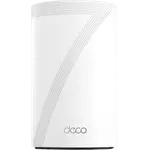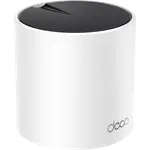
eero 7
Top Rated

eero 7

BE5000 Wi-Fi 7 with two 2.5 GbE ports, Thread, Matter and Zigbee, without a 6 GHz radio and with advanced features behind a subscription.

4.4
2,154 ratings

#3 of the 30 routers we track, by rating

$169.99
As an Amazon Associate I earn from qualifying purchases
Launch Year: 2025

Model: PA10111

Open selection
Price alerts

Router price drops, every week

We check the price of every Router in the catalog daily, and email you the drops.

Your subscription could not be saved. Please try again.
Your subscription has been successful.

Smart home deals and news, straight to your inbox

Price drops, new releases and the smart home news worth knowing.

No spam. Unsubscribe in one click.

Our review

eero 7 Review: Dual-Band Wi-Fi 7 Mesh That Doubles as a Smart Home Hub

The verdict

The eero 7 is Amazon's cheapest Wi-Fi 7 mesh node: dual-band BE5000, two auto-sensing 2.5 GbE ports, MLO, and a built-in Thread border router plus Matter and Zigbee controller. A single unit is rated for 2,000 square feet and 120 devices, and it joins every earlier eero generation. What it does not have is a 6 GHz radio, a web interface, USB storage or a VPN server, and content filtering, dynamic DNS and hotspot failover sit behind eero Plus. It is the set-and-forget pick when the internet plan is up to 2.5 Gbps and a separate smart home hub is something you would rather not buy.

Best for
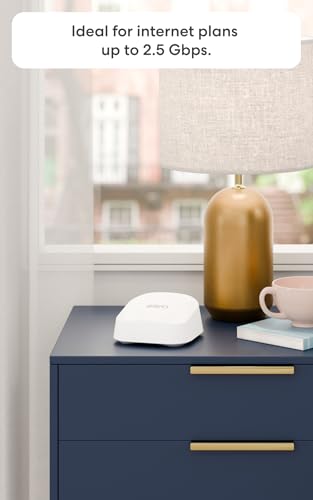
  • Internet plans up to 2.5 Gbps
  • Apartments and smaller homes
  • Thread and Matter smart homes
  • Set-and-forget buyers

Pros

  • Dual-band Wi-Fi 7 with MLO, rated BE5000, and up to 1.8 Gbps wireless
  • Two auto-sensing 2.5 GbE ports for internet plans up to 2.5 Gbps
  • Thread border router, Matter controller and Zigbee hub in the same box
  • Joins an existing eero mesh alongside every earlier generation
  • WPA3 encryption, a built-in firewall and a three-year warranty
  • Rated for 120 connected devices and 2,000 square feet per unit

Cons

  • No 6 GHz radio, so no Wi-Fi 6E band and no 320 MHz channels
  • Content filtering, dynamic DNS, the IoT network and backup failover all need a paid subscription
  • No web interface and no command line, so advanced tuning is limited to the app
  • No USB data port, so no network drive, Samba shares or Time Machine backups
  • No VPN client or server, and no link aggregation

Who is the eero 7 for?

This is the Wi-Fi 7 eero for a home whose internet plan is up to 2.5 Gbps and whose devices still live on 2.4 and 5 GHz. Dual-band BE5000 with Multi-Link Operation, two auto-sensing 2.5 GbE ports and a 120-device rating cover a typical apartment, condo or smaller house, and extra nodes extend the same TrueMesh network rather than replacing it.

It also runs the smart home side of the house. Thread border router, Matter controller and a Zigbee hub are built in, so locks, bulbs and sensors can commission without a separate bridge. Owners of older eero hardware are a natural audience, since an eero 7 drops into an existing mesh as a gateway or an extender.

What stands out on paper

Wi-Fi 7 without the 6 GHz tax is the pitch. BE5000 across 2.4 GHz (688 Mbps) and 5 GHz (4,324 Mbps, 240 MHz channels) plus MLO is the generation step; two 2.5 GbE auto-sensing ports mean the wired side can keep up with a 2.5 Gbps plan. Coverage is 2,000 square feet per unit, with a three-year warranty that matches the rest of the current eero Wi-Fi 7 line.

The software is the other half. TrueMesh, TrueRoam and TrueChannel steer clients and pick channels, WPA3 and a firewall are on by default, and profiles, scheduled pauses and instant pause live in the eero app for Android and iOS. Guest wifi is included. Setup is app-only, which is the point of the product rather than a missing page.

What to know before you buy

There is no 6 GHz radio, so there is no Wi-Fi 6E band and no 320 MHz channels. Compatible Wi-Fi 7 clients still get MLO on 2.4 and 5 GHz; anything that wanted a clean 6 GHz hop needs the Pro 7 or Max 7.

Control is limited. There is no web interface and no command line, the only USB connector is the 15 W charging inlet, and there is no VPN client or server. Content filtering, site blocking, dynamic DNS, a dedicated IoT SSID and hotspot failover all need a paid subscription. Profiles and pause controls do not.

Is the eero 7 worth it?

At the affordable Wi-Fi 7 tier, yes, if you are buying it for what it is. Dual-band Wi-Fi 7, multi-gig ports, a Thread and Matter hub and a three-year warranty is more than most mesh nodes at this level ship, and it mixes with every earlier eero. What you give up against the Pro 7 is the 6 GHz radio, faster Ethernet and a higher device rating.

What you give up against a configurable router is the tinkering, plus the recurring cost if you want filtering and failover. If the job is a faster, quieter network that also talks Thread and Matter, this is the eero that does it without a tri-band price.

Frequently asked questions

Does the eero 7 need a subscription?

No, the router works fully without one. Wi-Fi, the mesh, profiles, scheduled pauses, instant pause and the built-in firewall are all free. A paid subscription is only required for content filtering and site blocking, dynamic DNS, a separate IoT network and automatic failover to a backup hotspot.

Can the eero 7 act as a smart home hub?

Yes. It is a Thread border router and a Matter controller, and it includes a Zigbee hub, so Thread, Matter and Zigbee accessories can be commissioned into it instead of needing a separate bridge.

Does the eero 7 have a 6 GHz band?

No. It is dual-band Wi-Fi 7 on 2.4 GHz and 5 GHz only. There is no 6 GHz radio, so it is not a Wi-Fi 6E router. The eero Pro 7 and eero Max 7 add 6 GHz.

Does the eero 7 work with older eero units?

Yes. It is compatible with every previous eero generation and can join an existing eero network as a gateway or as an extender.

How fast is the eero 7?

It carries a BE5000 dual-band rating, roughly 5 Gbps aggregated across 2.4 GHz (688 Mbps) and 5 GHz (4,324 Mbps), and eero quotes up to 1.8 Gbps wireless and 2.3 Gbps wired. Its two auto-sensing 2.5 GbE ports support internet plans up to 2.5 Gbps.

Can you manage the eero 7 from a browser?

No. There is no web interface and no command line access. Setup and every network setting are handled through the eero app on Android or iOS.

At a glance

Summary

Everything this router supports, grouped by category.

Size & Materials
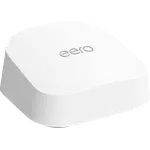
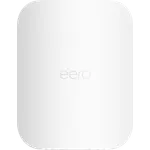
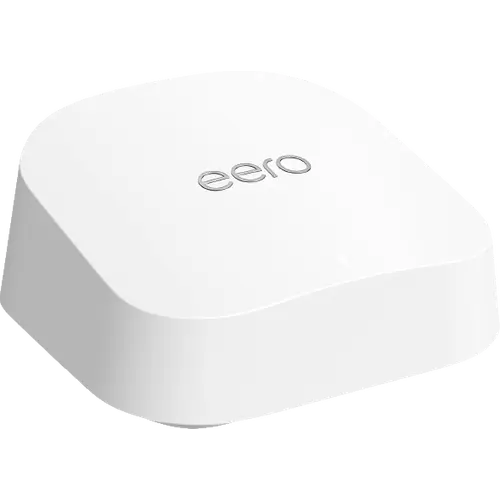
5.1 × 5.1 × 2.5 in (130 × 130 × 64 mm)1.3 lb (590 g)

Price History

Loading price history...

Price alerts

Waiting for a better price?

We check this price every day and email you when it drops, along with the rest of the week's deals.

Company
eero logo

eero

4.4/ 5 avg ratingUSA flagHeadquartered in USA

eero, an Amazon company, makes mesh wifi systems built around its TrueMesh, TrueRoam and TrueChannel software, with a Wi-Fi 7 lineup that spans the eero 7, Pro 7, Max 7 and Outdoor 7. Its routers double as smart home hubs, acting as Thread border routers and as Matter and Zigbee controllers, and they work with Alexa. Advanced security, ad blocking and parental controls are sold separately through the optional eero Plus subscription.

Full specifications

Every spec, organized

Browse the full breakdown by category. Tap the on any row for what it means, or the for sources and documentation.

Size & Materials
Dimensions

5.1 × 5.1 × 2.5 in (130 × 130 × 64 mm)

Weight

1.3 lb (590 g)

Power
Consumption

15W

Wi-Fi Generation
Wi-Fi 5 (802.11ac)

YES

Wi-Fi 6 (802.11ax)

YES

Wi-Fi 6E (802.11ax)

NO

Wi-Fi 7 (802.11be)

YES

Wi-Fi Bands
2.4 GHz

1

2.4 GHz Speed

688 Mbps

5 GHz

1

5 GHz Speed

4324 Mbps

6 GHz

0

6 GHz Speed

-

Wi-Fi Antennas
Internal Antennas

?

External Antennas

0

Antennas Gain

-

Wi-Fi Features
Max Wi-Fi Speed

5 Gbps

eero rates the eero 7 at BE5000 across its two bands; the highest wireless throughput eero quotes is 1.8 Gbps.

Guest Network

YES

IoT Network

Subscription required

A dedicated IoT SSID is an eero Business feature. Profiles, guest wifi and the rest of the eero 7 network work without it.

Mesh Wi-Fi

YES

Mesh Standard

Proprietary

WPA3 Encryption

YES

Access Point Mode

YES

eero calls it bridge mode: the eero network keeps serving wifi while an existing router handles routing.

Network Ports
Total Ports

2

WAN Port Count

2

WAN 1 Gbps RJ45 Ports

0

WAN 2.5 Gbps RJ45 Ports

2

WAN 10 Gbps RJ45 Ports

0

WAN 1 Gbps SFP Ports

0

WAN 10 Gbps SFP+ Ports

0

LAN Port Count

2

LAN 1 Gbps RJ45 Ports

0

LAN 2.5 Gbps RJ45 Ports

2

LAN 10 Gbps RJ45 Ports

0

LAN 1 Gbps SFP Ports

0

LAN 10 Gbps SFP+ Ports

0

LAN Link Aggregation

NO

Cellular Connectivity
Cellular Technology

-

Max Download Speed

-

Max Upload Speed

-

SIM Card Support

-

External LTE Antennas

0

Antennas Gain

-

SMS Send / Receive

NO

WAN & Failover
Multi-WAN

NO

WAN Failover

Subscription required

eero Hotspot Backup fails the network over to a saved hotspot or nearby network when the wired line drops. It is an eero Plus feature.

Cellular Backup

NO

The router has no cellular modem or SIM slot. Hotspot Backup reaches a phone hotspot over wifi, not over its own cellular radio.

USB Ports
USB 2.0 Ports

0

USB 3.0 Ports

0

USB Storage
FTP

NO

Samba

NO

Time Machine

NO

Media Sharing

NO

Smart Home Protocols
Thread Border Router

YES

eero states that eero 7 can act as a Thread border router and carry a built-in Zigbee smart home hub.

Matter Controller

YES

eero supports Matter as a controller only, and lists eero 7 among the models that do.

Parental Controls
Wi-Fi Pause Schedules

YES

Instant Wi-Fi Pause

YES

Block Content

Subscription required

Profiles, schedules and instant pause are free in the eero app; content filters and site blocking need eero Plus.

VPN
VPN Client

NO

VPN Server

NO

OpenVPN

NO

PPTP VPN

NO

L2TP/IPSec VPN

NO

WireGuard VPN

NO

DDNS

Subscription required

eero lists Dynamic DNS among its advanced features and states it requires an eero Plus subscription.

Management
Web Interface

NO

Setup and every network setting live in the eero app for Android and iOS; eero publishes no browser console.

Android App

YES

iOS App

YES

Command Line (CLI)

NO

SNMP Monitoring

NO

Features
Max Connected Devices

120

Speed Tests

YES

MLO (Multi-Link Operation)

YES

Quality of Service

YES

Smart Queue Management (SQM), toggled in the eero app, manages how traffic is queued to cut latency on calls and gaming.

Firewall

YES

New Connection Notifications

YES

Configuration Backup / Restore

NO

On sale now

23 other Routers on sale

View all
Full comparison table

Compare the eero 7 with the other 39 Routers

All Routers in the catalog in one table: filter by what you need, sort by price or rating, and see exactly where this one lands.

  • 39 other Routers
  • 82 specs compared
  • 76 filters
Open the full comparison
Head to head

eero 7 vs the competition

View all
eero

More from eero

View all