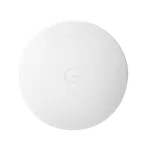


Google Nest WiFi Pro Review: Fast Wi-Fi 6E Mesh That Trades Ports for Simplicity
The Nest WiFi Pro is a Wi-Fi 6E mesh system built for buyers already living in the Google ecosystem who want strong whole-home coverage without managing a traditional router's settings. Owners consistently report fast, stable speeds on the uncrowded 6GHz band and coverage that eliminates dead zones compared to older mesh setups, plus smooth pairing with Nest cameras and the Google Home app. The trade-offs are a minimalist hardware set, just one LAN port and no USB, and a setup process that a notable share of reviewers found finicky or outright failed on the first try. It is a strong pick for coverage and ecosystem simplicity, less so for buyers who want extensive wired ports or advanced router controls.
- Households already using Google Home and Nest devices
- Buyers wanting wide mesh coverage over multiple rooms or floors
- Streaming and gaming on the uncrowded 6GHz band
- Simplicity-first buyers who don't need advanced router settings
Pros
- Fast, stable coverage on the uncrowded 6GHz Wi-Fi 6E band
- Effective at eliminating dead zones in larger or multi-story homes
- Smooth integration with Google Home and Nest devices
- Built-in Thread border router for smart home devices
- Guest network and WPA3 encryption included
- Simple, app-based management for non-technical users
Cons
- Initial setup and pairing can be finicky for some buyers
- Only one 1 Gbps WAN port and one 1 Gbps LAN port, no USB ports
- No firewall feature or VPN client/server support
- No Wi-Fi 7 or MLO support
- Some reviewers consider it pricey relative to its hardware
Who is the Google Nest WiFi Pro for?
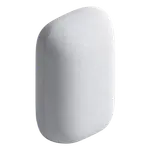
The Nest WiFi Pro is a Wi-Fi 6E mesh point supporting the 2.4GHz, 5GHz and 6GHz bands with a rated max Wi-Fi speed of 5.4 Gbps, guest network, WPA3 encryption and a built-in Thread border router for smart home devices. It is aimed at buyers who want dependable whole-home coverage and app-based management rather than granular router configuration, especially those already using Google Home, Nest cameras or other Thread and Matter devices.
What buyers love
The most consistent praise is coverage and speed: owners moving from older mesh systems or single routers repeatedly describe eliminating dead zones and getting fast, stable streaming and gaming performance on the 6GHz band. Several reviews highlight smooth integration with other Google Nest devices and cameras, and many describe setup through the Google Home app as quick once the network is configured correctly. Reliability over time is another recurring theme, with some owners running it for years without issues.
What to know before you buy
The clearest recurring complaint is initial setup: several reviewers describe a finicky pairing process between the router and additional points, repeated error messages, or needing extended troubleshooting to get the mesh online, a real minority-but-notable pain point worth planning around. The spec sheet also confirms a genuinely minimalist port selection, just one 1 Gbps WAN port and one 1 Gbps LAN port with no USB ports at all, which matches reviewer complaints about limited wired connectivity. It also lacks a firewall feature and VPN client/server support, and does not support Wi-Fi 7 or MLO. A few reviewers also felt it was priced high relative to the hardware included.
Is the Google Nest WiFi Pro worth it?
For households centered on the Google ecosystem, the coverage, speed and Thread border router support make it a strong whole-home Wi-Fi 6E option, especially where dead zones have been a problem. Buyers who need multiple wired ports, USB storage sharing, or built-in VPN and firewall controls should look elsewhere, but as an easy, reliable mesh upgrade it delivers what most reviewers came for.
Frequently asked questions
Is the Google Nest WiFi Pro a mesh system?
Yes, it supports mesh Wi-Fi across the 2.4GHz, 5GHz and 6GHz bands with Wi-Fi 6E, and is designed to be paired with additional points for whole-home coverage.
How many ports does it have?
It has a minimalist port layout: one 1 Gbps WAN port and one 1 Gbps LAN port, with no USB ports for external storage.
Does it work as a Thread border router for smart home devices?
Yes, it includes a built-in Thread border router, useful for connecting Thread-based smart home devices like some Nest and Matter products.
Does it support a VPN or firewall?
No, it does not include a VPN client or server, OpenVPN, WireGuard or L2TP/IPSec support, and it does not have a dedicated firewall feature.
Is setup difficult?
Most reviewers find setup through the Google Home app straightforward, though a notable number report a finicky pairing process or needing extended troubleshooting to get the mesh fully online.
Does it support Wi-Fi 7?
No, it supports Wi-Fi 5, Wi-Fi 6 and Wi-Fi 6E, but not Wi-Fi 7 or Multi-Link Operation (MLO).