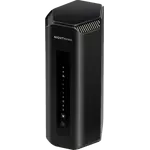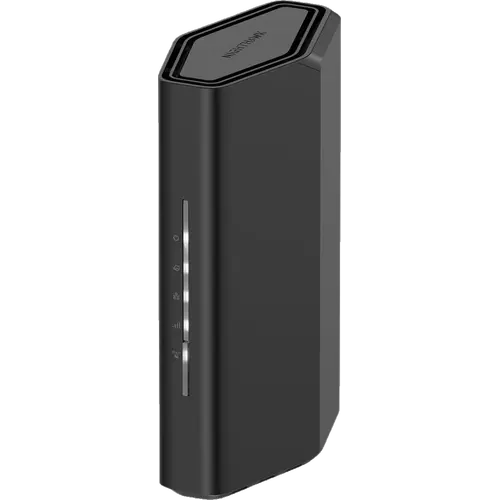

NETGEAR Nighthawk RS90 Review: An Entry Ticket to Wi-Fi 7 With a 2.5 Gig Internet Port
The NETGEAR Nighthawk RS90 is a compact dual-band Wi-Fi 7 router for homes that want one box to replace an ISP router or an older Wi-Fi 5 model. Owners who live in apartments or mid-size homes mostly praise the quick app setup, the jump in speed over their old router and the easy day-to-day control, and it pairs up to 3.6 Gbps of combined wireless speed with a 2.5 Gbps internet port, four Gigabit LAN ports, WPA3, separate guest and IoT networks and a VPN server. The recurring complaints are an account-gated setup that goes badly for some, connections that drop for a minority, and coverage that falls short of the rated area in 1,300 to 1,600 sq ft homes. There is no 6 GHz band, no multi-link operation, no mesh expansion and no USB port.
- Apartments and mid-size homes
- Replacing an ISP router or an older Wi-Fi 5 model
- Multi-gig internet plans
- Budget Wi-Fi 7 buyers
- Separating smart home devices on an IoT network
Pros
- Fast, guided app setup that most owners finish in minutes
- Clear speed upgrade over an ISP router, mesh pair or older router
- Dual-band Wi-Fi 7 rated up to 3.6 Gbps combined
- 2.5 Gbps internet port for multi-gig plans
- Separate IoT and guest networks, which older printers and speakers joined
- WPA3 encryption, a built-in firewall, a VPN server and Dynamic DNS
- Parental controls with schedules, instant pause and content blocking
- Compact 380 g body with internal antennas
Cons
- Setup is frustrating for some, with an account required and a QR code that failed for a few
- A minority report dropped connections and devices needing a reboot
- Coverage fell short of the rated area in some 1,300 to 1,600 sq ft homes
- The app promotes a paid security subscription
- Support is slow to reach for some owners
- No 6 GHz band, no MLO and no mesh support
- All four LAN ports are Gigabit and there is no USB port
- Not a modem, and not a Thread border router or Matter controller
Who is the NETGEAR Nighthawk RS90 for?
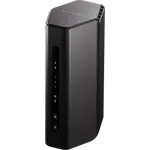
It fits a household that wants a single, modern router and does not plan to grow into a mesh system. At 184 x 66 x 122 mm and 380 g with two internal antennas and nothing sticking out, it sits easily on a shelf, and its rating of up to 50 connected devices covers a typical mix of phones, laptops, TVs, consoles and smart home gear. Owners describe swapping it in for an ISP router, a Google mesh pair, an older Nighthawk or a small office router, and the 2.5 Gbps internet port matters most for anyone on a cable or fibre plan faster than 1 Gbps. It is a router, not a modem, so it needs a separate modem or gateway in front of it: one buyer expected a coax port and found it could only be used behind another device.
What owners like about the NETGEAR Nighthawk RS90
Setup through the Nighthawk app is the most repeated praise, with many owners saying it walked them through the install step by step and had them online in about 10 to 15 minutes, even when replacing a router that already had many devices attached. The next theme is speed and responsiveness: owners on 1 gig and 2 gig plans report a clear upgrade over a mesh pair or an ISP router, gamers describe the lag on their console disappearing, and small offices report steady speeds with several people connected. Apartment dwellers find the coverage more than adequate, and a few mention that older printers and speakers that other routers rejected joined it, including through the guest network. The app is called user-friendly, and the internal firewall and VPN configuration earned praise from one owner. It is also considered inexpensive for a Wi-Fi 7 router.
What to know before you buy
The complaints cluster in three places. First, setup and software: some owners found the app flow frustrating, saying it demands a NETGEAR account before it lets them manage the router, that a QR code led to a dead page, or that they needed a hard-wired computer or a support call to finish, and a few say the app pushes a free trial of a paid security subscription. One owner reported speeds capped far below their plan until the security features were removed. Second, stability: a minority report connections that drop, devices that get an invalid password message until a reboot, iPhones that will not join the guest network, or a router that needed frequent resets, and a few units stopped working within weeks or months. Third, range: several owners with 1,300 to 1,600 sq ft homes found weaker signal than their old router, despite the 2,000 sq ft rating. Support is another sore point, with long holds and automated replies mentioned. On the spec side there is no 6 GHz band, no MLO, no mesh expansion, all four LAN ports are Gigabit, there is no USB port, and it is not a Thread border router or Matter controller.
Is the NETGEAR Nighthawk RS90 worth it?
As an affordable step onto Wi-Fi 7 it makes sense: a 2.5 Gbps WAN port, WPA3, an IoT network, parental controls and a VPN server cover what most apartments and mid-size homes need from one router, and most owners rate the result highly. Expect a smooth install if you use the app and create the account, and budget time for support if something goes wrong. Buyers with a large or multi-storey home, many simultaneous heavy users, or Wi-Fi 7 devices that could use 6 GHz and MLO will get more from a tri-band model or a mesh system, and anyone who wants multi-gig wired speeds between devices needs a router with 2.5 Gbps LAN ports.
Frequently asked questions
Does the NETGEAR Nighthawk RS90 have a 6 GHz band?
No. It is a dual-band Wi-Fi 7 router with one 2.4 GHz and one 5 GHz radio. It also does not support MLO, the Wi-Fi 7 feature that combines bands for a single device.
How fast is the Nighthawk RS90?
It is rated at up to 3.6 Gbps of combined wireless speed (BE3600) across its two bands. Its internet port runs at 2.5 Gbps, so it can pass through internet plans faster than 1 Gbps, and owners on 1 gig and 2 gig plans report a clear upgrade over their old gear.
Does it replace a modem?
No. The RS90 has a 2.5 Gbps WAN port and four Gigabit LAN ports but no coax or built-in modem, so it needs a modem or an ISP gateway in front of it.
Is it easy to set up?
For most owners, yes: the Nighthawk app guides the install in about 10 to 15 minutes. Some found the account requirement and the QR code step frustrating, and a few needed a wired computer or a support call to finish.
Can I add mesh satellites to the RS90?
No. It supports no mesh standard, so it works as a single router. It can, however, run in access point mode behind another router.
Does it have a separate network for smart home devices?
Yes. It can run a dedicated IoT network alongside the main and guest networks, which keeps smart home devices apart from computers and phones. It is not a Thread border router or a Matter controller.
How many devices can it handle?
NETGEAR rates it for up to 50 connected devices, which covers a typical apartment or mid-size home.