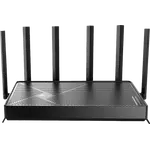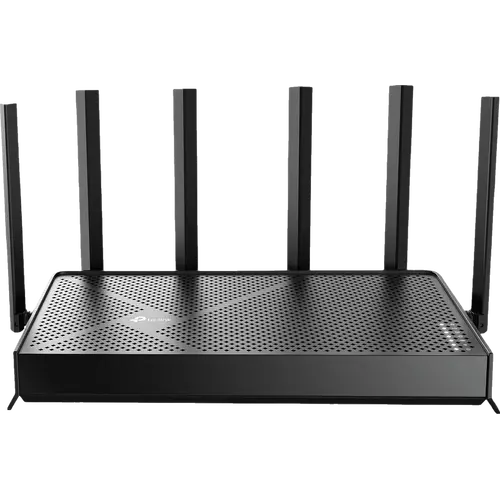


TP-Link Archer BE400 Review: The Dual-Band Wi-Fi 7 Router That Finally Uses Your Whole Plan
The Archer BE400 is aimed squarely at people replacing an ISP gateway who want to actually use the internet plan they pay for. It is dual-band rather than tri-band, so there is no 6 GHz channel, yet owners on gigabit fibre consistently report pulling 800 Mbps to over 1 Gbps over the air, helped by a 2.5 Gbps WAN and a 2.5 Gbps LAN port that remove the usual gigabit ceiling. Setup through the Tether app takes minutes, and behind it sits a deep web interface with OpenVPN and WireGuard servers, a separate IoT network and EasyMesh support. The recurring caveat is reach: six external antennas handle an open or medium home well, but brick, concrete and multi-floor layouts usually want a second EasyMesh node.
- Gigabit fibre plans
- Replacing an ISP router
- Medium-sized homes
- EasyMesh expansion
- Budget Wi-Fi 7 upgrades
Pros
- One 2.5 Gbps WAN port and one 2.5 Gbps LAN port, so a multi-gig plan is not capped at the router
- Dual-band Wi-Fi 7 with Multi-Link Operation, 4K-QAM and a 5764 Mbps 5 GHz band
- Owners on gigabit plans regularly report saturating the connection over Wi-Fi
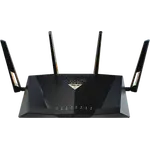
- Six external antennas with Beamforming
- Quick setup in the Tether app, with a deep web interface for manual tuning
- EasyMesh compatible, so a TP-Link extender or second router expands it later
- Full VPN suite as server and client: OpenVPN, WireGuard, PPTP and L2TP
- Separate guest network and dedicated IoT network, with WPA3 encryption
- USB 3.0 port with Samba, FTP and media sharing
- Access point mode for running behind an existing ISP router
- Rated for up to 90 connected devices
- Configuration backup and restore, and a 2-year warranty
Cons
- Dual-band only, with no 6 GHz band and no Wi-Fi 6E support
- Coverage thins out in brick, concrete or multi-floor homes, where a second EasyMesh node is usually needed
- A minority of owners report firmware quirks and devices dropping off the network
- USB file sharing over SMB does not work with every client
- In a mesh, the IoT and guest networks run on the main unit only
- Advanced HomeShield security and parental control features need a paid subscription
- Three of the four LAN ports are gigabit, and there is no link aggregation
- No 10 Gbps or SFP ports
- No Thread border router or Matter controller role for smart home devices
- No built-in speed test and no alerts when a new device joins
Who is the TP-Link Archer BE400 for?
This is the entry rung of TP-Link Wi-Fi 7 that still takes the wired side seriously. It is rated BE6500 across two bands, 5764 Mbps on 5 GHz and 688 Mbps on 2.4 GHz, with Multi-Link Operation so a Wi-Fi 7 client can use both at once, and it keeps working with Wi-Fi 5 and Wi-Fi 6 devices. The port layout is what separates it from cheaper routers: one 2.5 Gbps WAN port and one 2.5 Gbps LAN port alongside three gigabit LAN ports, so a multi-gig plan is not throttled at the front door and one fast wired device can be fed properly. It suits a household on a gigabit connection that has outgrown the box the provider supplied, and it is rated for up to 90 connected devices, which covers a normal home full of phones, TVs, consoles and sensors. Anyone who wants a 6 GHz band, several multi-gig LAN ports or 10 Gbps wired networking is shopping a tier up.
What buyers love
Two themes dominate. The first is the jump in real speed: owners on gigabit fibre repeatedly describe going from a few hundred megabits on their provider gateway to 800 Mbps or more over Wi-Fi, and several report saturating the plan in both directions. The second is how little effort it takes. The Tether app walkthrough has people online in ten to thirty minutes, and the ones who prefer a browser find a web interface with far more settings than they expected at this tier, in their own language. Coverage draws praise as often as it draws complaints, with owners of apartments, townhomes and open single-storey houses reporting strong signal end to end where an older router or an ISP box could not manage it. Beyond that, people single out the automatic band steering that hides the 2.4 GHz and 5 GHz split behind one network name, the separate IoT network that finally gave their cameras and sensors somewhere of their own to live, and the built-in VPN server, which several call unusual on a router this affordable. EasyMesh gets its own following: pairing it with a TP-Link extender or an older Archer is the fix most large-home owners describe, and they describe it working.
What to know before you buy
The most consistent criticism is range in difficult buildings. In old brick, wire-mesh plaster or thick concrete, and in tall or spread-out houses, owners report the signal thinning out well before the walls do, and a handful rate it poorly on that basis alone. The answer is almost always a second EasyMesh node rather than a different router, but it is a cost to budget for. A smaller group runs into software rather than physics: devices dropping off the network, or firmware behaviour they describe as buggy, with support that did not satisfy them. Two specific limitations come up from people who bought it for a job it does not quite do. USB file sharing over SMB is not universally compatible, and at least one owner had to fall back to FTP to reach the drive from a Chromebook. And in a mesh, the IoT and guest networks live on the main unit only, so devices connected through a satellite do not get them. Then there is the band question: this is a dual-band router, so there is no 6 GHz spectrum and no Wi-Fi 6E, which several owners flag up front as the trade-off they knowingly accepted. Finally, HomeShield ships with its basic tier included and keeps the advanced security and parental-control tools behind a paid subscription.
Is the TP-Link Archer BE400 worth it?
For a medium-sized home on a fast connection, it is one of the easier recommendations in the category. It delivers the two things that change day-to-day performance, a 2.5 Gbps WAN port and a fast 5 GHz band with MLO, and surrounds them with software that routers twice the price often gate or omit: guest and IoT networks, WPA3, QoS, an SPI firewall, a VPN server and client covering OpenVPN, WireGuard, PPTP and L2TP, USB 3.0 sharing with Samba, FTP and media streaming, HomeShield parental controls, access point mode, configuration backup and restore, and a 2-year warranty. What it does not stretch to is spectrum and wired headroom: no 6 GHz, no link aggregation, and three of the four LAN ports are plain gigabit. Buy it as the fast, well-equipped core of a normal home network, and plan the mesh node in from the start if the house is large or solidly built.
Frequently asked questions
Does the TP-Link Archer BE400 have a 6 GHz band?
No. It is a dual-band BE6500 router, rated 5764 Mbps on 5 GHz and 688 Mbps on 2.4 GHz. It runs 802.11be with Multi-Link Operation and 4K-QAM across those two bands, but it has no 6 GHz radio, so it does not support Wi-Fi 6E.
How fast are the Ethernet ports on the Archer BE400?
There are five in total: one 2.5 Gbps WAN port, one 2.5 Gbps LAN port and three 1 Gbps LAN ports. There is no link aggregation and no 10 Gbps or SFP option, so 2.5 Gbps is the wired ceiling on the two fast ports.
Will one Archer BE400 cover a whole house?
It is rated for up to 90 connected devices and its six external antennas with Beamforming cover apartments and open or medium single-storey homes well, which matches most owner reports. In larger houses, or ones with brick, concrete or wire-mesh walls, coverage consistently thins out and the usual fix is adding a second EasyMesh node.
Does the Archer BE400 support a VPN?
Yes, in both directions. It runs as a VPN server and as a VPN client, and supports OpenVPN, WireGuard, PPTP and L2TP, plus DDNS so the server can be reached from outside.
Can it be used in a mesh network or as an access point?
Yes. It is EasyMesh compatible, so it pairs with EasyMesh routers and range extenders for whole-home coverage under one network name, and it also has a dedicated access point mode for running behind an existing ISP router. One caveat: the IoT and guest networks only run on the main unit.
Does it work as a Matter hub or a Thread border router?
No. The Archer BE400 has no Matter controller or Thread border router role, so smart home devices on those protocols still need their own hub. It does provide a separate IoT network to keep those devices on their own SSID, which is what most owners use it for.