

TP-Link Archer BE550 Review: Full 2.5G Wi-Fi 7 Without the Flagship Price
The Archer BE550 is a tri-band Wi-Fi 7 router for people who want multi-gig wired networking and a fast 6 GHz band without paying flagship money. All five of its Ethernet ports run at 2.5 Gbps, and owners with Wi-Fi 7 clients regularly report saturating gigabit and multi-gigabit plans over the air, sometimes matching what they get on a cable. The recurring trade-off is reach: the six antennas are internal, and in larger or thick-walled homes the signal falls away after a room or two, so budget for a second EasyMesh node if you need whole-house coverage. As a wired-first router for a medium-sized home, it is one of the better value picks in the category.
- Gigabit and multi-gig internet plans
- Wired setups with a NAS or 2.5G switches
- Medium-sized homes
- EasyMesh expansion
- Value-focused Wi-Fi 7 buyers
Pros
- Five 2.5 Gbps Ethernet ports, one WAN and four LAN, so every wired drop is multi-gig
- Tri-band Wi-Fi 7 with a fast 6 GHz band and Multi-Link Operation (MLO)
- Owners on gigabit and multi-gig plans regularly report hitting their full speed over Wi-Fi
- Quick setup in the Tether app, with a deep web interface for advanced tuning
- EasyMesh compatible, so a second node or extender expands it later
- Full VPN suite as server and client: OpenVPN, WireGuard, PPTP and L2TP
- USB 3.0 sharing with Samba, FTP, media streaming and Time Machine backups
- Guest network, separate IoT network and WPA3 encryption
- Link aggregation and configuration backup and restore
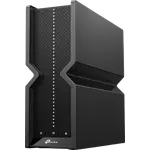
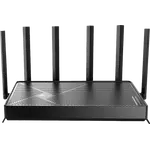
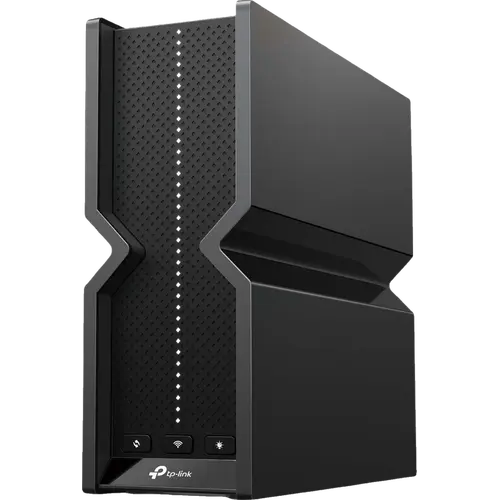
- Enclosed design with internal antennas and no aerials to break
- 2-year warranty
Cons
- Coverage from a single unit drops off after a room or two, fastest on 6 GHz
- Internal antennas give less reach than older models with external high-gain aerials
- A minority of owners report devices dropping off and a router needing regular restarts
- Roaming can keep devices pinned to the main node instead of the mesh satellite
- Advanced HomeShield security features need a paid subscription
- Wired speed caps at 2.5 Gbps, with no 10 Gbps or SFP+ ports
- No Thread border router or Matter controller role for smart home devices
- No built-in speed test in the router itself
Who is the TP-Link Archer BE550 for?
This is the mid-range rung of TP-Link's Wi-Fi 7 line, and its defining spec is the port layout: one 2.5 Gbps WAN and four 2.5 Gbps LAN ports, so there is no slow port to accidentally plug the NAS into. Wireless is tri-band, rated BE9300 with 5760 Mbps on 6 GHz, 2880 Mbps on 5 GHz and 574 Mbps on 2.4 GHz, and it supports Multi-Link Operation so a Wi-Fi 7 client can use several bands at once. It suits a household on a gigabit or multi-gig plan that wires its heaviest devices and wants the 6 GHz band for the phones and laptops that can reach it. Buyers who need 10 Gbps ports or a screen on the front are looking at the step-up models instead.
What buyers love
Speed is the theme that comes back most often. Owners on gigabit and faster plans repeatedly report pulling their full subscribed rate over Wi-Fi with a recent phone or laptop, and several describe wireless numbers they had only previously seen on Ethernet. The wired side draws just as much praise from people running a NAS or 2.5G switches, who bought it precisely because every port is multi-gig rather than one token fast socket. Setup is the second recurring compliment: the Tether app walk-through has people online within minutes, while the web interface is described as unusually deep for a consumer router, with enough settings to satisfy people coming from enthusiast firmware. The enclosed case with hidden antennas gets its own small fan club, both for looking like something you can leave on a shelf and for having no external aerials to snap off. Several long-term owners report months of uptime without a reboot.
What to know before you buy
The most consistent criticism is coverage from a single unit. Those six antennas are internal, and owners moving from older models with external high-gain aerials often report the signal dropping off sharply one or two rooms away, with the 6 GHz band fading fastest, which is normal for that frequency. In thick-walled or multi-floor homes the common fix is a second EasyMesh node, and people who did that describe strong signal throughout. A minority run into stability problems rather than range ones: devices dropping off the network, a router that needs restarting more than once a week, or a mesh that misbehaves after the configuration is changed. Roaming is the related complaint, with devices staying pinned to the main node instead of handing over to the satellite. Some early firmware faults were reported and later fixed, so check for an update before judging the unit. Finally, the advanced HomeShield security and parental-control tools sit behind a paid subscription, with only the basic tier included, which several owners contrast unfavourably with rivals that bundle everything.
Is the TP-Link Archer BE550 worth it?
For a mid-sized home on a fast connection, yes. It delivers the two things that actually change day-to-day performance, a full set of 2.5 Gbps wired ports and a fast 6 GHz band with MLO, at a price well under the flagship tier, and it backs them with a complete software kit: guest and IoT networks, WPA3, QoS, a VPN server and client covering OpenVPN, WireGuard, PPTP and L2TP, USB 3.0 sharing with Samba, FTP, media streaming and Time Machine, link aggregation, configuration backup and a 2-year warranty. Where it does not stretch is physical reach and headroom: coverage tops out around a couple of thousand square feet before a second node earns its place, and the wired ceiling is 2.5 Gbps with no 10 Gbps or SFP+ option. Buy it as the fast core of a wired home network, and plan the mesh node in from the start if your house is large or solidly built.
Frequently asked questions
Does the TP-Link Archer BE550 support Wi-Fi 7?
Yes. It is a tri-band BE9300 router running 802.11be across 2.4 GHz, 5 GHz and 6 GHz, with Multi-Link Operation, 320 MHz channels and 4K-QAM, and it stays backward compatible with Wi-Fi 5, 6 and 6E clients.
How fast are the Ethernet ports?
All five run at 2.5 Gbps: one 2.5 Gbps WAN port and four 2.5 Gbps LAN ports, plus link aggregation to bond two of them. There are no 10 Gbps or SFP+ ports, so 2.5 Gbps is the wired ceiling.
Will one Archer BE550 cover a whole house?
It is rated for roughly 2,000 square feet, and that matches most reports for open or medium-sized homes. In larger houses, or ones with thick masonry walls, owners consistently find that coverage thins out after a room or two and add a second EasyMesh node to fix it.
Does it support a VPN?
Yes, both directions. It runs as a VPN server and as a VPN client, and supports OpenVPN, WireGuard, PPTP and L2TP.
Can it be used as a mesh system or an access point?
Yes. It is EasyMesh compatible, so it can pair with other EasyMesh routers and extenders for whole-home coverage, and it also has a dedicated access point mode for running behind an existing ISP router.
Does it work as a Thread border router or a Matter hub?
No. It has no Thread border router or Matter controller role, so smart home devices on those protocols still need their own hub. It does offer a separate IoT network to keep those devices on their own SSID.