

TP-Link Archer BE900 Review: A Wi-Fi 7 Powerhouse for Multi-Gig Homes
The Archer BE900 is a flagship Wi-Fi 7 router aimed at households with fast internet plans, many connected devices, and multi-story homes that have outgrown an older mesh system. Owners consistently praise its coverage, multi-gig wired ports and simple app-based setup, while a vocal minority report random disconnects or a reboot cycle that can persist even after a factory reset. It suits buyers who want cutting-edge Wi-Fi speed and enough 10 Gbps ports to future-proof a home network and are comfortable with an app-first, somewhat locked-down configuration style, more than buyers who need deep manual routing control or a completely trouble-free track record.
- Multi-gig internet subscribers
- Large or multi-story homes
- Smart home households wanting a separate IoT network
- Anyone replacing an aging multi-node mesh system
Pros
- Wi-Fi 7 speeds with MLO and a dedicated 6 GHz band for lower latency
- Wide coverage that reviewers say reaches dead zones in larger, multi-story homes
- Rich wired backhaul with multiple 10 Gbps ports plus a 10 Gbps SFP+ port
- Simple, guided app setup for both Android and iOS
- Dedicated IoT network to isolate smart home devices from the main network
Cons
- Some owners report intermittent disconnects or a reboot cycle
- No CLI or SNMP support, limiting deep configuration for advanced users
- No built-in speed-test tool
- MLO's multi-band linking reportedly does not extend to mesh satellite nodes
- No multi-WAN or cellular failover for connection redundancy
Who is the TP-Link Archer BE900 for?
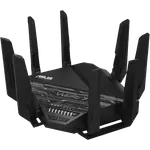
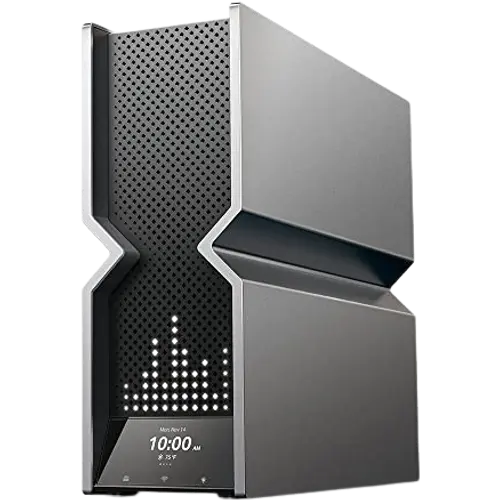
The BE900 is a tri-band Wi-Fi 7 (802.11be) router that also supports Wi-Fi 6E, Wi-Fi 6 and Wi-Fi 5 devices, with a dedicated 6 GHz radio and MLO (Multi-Link Operation) that lets compatible clients use multiple bands at once for lower latency. Twelve internal antennas and support for well over 200 connected devices make it a fit for larger or multi-story homes, and its wired side is built for enthusiasts: 8 total ports including a 10 Gbps SFP+ port and several 10 Gbps and 2.5 Gbps RJ45 ports, with LAN link aggregation. Reviewers who use it to bypass an ISP-supplied gateway and feed a multi-gig switch, and households that replaced a tired three-node mesh kit with this single router, both report a meaningful step up.
What buyers love
The most common praise is how easy setup is through the Android or iOS app, which walks through the main network, guest network and basic security in a few minutes. Reviewers repeatedly mention Wi-Fi speeds that rival a wired connection, coverage that reaches previously weak spots in bigger homes, and enough capacity to keep dozens of devices, from streaming TVs to smart home gadgets, connected without slowdown. The dedicated IoT network is another recurring favorite: it keeps smart bulbs, cameras and other lower-security devices on a separate SSID from laptops and phones, which several owners specifically call out as a useful layer of protection.
What to know before you buy
A share of owners describe intermittent disconnects or a reboot cycle that can persist even after multiple factory resets, a real reliability concern worth weighing against the otherwise strong average. The app-first management style is friendly for most households but limits power users: there is no command-line interface or SNMP monitoring, and no built-in speed-test tool, so checking throughput requires a separate app. Buyers building a mesh network with EasyMesh or OneMesh should also know that MLO's simultaneous multi-band linking is reported to work on the main router but not extend to satellite nodes, so a multi-unit setup does not fully replicate the flagship feature in every room. There is also no multi-WAN, WAN failover or cellular backup, so a dual-internet failover setup is not available out of the box.
Is the TP-Link Archer BE900 worth it?
The BE900 sits at a premium price point among consumer routers, but owners who put its full capability to use feel it undercuts pricier prosumer gear while still delivering multi-gig wired ports, an SFP+ port and flagship Wi-Fi 7 speeds. For a household with a fast internet plan, a large number of devices and a bigger footprint to cover, the combination of speed, port count and coverage makes it a worthwhile upgrade over ISP-supplied equipment or an aging mesh system, as long as buyers go in aware of the occasional stability complaints and the app-centric rather than deep CLI-level management.
Frequently asked questions
Does the TP-Link Archer BE900 support Wi-Fi 7?
Yes. It supports Wi-Fi 7 (802.11be) along with backward compatibility for Wi-Fi 6E, Wi-Fi 6 and Wi-Fi 5, and includes MLO so compatible devices can use multiple bands at the same time for lower latency.
How many wired ports does the Archer BE900 have?
It has 8 total network ports, including a 10 Gbps SFP+ port, multiple 10 Gbps RJ45 ports, several 2.5 Gbps RJ45 ports and a standard Gigabit port, plus LAN link aggregation support.
Can I use the Archer BE900 in a mesh setup?
Yes, it supports both EasyMesh and TP-Link's OneMesh standards for combining multiple units into one network, though some owners note that MLO's simultaneous multi-band linking is limited to the main router and does not fully extend to satellite nodes.
Does it have a dedicated network for smart home devices?
Yes, it offers a separate IoT network to keep smart home devices isolated from your main Wi-Fi network, a feature several reviewers specifically call out as useful.
Does the Archer BE900 support VPN or advanced networking features?
Yes, it includes both VPN client and server functionality with OpenVPN, PPTP, L2TP/IPSec and WireGuard support, along with DDNS, QoS and a firewall, though it lacks a command-line interface or SNMP monitoring for advanced management.
Is the Archer BE900 reliable?
Most owners report strong, stable performance and are highly satisfied, but a portion describe intermittent disconnects or a reboot cycle, so it is worth being aware of before buying, especially if you rely on a rock-solid connection for work.