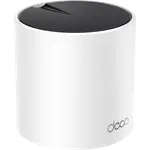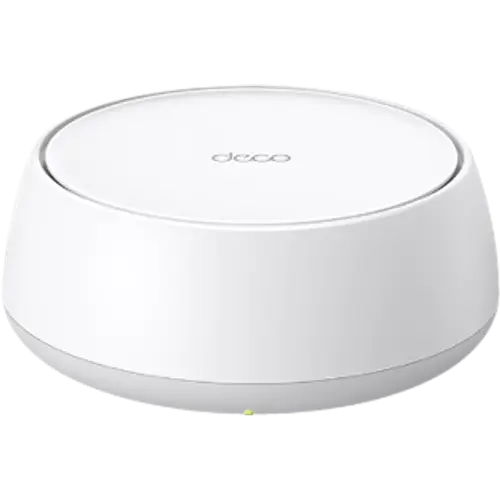


TP-Link Deco BE23 Review: Affordable Wi-Fi 7 Mesh, Without the 6 GHz Band
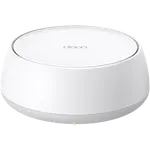
The Deco BE23 is the affordable entry point to Wi-Fi 7 mesh: dual-band rather than tri-band, rated 3.6 Gbps combined, with MLO, WPA3 and two 2.5 GbE ports on each unit that can be used for wired backhaul. Dropping the 6 GHz band is exactly how the price falls, and for most homes that band is not the bottleneck anyway, since few devices support it and its range is short. What you keep is the useful part of Wi-Fi 7, wider channels and multi-link operation, plus 2.5 GbE wired networking, VPN client and server, parental controls and a two year warranty. It supports up to 150 devices.
- Large homes on a budget
- Wired backhaul mesh setups
- Replacing an ageing Wi-Fi 5 mesh
- Households with many devices
Pros
- Affordable entry into Wi-Fi 7 mesh
- MLO and WPA3 support
- Two 2.5 GbE ports per unit, usable for wired backhaul
- Handles up to 150 connected devices
- Guest and IoT networks for isolating smart home gear
- VPN client and server with OpenVPN and L2TP/IPsec, plus DDNS
- Parental controls, QoS, firewall and built-in speed tests
- Two year warranty
Cons
- Dual-band only: no 6 GHz, so no dedicated wireless backhaul band
- No USB ports, so no storage or media sharing
- Proprietary mesh, so only TP-Link Deco units can join
- No WireGuard VPN support, and it still includes obsolete PPTP
- Not a Thread border router or Matter controller
- Power consumption and antenna gain are not documented
Who is the Deco BE23 for?
It is aimed at the very common situation of a big house, a mid-range internet plan and a router that cannot cover the far bedrooms. A multi-pack of nodes covers a wide area, and the two 2.5 GbE ports per unit mean that if you do have Ethernet in the walls, you can run wired backhaul, which is the single biggest improvement you can make to any mesh. Support for 150 connected devices covers a household full of smart home gear, and separate guest and IoT networks let those devices be isolated from personal ones.
What you get, and what you give up
Two bands: 688 Mbps on 2.4 GHz and 2882 Mbps on 5 GHz, for a 3.6 Gbps rating, with four internal antennas per node. MLO is supported, letting Wi-Fi 7 clients use both bands at once for steadier throughput, and WPA3 handles encryption. The absent 6 GHz band is the trade, and it matters in two ways: no ultra-fast short-range link for the newest devices, and no dedicated band for wireless backhaul, so nodes share the same airtime as your clients unless you wire them. On features you still get VPN client and server (OpenVPN and L2TP/IPsec), dynamic DNS, QoS, a firewall, speed tests, parental controls with schedules and content blocking, and management by web or mobile app.
What to know before you buy
There are no USB ports, so no drive sharing or media serving. The mesh protocol is proprietary rather than EasyMesh, so nodes must be TP-Link Deco units. There is no WireGuard, which is now the VPN protocol of choice for speed, though OpenVPN and L2TP/IPsec are present, and PPTP is included but obsolete. It is not a smart home hub: no Thread border router and no Matter controller. Power consumption and antenna gain are not documented, and configuration backup support is unclear. Each unit has two 2.5 GbE ports in total, so wired devices at a node compete for those two sockets.
Is the Deco BE23 worth it?
It is one of the cheapest ways into Wi-Fi 7 mesh, and for a typical home with a sub-gigabit or gigabit connection it will feel identical to systems costing several times more. Pay more only if you specifically need 6 GHz, either because you own devices that use it or because you want wireless backhaul that does not steal client airtime. If you can wire the nodes, this system punches well above its price.
Frequently asked questions
Does the Deco BE23 have a 6 GHz band?
No. It is dual-band Wi-Fi 7, using 2.4 GHz and 5 GHz. That is the main way it saves money compared with tri-band Wi-Fi 7 systems.
What is the benefit of Wi-Fi 7 without 6 GHz?
MLO, which lets compatible clients use both bands simultaneously for steadier throughput and lower latency, plus wider 160 MHz channels on 5 GHz.
Can I connect the nodes with Ethernet?
Yes. Each unit has two 2.5 GbE ports, and wired backhaul is the best way to run any mesh, especially one without a dedicated backhaul band.
How many devices can it handle?
Up to 150 connected devices, which is comfortable for a smart home with many sensors and plugs.
Does it support WireGuard?
No. VPN support covers OpenVPN and L2TP/IPsec as client and server, with dynamic DNS. PPTP is included but should not be used.