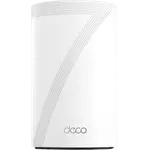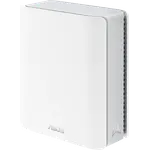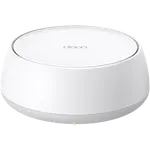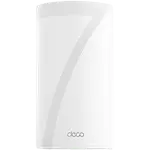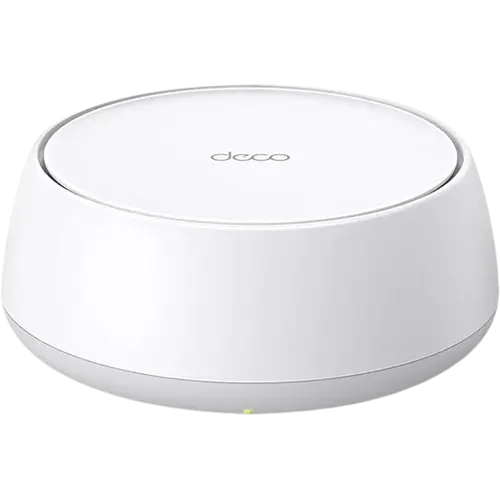


TP-Link Deco BE25 Review: Affordable Dual-Band Wi-Fi 7 Mesh With a Standout App
The Deco BE25 is TP-Link's entry point into Wi-Fi 7 mesh: a dual-band BE5000 system (2.4 and 5 GHz, no 6 GHz) with two 2.5G ports per unit and MLO. Owners repeatedly single out the Deco app as one of the best in home networking, with granular per-device and per-band control, and report strong coverage and stability that beats their ISP gateways, with Bell, Telus, Google Wifi and Eero all coming up as systems it improved on. The trade-offs are the dual-band design (no 6 GHz), just two 2.5G ports (one taken by the modem on the main unit) and a minority who hit dropped devices or inconsistent speeds. For buyers who want affordable, easy Wi-Fi 7 mesh with multi-gig wired ports, it is a strong value.
- Budget Wi-Fi 7 upgrades
- Replacing an ISP gateway
- Multi-gig (2.5G) fiber plans
- Whole-home coverage on a budget
Pros
- Affordable entry into Wi-Fi 7 mesh with MLO
- Two 2.5G WAN/LAN ports per unit for multi-gig plans
- Excellent, granular Deco app (per-device and per-band control, IoT and guest networks)
- Strong whole-home coverage that beats many ISP gateways
- Easy setup, praised even by non-technical buyers
- Runs cool and quiet, and any unit can be the main node
- Works as an access point and mixes with older Deco units
Cons
- Dual-band only, with no 6 GHz band
- Just two 2.5G ports, and one is taken by the modem on the main unit
- No USB port, so no network storage, FTP or Samba
- No WireGuard VPN support
- A minority report dropped devices or inconsistent speeds
- Older devices may need WPA3 switched to WPA2 to connect
Who is the TP-Link Deco BE25 for?
The Deco BE25 is the affordable, dual-band member of the Deco Wi-Fi 7 family, rated BE5000 across the 2.4 and 5 GHz bands (there is no 6 GHz band) with 6 streams, four internal antennas, MLO and 320 MHz channels. Each unit has two 2.5G WAN/LAN auto-sensing ports and covers roughly 2,600 sq ft, supporting up to 150 devices, and you can add units for whole-home mesh. Buyers describe it as an ideal value upgrade from an ISP gateway or older mesh, especially on multi-gig fiber plans where the 2.5G ports matter, and several use it to blanket 2,000 to 3,000 sq ft homes with dozens of smart-home devices. It can even be mixed with older Deco units in the same mesh.
What buyers love
The Deco app is the runaway favorite: owners call it one of the best in home networking, praising granular control such as choosing which band or which unit each device uses, renaming devices, and setting up guest and IoT networks in real time without resets. Coverage and stability come next, with many reporting a clear step up from Bell, Telus, Google Wifi and Eero gateways, strong signal across multi-story homes, and fast, stable connections (one owner measured far higher upload speeds than their ISP router). The two 2.5G ports and wired backhaul suit fiber plans, setup is described as quick even by non-technical buyers, any unit can serve as the main node, and the hardware runs cool and quiet at a low price.
What to know before you buy
The BE25 is dual-band, so there is no 6 GHz band, which is the main way it is cheaper than the tri-band Deco models; if you specifically want 6 GHz, look higher up the range. Each unit has only two 2.5G ports and no USB port, so on the main unit one port goes to the modem and you are left with a single spare (some owners add a 2.5G switch), and there is no network storage, FTP or Samba. A minority of owners report dropped devices or inconsistent speeds, older gadgets may need WPA3 switched to WPA2 to connect, and outside the US it ships with US power plugs. On the networking side there is no WireGuard VPN, and no Matter controller or Thread border router.
Is the TP-Link Deco BE25 worth it?
For buyers who want a genuine, affordable path into Wi-Fi 7 mesh, the BE25 hits a sweet spot: strong owner satisfaction, an app people rave about, multi-gig 2.5G ports, and coverage that reliably beats ISP gateways, all at an entry-level price and backed by a 2-year warranty. Go in knowing it is dual-band (no 6 GHz) and light on ports, but if those trade-offs fit your home, it is one of the easiest value recommendations in the Wi-Fi 7 mesh space.
Frequently asked questions
Is the TP-Link Deco BE25 tri-band?
No. The BE25 is a dual-band Wi-Fi 7 system on the 2.4 and 5 GHz bands (BE5000), with no 6 GHz band. It still supports Wi-Fi 7 features like MLO (Multi-Link Operation) and 320 MHz channels, and is backward compatible with Wi-Fi 5 and 6 devices.
What ports does the Deco BE25 have?
Each unit has two 2.5G WAN/LAN auto-sensing ports and supports wired Ethernet backhaul. There is no USB port, so it does not offer network storage, FTP or Samba.
How many devices and how much area does the Deco BE25 cover?
TP-Link rates a single unit for up to 150 connected devices and around 2,600 sq ft of coverage. You can add more Deco units, including some older Deco models, to extend coverage into a larger mesh.
Can the Deco BE25 run as an access point?
Yes. It supports access point mode, which several owners use to place it behind an ISP gateway or their own router for better Wi-Fi.
Does the Deco BE25 support VPN?
Yes, both as a VPN client and server, with OpenVPN, PPTP and L2TP/IPSec plus DDNS. WireGuard is not supported.