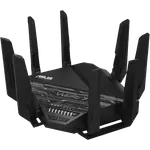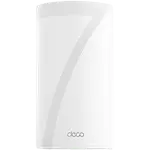


TP-Link Deco BE95 Review: A Flagship Wi-Fi 7 Mesh System That Erases Dead Zones in Big Homes
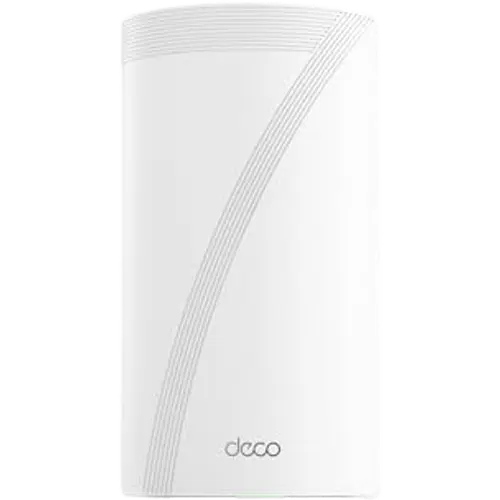
The Deco BE95 is TP-Link's flagship mesh system, aimed at large households replacing an older mesh or router setup and wanting genuine Wi-Fi 7 speed with multi-gig wired backhaul. Owners consistently report a dramatic coverage and speed jump over previous-generation mesh systems, simple app-guided setup, and enough headroom to handle a busy home full of connected devices. The trade-offs are a heavy dependence on the cloud-connected mobile app for configuration and a small number of reports of coverage or connection-drop issues, so it suits buyers who want a set-and-forget premium mesh system more than tinkerers who want deep local network control.
- Large or multi-story homes replacing an older mesh system
- Busy households with many simultaneous connected devices
- Buyers wanting multi-gig wired backhaul between nodes
- Set-and-forget app-managed Wi-Fi 7 setups
Pros
- Wi-Fi 7 with mesh Wi-Fi and MLO for strong whole-home coverage
- Fast, straightforward app-guided setup even for multi-node installs
- Multi-gig wired backhaul via 10 Gbps and 2.5 Gbps ports on each node
- Full security and parental-control set: WPA3, guest/IoT network separation, VPN client and server, Wi-Fi pause schedules and content blocking
- Handles a high number of simultaneous connected devices well
Cons
- Setup and management rely heavily on the cloud-connected app and account with two-factor authentication
- A minority of owners report poor range or frequent connection drops versus their previous mesh system
- Time Machine backup support over USB is not confirmed
- Power connector fit reported as loose by at least one owner
Who is the TP-Link Deco BE95 for?
The Deco BE95 is a quad-band mesh system supporting Wi-Fi 5, Wi-Fi 6, Wi-Fi 6E and Wi-Fi 7, rated for a 33 Gbps maximum Wi-Fi speed with mesh Wi-Fi and MLO (Multi-Link Operation) for combining bands on capable clients. Reviewers upgrading from older mesh systems such as Deco X20/X60, Netgear Orbi and AT&T's gateway/extender combo describe eliminating dead zones and buffering across large homes (several mention 4,000+ sq ft). It also fits households wanting a heavier-duty wired backbone, since each unit offers 2x 10 Gbps and 2x 2.5 Gbps ports for wired backhaul between nodes or a fast connection to a NAS or gaming PC.
What buyers love
The most repeated praise is a night-and-day upgrade in both speed and coverage compared to older mesh hardware, with several owners specifically calling out the end of buffering and dead zones in large houses. Setup is consistently described as fast and simple through the Deco app, often around 15 minutes even for multi-node installs. The system's parental controls (Wi-Fi pause schedules, instant pause, content blocking), guest and IoT network separation, and WPA3 encryption give it a rounded feature set beyond raw speed, and its VPN client/server support (including OpenVPN, PPTP and L2TP/IPSec) appeals to buyers who want secure remote access built in.
What to know before you buy
Configuration is app-first: the Deco app requires an account with two-factor authentication, and at least one reviewer specifically disliked how much of the network configuration is tied to TP-Link's cloud account rather than fully local control, so buyers who want to avoid cloud dependency for basic settings should be aware of that up front. A smaller number of owners reported poor range or frequent connection drops compared to their previous mesh setup, and one mentioned a power connector that fits loosely at the unit. Time Machine backup support over the USB port is not confirmed for this listing, so Mac users relying on that specific feature should verify it directly.
Is the TP-Link Deco BE95 worth it?
As a flagship mesh system, the BE95 delivers where it counts: genuine Wi-Fi 7 speed, wide coverage in large homes, and a full security and parental-control feature set backed by wired multi-gig backhaul. Buyer sentiment skews strongly positive, especially among people replacing an older or overwhelmed mesh setup, which combined with the 2-year manufacturer warranty makes it a reasonable premium pick for anyone who wants a mesh system they can largely set up once and leave alone.
Frequently asked questions
Does the TP-Link Deco BE95 support Wi-Fi 7?
Yes. It is a quad-band system supporting Wi-Fi 5, Wi-Fi 6, Wi-Fi 6E and Wi-Fi 7, with a maximum Wi-Fi speed rating of 33 Gbps and MLO support.
Can the Deco BE95 nodes use wired backhaul?
Yes, each unit includes 2x 10 Gbps and 2x 2.5 Gbps ports, so nodes can be connected with Ethernet for faster, more stable backhaul instead of relying on wireless mesh alone.
Does the Deco BE95 require the TP-Link app to set up?
Yes, setup and most configuration go through the Deco app, which requires creating an account with two-factor authentication. There is a web interface, but it offers only minimal settings compared to the app.
Does the Deco BE95 have parental controls and a guest network?
Yes. It supports a separate guest network and IoT network, plus parental controls including Wi-Fi pause schedules, instant Wi-Fi pause and content blocking.
Does the Deco BE95 support VPN?
Yes, it supports both VPN client and VPN server functionality, including OpenVPN, PPTP and L2TP/IPSec protocols.